
Authentication
How to obtain an Awell Orchestration API key and send it with every request.
Every request to the Orchestration API must be authenticated. This page explains how to obtain a key and how to send it. It is the single source of truth for authentication; other pages link here rather than repeating it.
Obtain an API key
An administrator creates API keys in the CareOps portal — you don't need to ask Awell for one.
- Open Integrations from the bottom of the left navigation.
- Go to the API keys tab.
- Click Create API key.
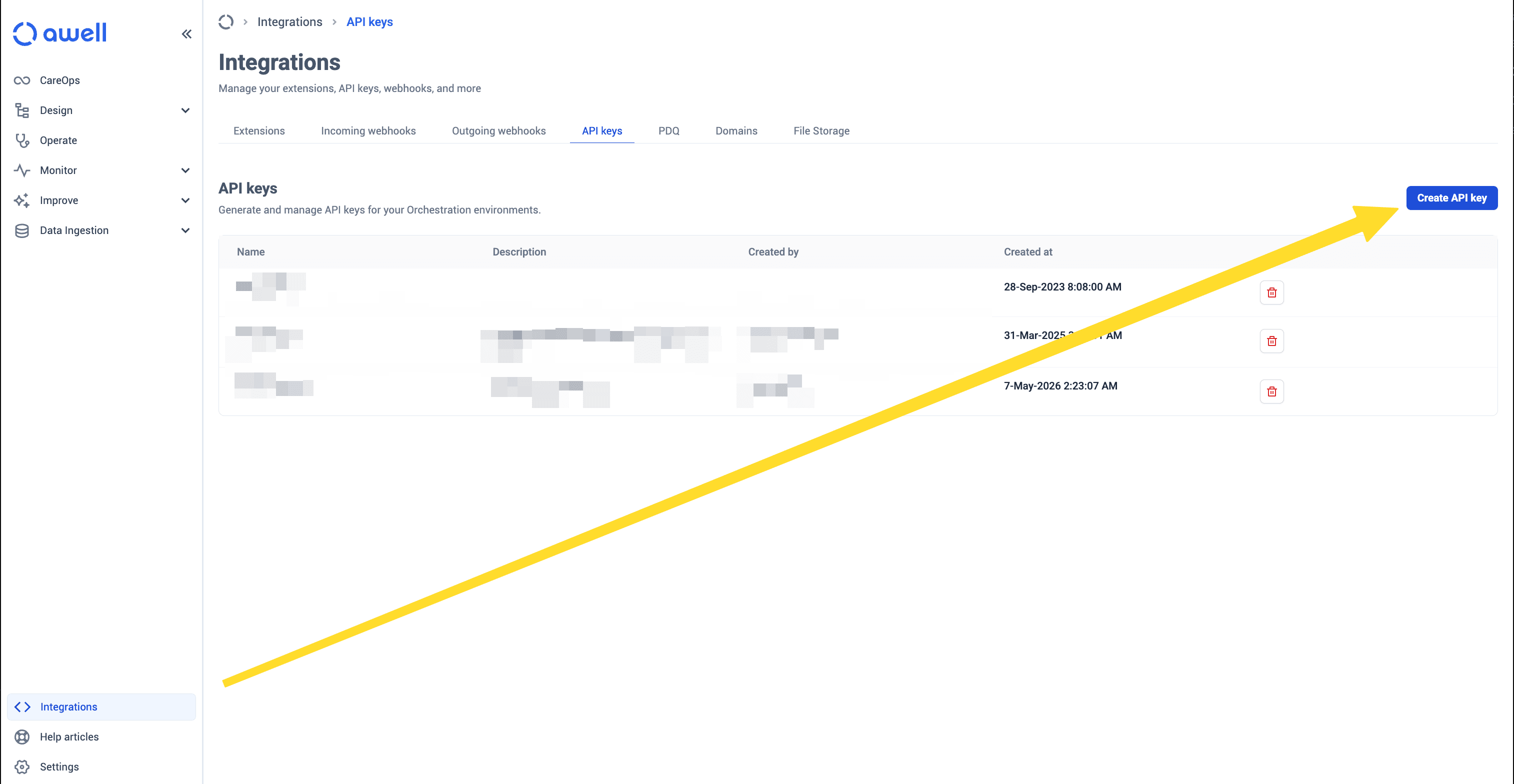
The key is shown once, when you create it. Copy it straight into your secrets store — you cannot retrieve it later, and the list above shows only its name and when it was created. If you lose it, create a new key and delete the old one.
Keys are per environment, so a key created in Sandbox does not work against production. See Environments.
Keys do not expire, and there is no rotation schedule to keep up with.
Send the key
Put the key in an apiKey header on every request. The value is the key itself — there is no
Bearer prefix and no other header to set. The endpoint you send it to is what selects the
environment, so nothing in the request names one.
curl https://api.sandbox.awellhealth.com/orchestration/m2m/graphql \
  -H 'Content-Type: application/json' \
  -H 'apiKey: YOUR_API_KEY' \
  -d '{"query": "query { patients(pagination: {count: 1, offset: 0}) { patients { id } } }"}'
Send it from a backend, never a browser
The Orchestration API is a machine-to-machine API. A key authenticates as your whole tenant, so anyone holding one can create patients, list every care flow, or start care flows on your behalf.
That rules out calling this API from front-end code. Anything in a browser or mobile app ships the key to whoever is looking. Requests belong in a backend service that can hold the key without exposing it.
Keep keys safe
- Give a key only to the people and services that need it.
- Keep keys out of source control. Store them in environment variables or a secrets manager.
- Replace a key if you suspect it has been exposed: create a new one, move your callers over, then delete the old one. There is no scheduled rotation, so this is the only time you need to.