Changelog

What changed in Awell, newest first. Each entry notes who it's for and what to do about it.

Jump to an update

Faster Orchestration APIs and a centralized patient data store

Developersorchestrationapidata

Both changes in this release are breaking: any integration that calls the removed GraphQL operations or reads the patient-profile table needs updating.

Breaking changes

Deprecated GraphQL queries and subscriptions removed

On June 7, 2026 several previously deprecated GraphQL queries, subscriptions, and fields were removed from the Orchestration API. The replacements are already live, accept equivalent parameters, and are faster.

Queries

RemovedUse insteadNote
activitiesactivitiesByPatientpatientId is now required
activitiesactivitiesByCareflowDefinitioncareflowDefinitionId is now required
pathwayActivitiescareflowActivities
myPendingActivitiesmyActivities
pathwayElementsNo direct replacement

Field resolvers

RemovedUse instead
Pathway.activitiesPathway.latestActivities
.dataPointDefinitions.data_point_definitions

Subscriptions: elementCreated, elementUpdated, and elementCompleted were removed with no direct replacement.

What to do: update any integration that references the removed queries, fields, or subscriptions to use the alternatives above. For an integration that relied on pathwayElements or the element subscriptions, which have no direct replacement, email support@awellhealth.com.

Patient data moved to a new BigQuery table

Patient data now lives in a centralized, patient-scoped patient_data table in BigQuery. The legacy patient-profile table is deprecated, and data stopped flowing into it on June 7, 2026.

What to do: point any queries, models, or pipelines that read patient-profile at patient_data instead. The BigQuery data schema has the full new schema.

Why: patient data is now patient-scoped rather than held inside individual care flows, which is what backs unique patient identifiers and faster patient search.

Fixes

  • Fixed questionnaire answers not saving for some patients.
  • Fixed care flows occasionally completing prematurely.
  • Fixed an orchestration timeout when activities shared the same stakeholder session.
  • Fixed patient creation occasionally failing with an "Argument Validation Error".
  • Fixed Monitoring graphs not rendering on the landing page.
  • Improved contrast and readability of form answer text.
  • Scaled and stabilized the extension server under heavy load.
Archive care flows and richer activity queries

Everyoneorchestrationapi

Archiving is available for care flows that are no longer in use, and activity queries return more data.

What's new

  • Care flows can be archived. Archiving clears care flows that are no longer in use out of the list.
  • Activity queries return more data. They expose additional fields, and the developer docs were refreshed to match.

Improvements

  • The orchestration database was upgraded and the activity store re-indexed, which makes activity queries faster and more reliable.

Fixes

  • Fixed date transformations that could produce incorrect dates.
  • Fixed the "has any value" condition on JSON data points.

Calculations that read the form they belong to

Everyonestudioformsorchestration

A calculation can be tied to the form it belongs to, along with fixes for promotion, outgoing webhooks, and Hosted Pages.

What's new

  • Calculations can be tied to a specific form. A calculation scoped to a form reads the answers from that form, so it no longer runs against data collected in an earlier submission.
  • Hosted Pages availability and alerting were hardened, and monitoring was extended across the platform.

Fixes

  • Fixed conditional logic going missing when a care flow was published from Sandbox to Production.
  • Fixed outgoing webhooks failing to send in Production without reporting an error.
  • Fixed required questions being skippable by patients in Hosted Pages.
  • Fixed the form Submit button not working after a form with file attachments was re-opened.
  • Fixed Awell Studio auto-save clearing input while an activity name was being edited.

Score labels in more languages, and webhook keys that stay hidden

Everyonestudioorchestrationhosted-pageswebhooks

This entry covers January through March 2026.

What's new

  • Score labels support languages other than English in Awell Studio, so a translated questionnaire no longer shows English labels on its scores.
  • Outgoing webhook headers accept global constants. An authentication key can live in a global constant and be referenced in the header, instead of being typed into the header value where anyone with access to the care flow can read it.
  • Hosted Pages supports redirect URLs per tenant. A finished session can return the stakeholder to the organization's own page rather than the Awell site.
  • Infrastructure was scaled up across the platform ahead of higher expected load.
Fixes

  • Fixed an orchestration edge case where a track could trigger on "data point not collected" even though the data point had been collected.
  • Fixed the activity feed showing the previous version of a care flow after an upgrade.
  • Fixed care flows stopping early because a "date in the past" validation rejected dates it should have accepted.

Model decisions and repeating care explicitly

Everyonestudiocare-flowsforms

Care flows gain a dedicated Decision component, native track looping, forms that are private by default, summaries on demand, and form submissions as PDF.

What's new

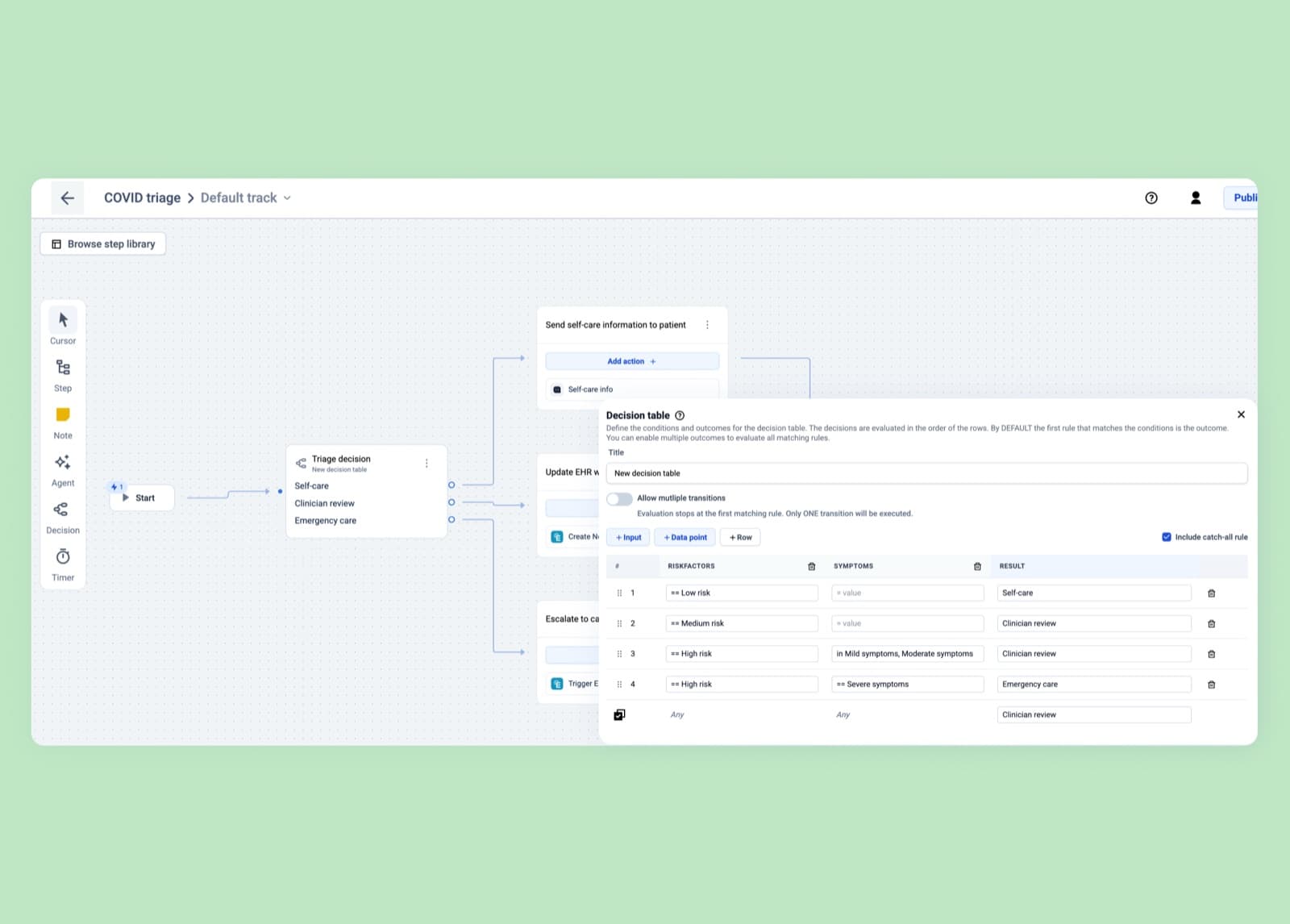
The Decision component puts branching logic in one node

The Decision component in Awell Studio, with conditions and their branches

Transitions already allowed conditional edges between steps, and the Decision component takes that further by collecting the logic into a single dedicated node, where the branching is visible in one place rather than spread across the edges of the canvas.

A Decision offers:

  • A built-in catch-all ("else") condition for values no other condition matches
  • Control over whether it branches to one path ("first match only") or several
  • Reuse across the care flow, so the same decision isn't rebuilt everywhere it's needed
  • Testing inside Awell Studio, without publishing first

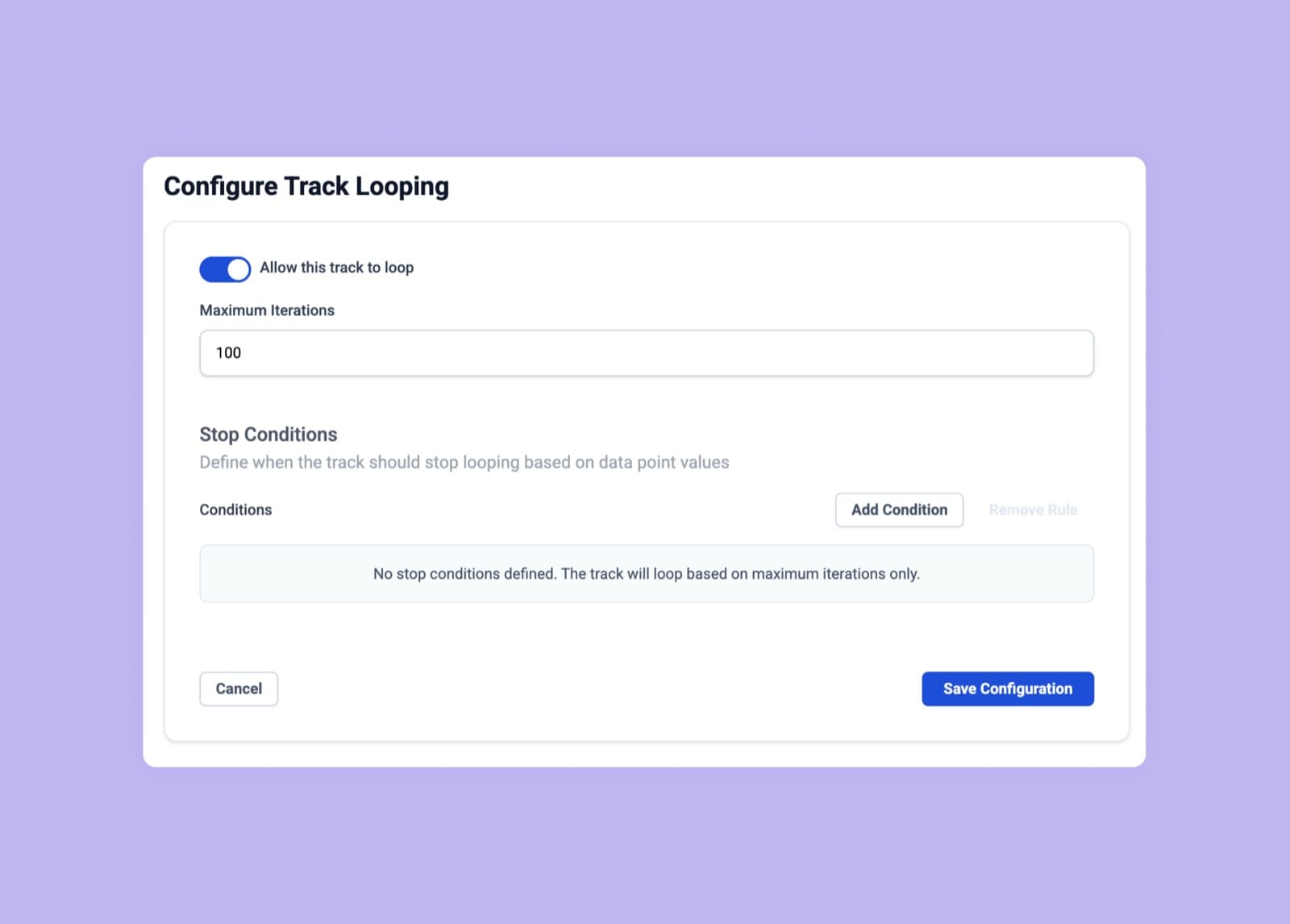
Track looping models care that repeats

A track looping back on itself in Awell Studio

Follow-ups, reassessments, and ongoing monitoring repeat until some condition is met, which used to require workarounds. A track can now loop back to itself, so the repetition is part of the design rather than an artifact of how the steps were wired together. Looping covers patterns such as:

  • Symptom check-ins until the patient improves
  • Reassessment after a waiting period
  • Ongoing monitoring with an explicit exit condition

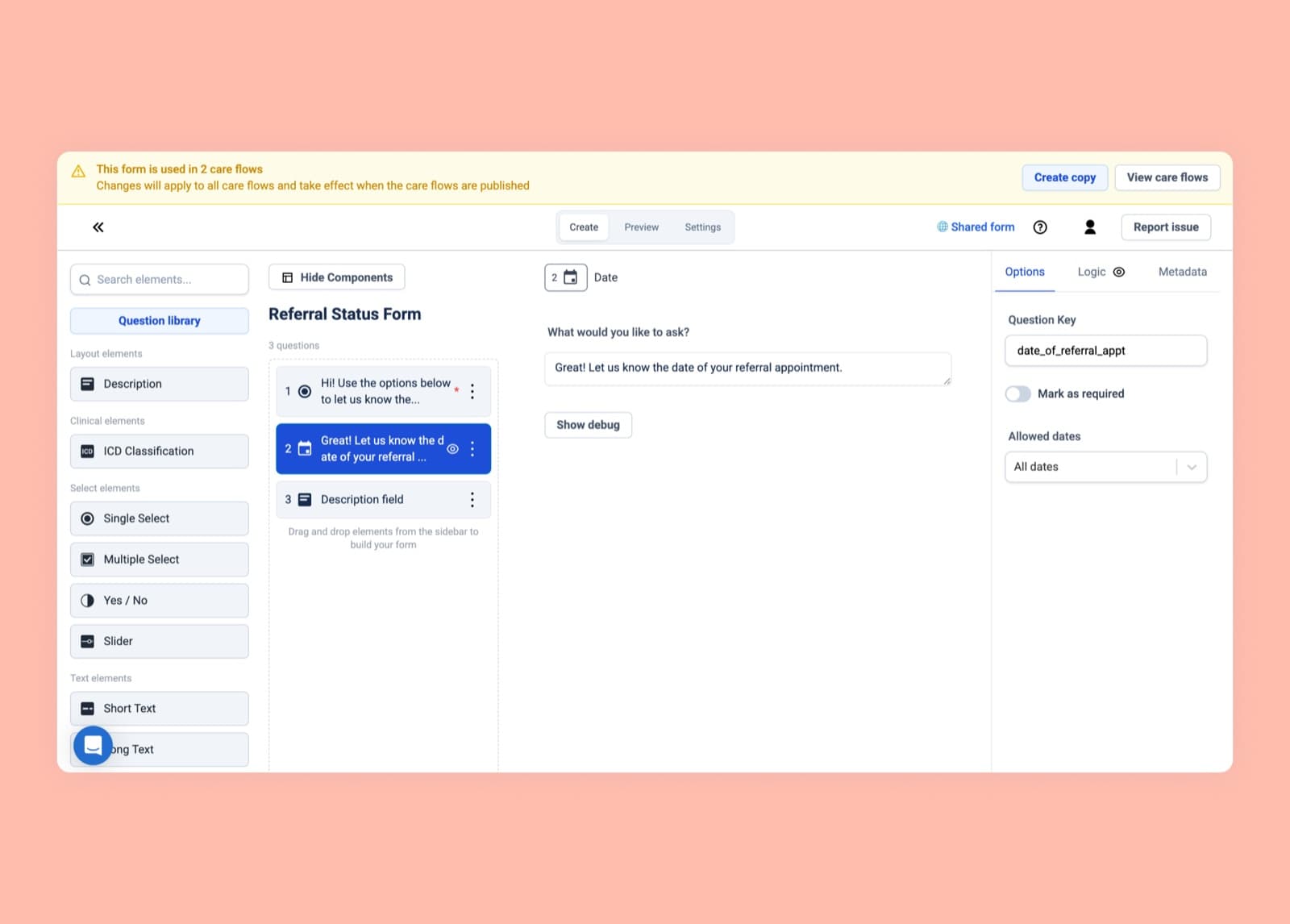
Forms are private to their care flow by default

The shared forms view, showing which care flows use a form

A new form is scoped to the care flow it was created in, so editing it can't change another care flow that uses the same form.

When reuse is the intent, a form can be shared explicitly, and Awell Studio shows every care flow a shared form is used in, so the care flows an edit affects are visible before it's made.

Forms created before this change remain shared. To change one without affecting other care flows, create a local copy and edit that. Shared forms can only be edited by the Designer role (see roles and permissions).

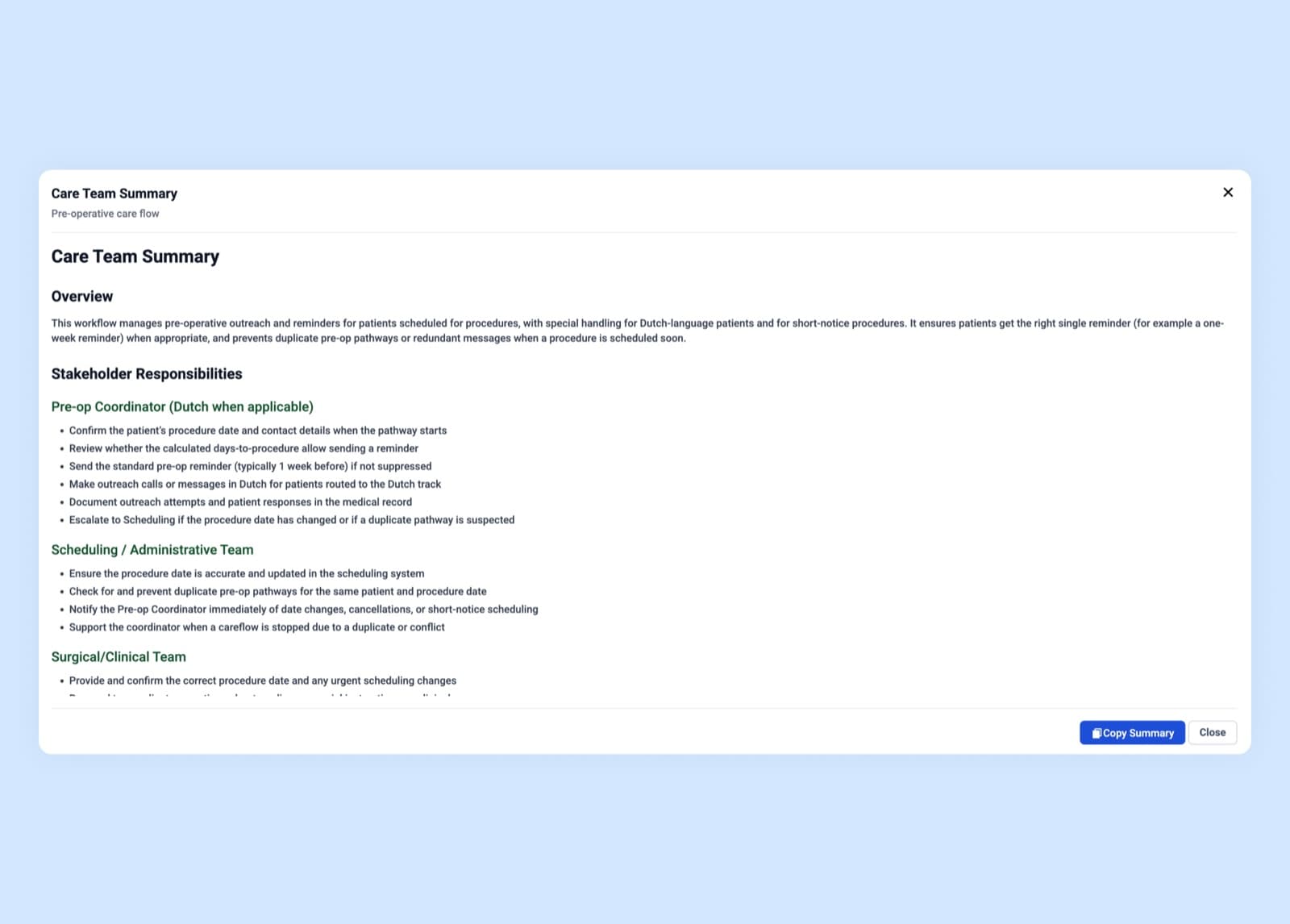
A care flow can be summarized in seconds

An automatically generated summary of a care flow, with a simplified diagram

Any care flow can now be summarized on demand, producing:

  • A written overview of what the care flow does and how a patient progresses through it
  • A simplified diagram highlighting the main paths and decisions

Clinicians, product managers, and operations staff can review a care flow without opening every step.

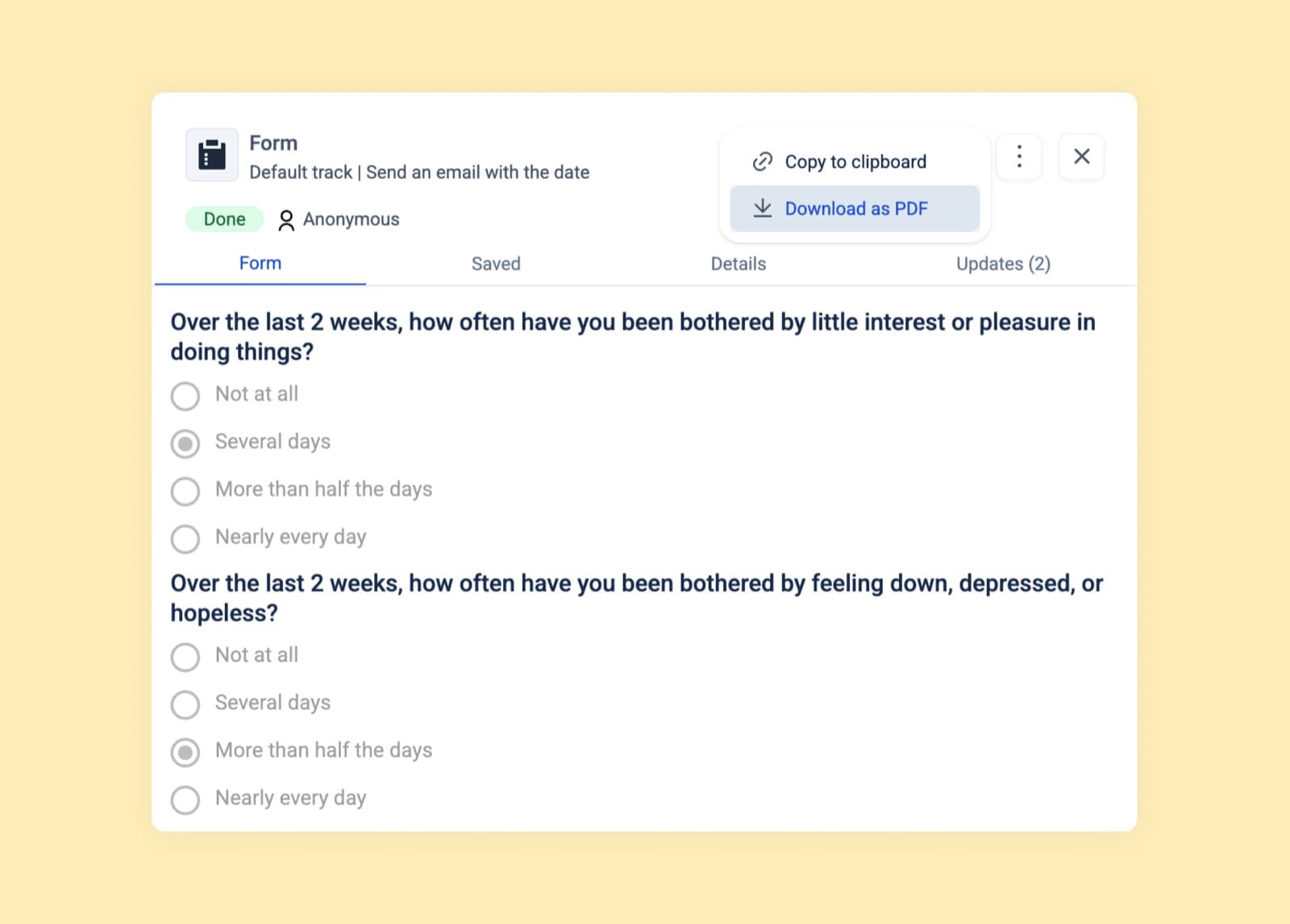
Form submissions download as PDF

A form submission downloaded as a PDF

A form submission can now be downloaded as a PDF, which helps when the data has to be shared with an external party, attached to a patient record, archived for compliance, or read outside Awell. The PDF reflects the submission as it was answered and needs no configuration.

Care flow logs stream to Datadog

Developersorchestrationmonitoringintegrations

Orchestration logs can be streamed to Datadog, and discarding paths in a care flow is about 55% faster.

What's new

Orchestration logs stream to Datadog

Awell care flow logs in a Datadog dashboard

The activity data that orchestration produces can now be streamed to Datadog, which makes care flow operations visible in the tooling a team already watches and allows alerts on signals such as:

  • Failed activities
  • Stale or long-running activities
  • Successful completions

For a different observability platform, email support@awellhealth.com.

Also added

  • Awell Care shows how a care flow was started and by whom.
  • Manually added tracks leave a trace in the activity feed, recording who added them and when.

Improvements

  • Publishing now validates calculation activities more strictly: every required input must be mapped to a data point.
  • The default country code for telephone inputs follows the environment: +1 in the US, +44 in the UK, +32 in the EU.
  • Patient date of birth in Awell Care appears in the reader's local date format.
  • Orchestration is about 55% faster when discarding paths in a care flow.
  • The data catalog was overhauled, including better support for derived data points.
  • Hosted Pages shows a scroll hint in traditional form mode, so a respondent notices that questions continue below the fold.

Fixes

  • Fixed the reason for stopping a care flow not being saved.

Validation rules on text inputs, and separate publish and release rights

Everyonestudioformssecurity

Short text inputs can be validated, and separate roles control who can publish a care flow and who can release it.

What's new

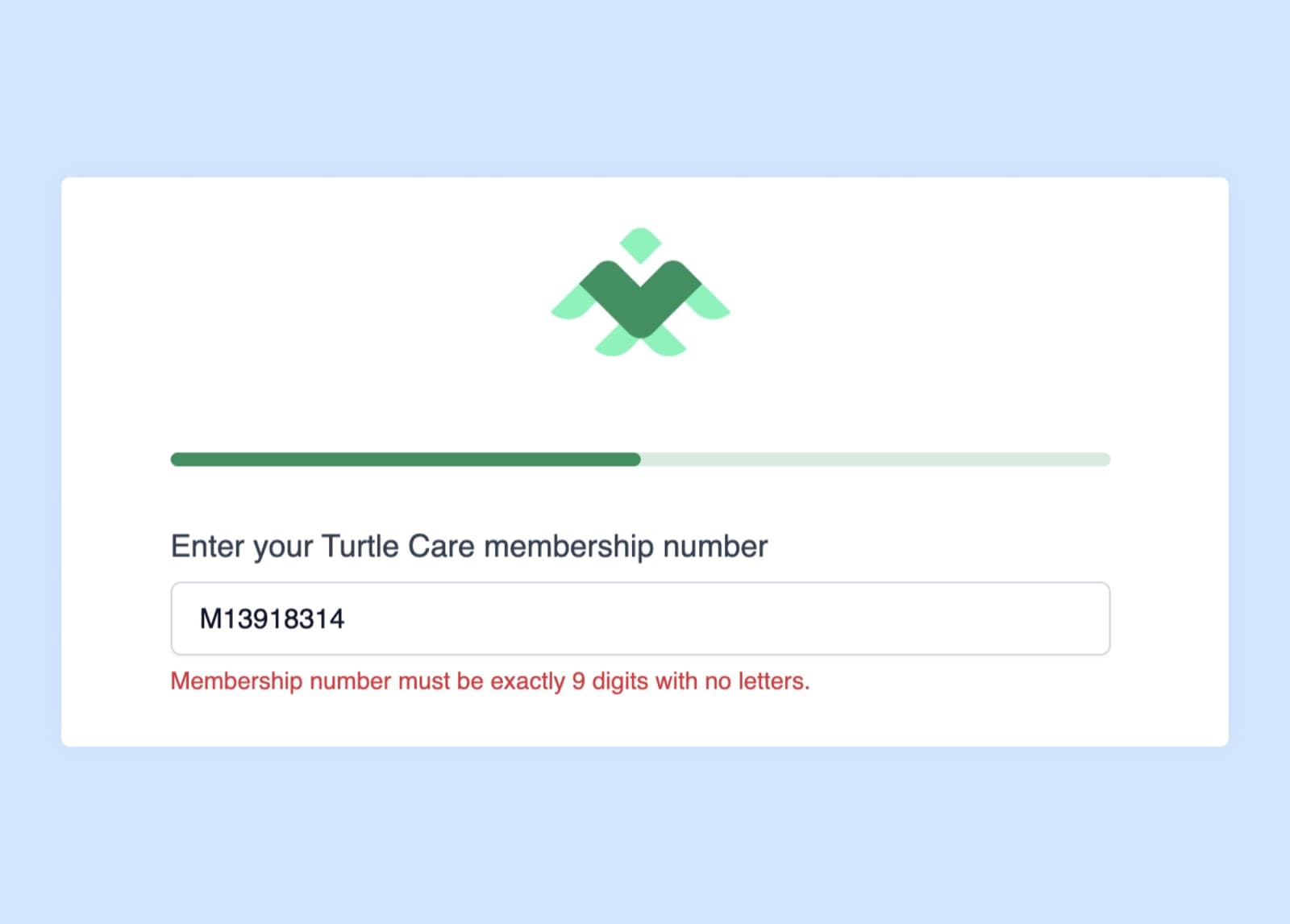
Short text inputs can be validated

Validation options on a short text question in the form builder

A short text question can now carry a validation rule. Built-in options cover the common cases, and a regular expression covers the rest. Catching a malformed value at the point of entry keeps bad data out of the care flow and out of every system downstream of it.

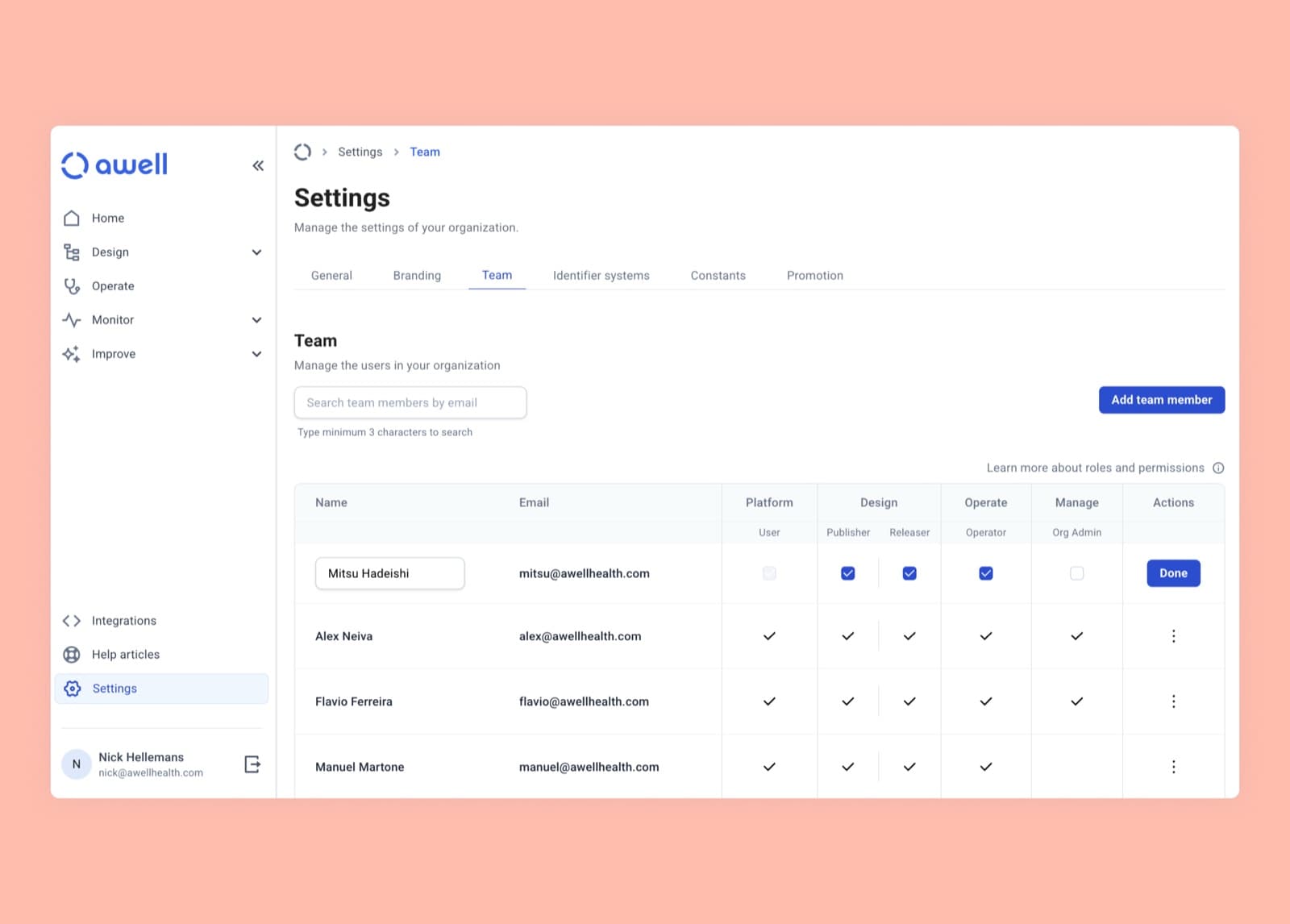
Publisher and Releaser are separate roles

Assigning the Publisher and Releaser roles in the settings section

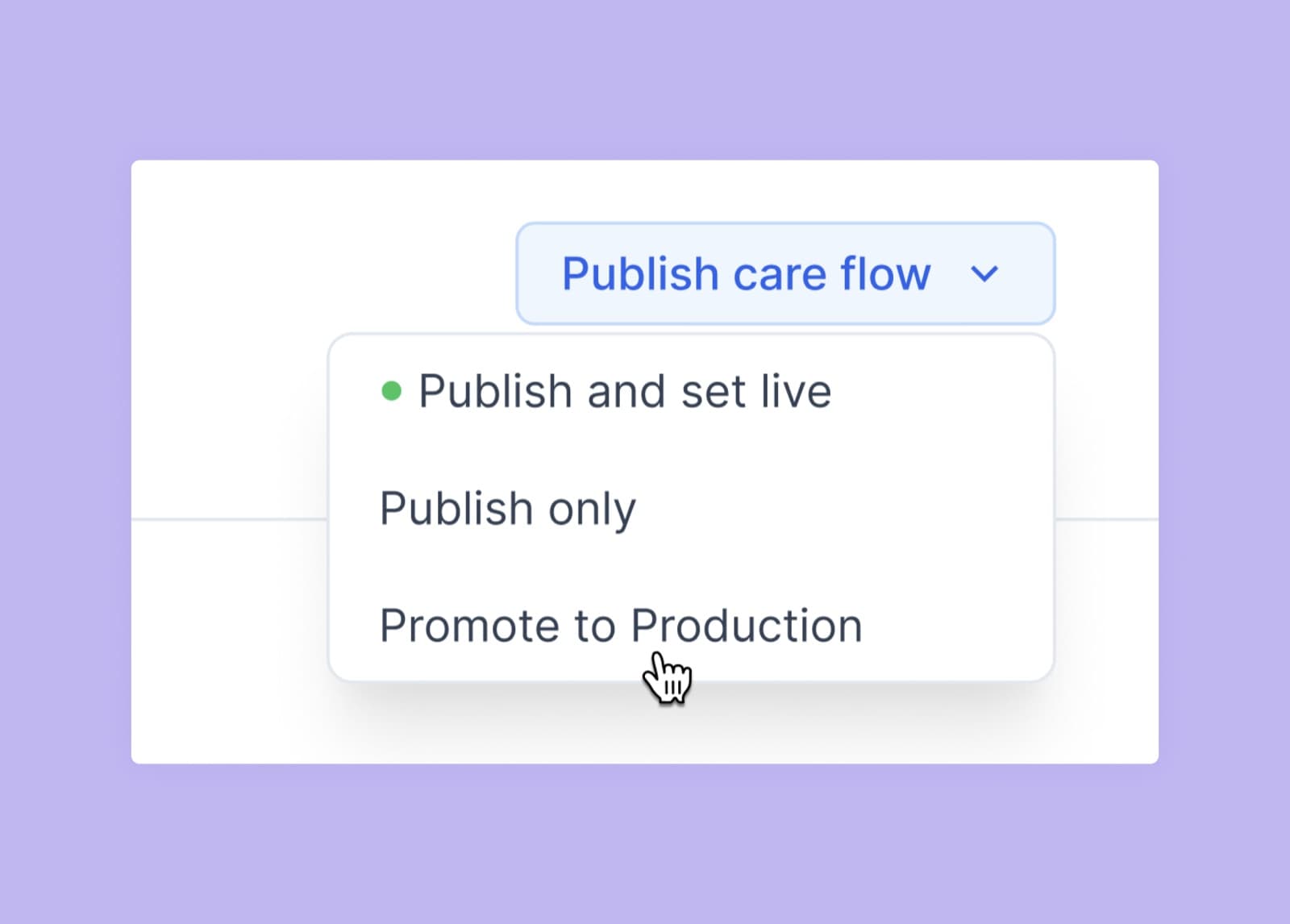
Publishing a care flow and putting it live in Production are now separate rights:

  • Publishers can publish a care flow, which makes it eligible for release.
  • Releasers can set a care flow live and promote it to Production.

Org admins assign both from the settings section. See roles and permissions for the full matrix.

Activate a step at a chosen hour, collect files, and manage extensions in one place

Everyonestudioformsextensionsorchestration

Awell Studio adds a Timer that activates a step at a chosen hour in the patient's timezone, file upload in forms, central extension management, and a single view of what starts a care flow.

What's new

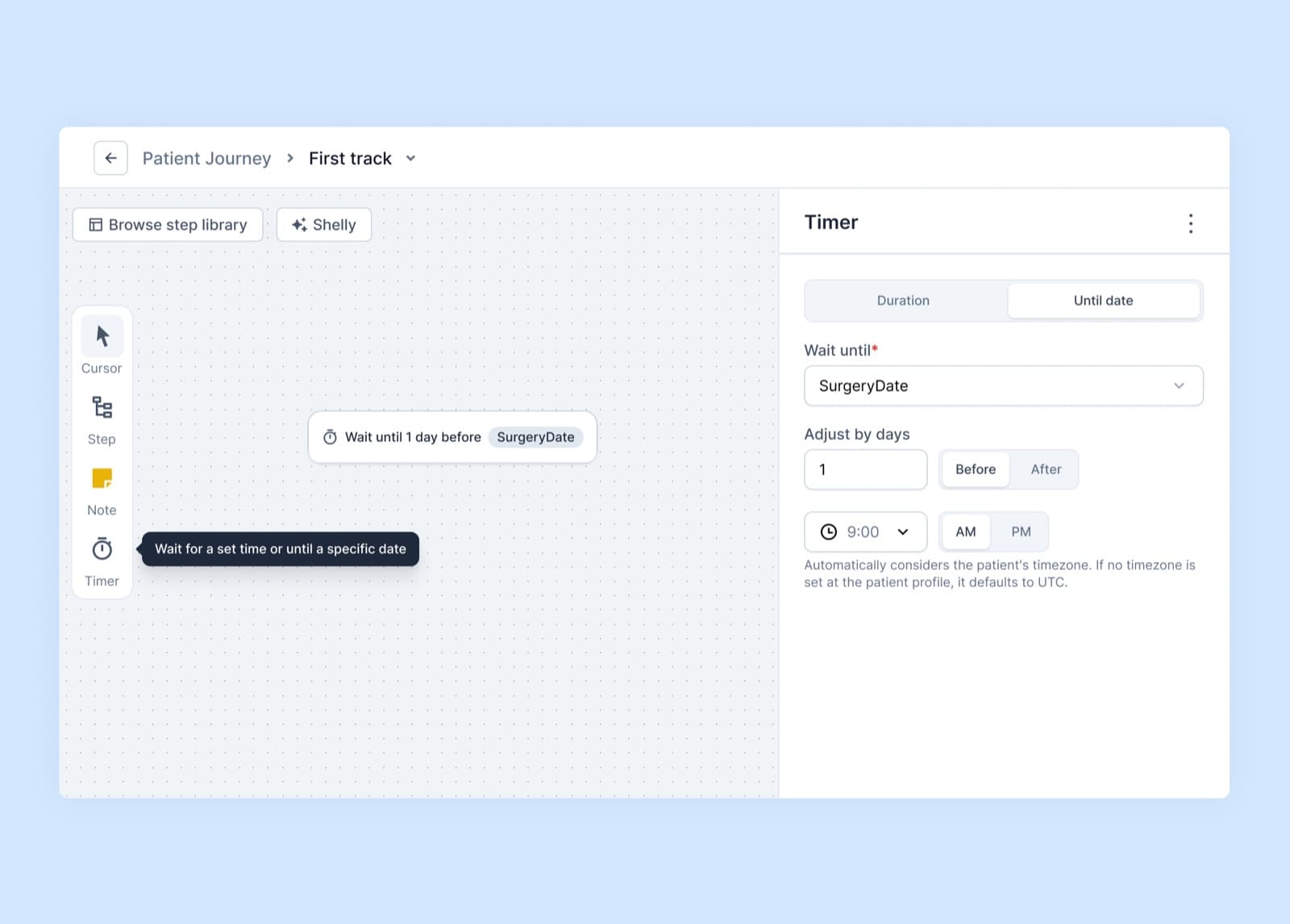
The Timer component activates a step at a specific hour

The Timer component, with a time of day and timezone

A step can now be activated at a chosen hour of the day, in the patient's own timezone, so a care flow designed in another country doesn't send its messages at three in the morning.

See the Timer component for how to configure it.

Forms accept files and images

A file upload question in the form builder

The form builder has a file and image upload question, which collects insurance cards, lab results, referral letters, consent forms, or a photo of a wound directly in the care flow.

Files are uploaded to a storage provider of the organization's choosing, so storage, security, and privacy stay under its control. If no storage solution is in place, email support@awellhealth.com.

See file upload for the setup.

Extensions are configured once, for every care flow

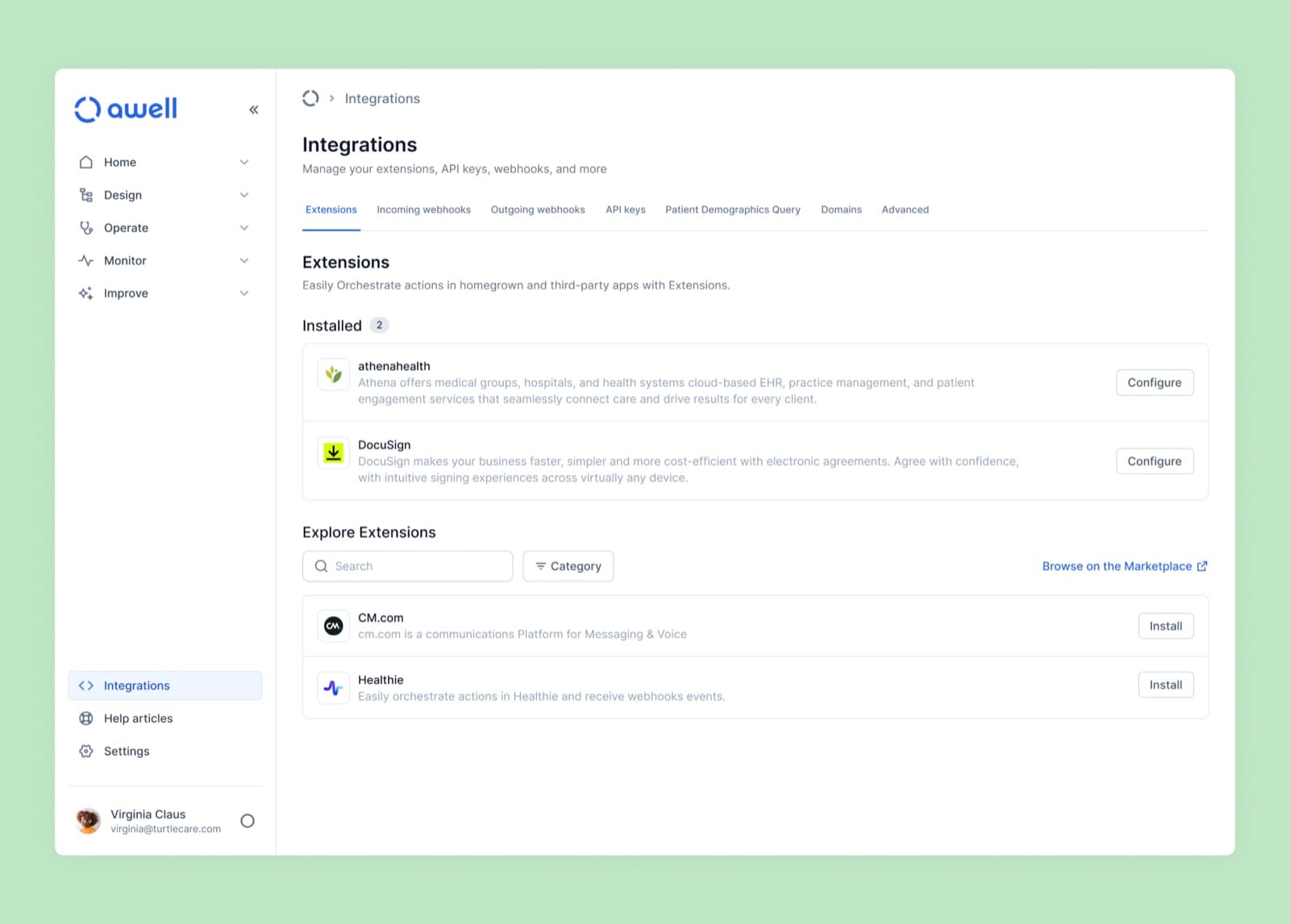
The Integrations tab, listing the extensions configured for an organization

Extensions are managed centrally in the Integrations tab: configure an extension once and reuse it across care flows, instead of re-entering credentials for every new one.

Extensions installed at the care flow level were migrated and disabled on April 28, 2025.

See integrate with extensions.

Enrollment triggers have their own view

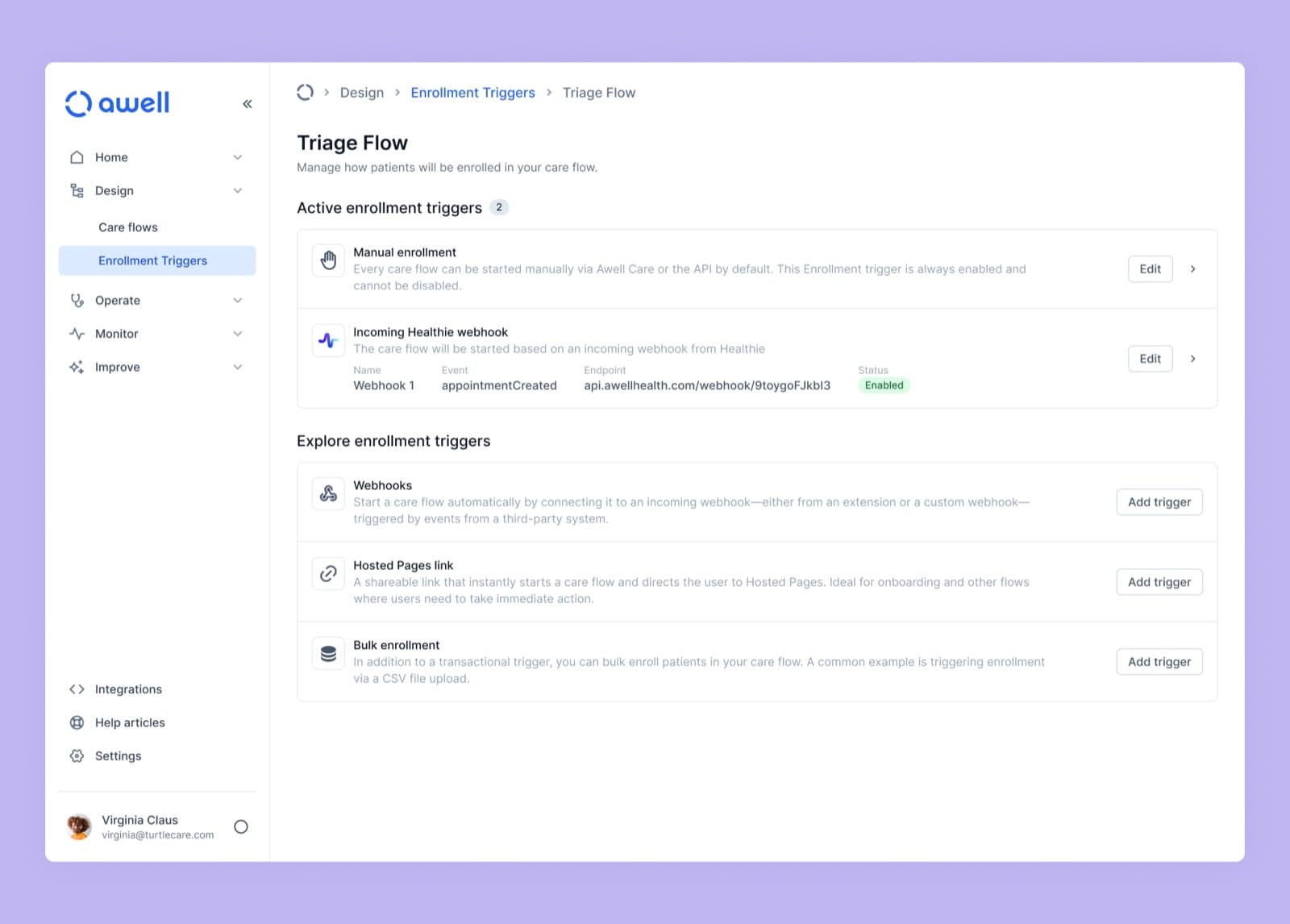
The enrollment triggers view for a care flow

A care flow can be started from the app, the API, a webhook, a bulk enrollment, and more. Enrollment triggers collect all of them in one view, so how patients enter a care flow is visible in one place rather than across several settings pages.

See enrollment triggers.

Also added

  • AI action: Summarize Track Outcome. Generates a readable summary of everything that happened in a track.
  • AI action: Elation, cancel appointments. Searches and cancels appointments from a natural-language prompt.
  • New extensions: Braze and Text-em-All.

Improvements

  • Calculation activities that fail are marked Failed rather than Done, and appear on the Monitoring page.
  • A dedicated Integrations section holds extensions, API keys, webhooks, and other integration settings.
  • Patient identifiers are included in the payload of outgoing webhooks.
  • Baseline data point definition IDs can be copied with one click.
  • Various improvements to how form validation and submission are handled.
  • Incoming extension webhooks support rate limiting, which helps prevent duplicate events.

Fixes

  • Adding or editing a baseline data point refreshes the list, so no manual page refresh is needed.
  • A session timeout now says so and prompts for sign-in, instead of showing a generic error.

Describe a form in words, and read and write Epic data from a care flow

Everyonestudioformsextensionsintegrations

Shelly drafts form questions from a description, and the Epic extension reads and writes Epic data from a care flow.

What's new

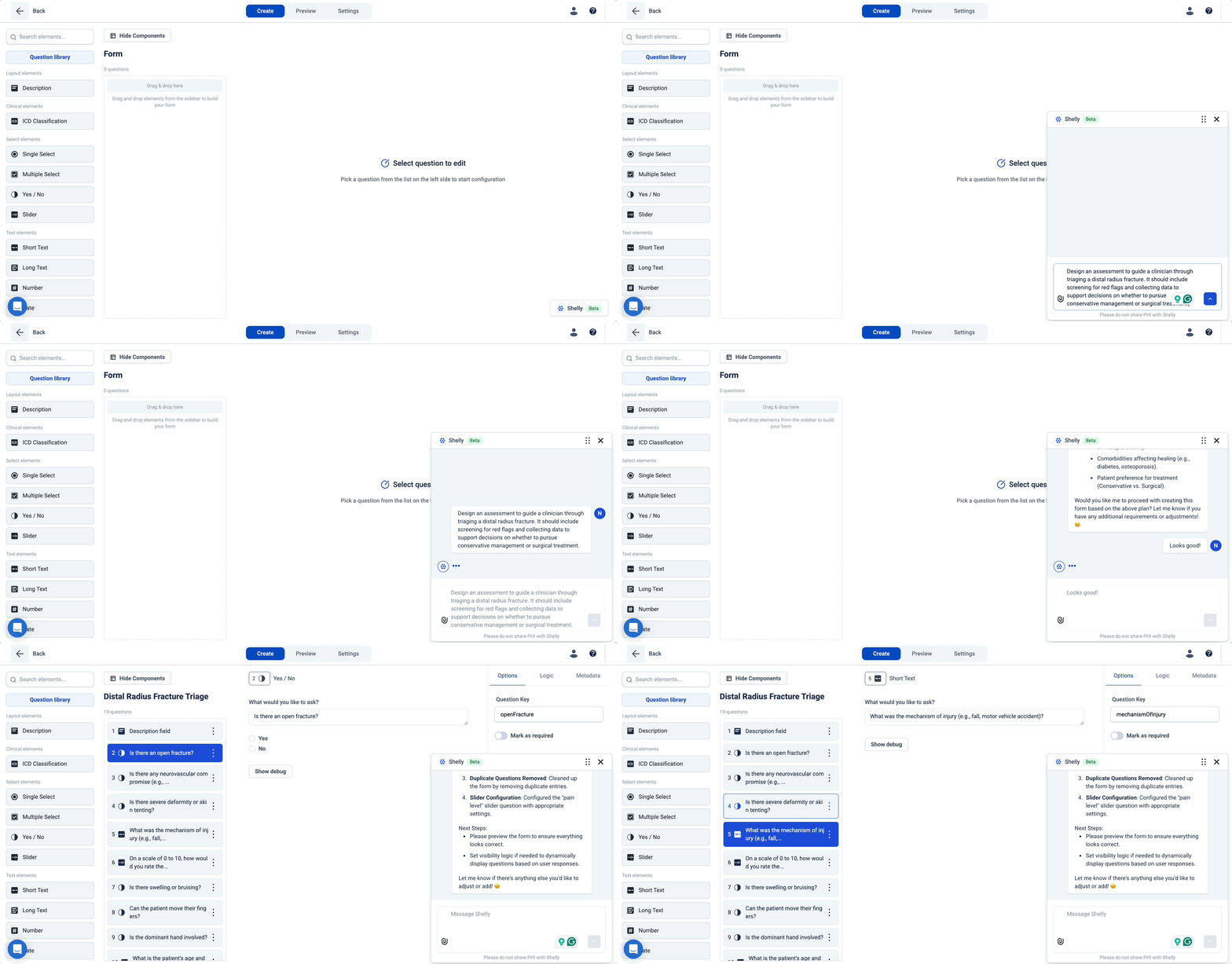
Shelly builds forms from a description

Shelly generating form questions from a description

Shelly, in beta in the form builder, takes a description of an assessment or workflow in plain language and creates the matching questions. An existing assessment can be uploaded and recreated instead.

Refining the questions Shelly drafts is quicker than building a form from scratch.

See build forms with Shelly.

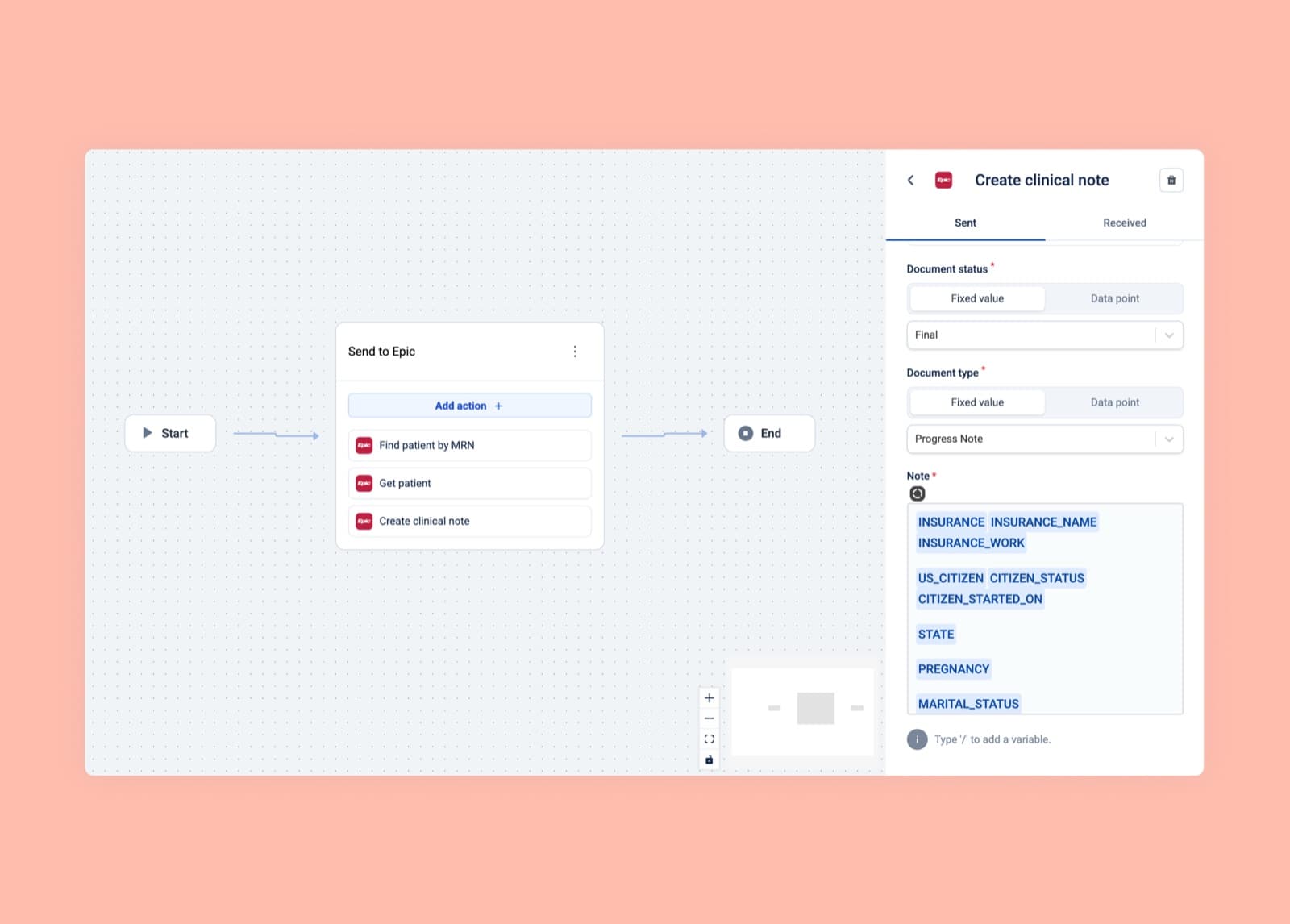
The Epic extension reads and writes Epic data

The Epic extension in the Awell marketplace

The Epic extension reads from and writes to an Epic instance inside a care flow, over the REST-based APIs Epic offers: the Vendor Services API, FHIR R4, FHIR DSTU2, and FHIR STU3.

Epic also supports interfaces such as Health Level Seven, or HL7, which Awell supports too. For HL7 interfaces or SMART on FHIR apps, email support@awellhealth.com.

Also added

  • Extension developers can use the STRINGS_ARRAY and NUMERIC_ARRAY action field types, and define a fixed list of options for the care flow author to choose from.
  • Hyperlinks work as data variables in message content.
  • The Awell Tasks extension reads from and writes to Awell's tasking module.
  • New Elation actions, including: update the resolution of a referral order, so the order can be fulfilled from the care flow; update patient tags; and find a future appointment for a patient.

Improvements

  • The activity feed uses infinite scroll and lazy loading, which keeps it usable on care flows with a large number of activities.
  • Webhook logs are centralized under Monitoring instead of spread across several places.
  • The data point selector handles long data point keys better.
  • The form builder was rebuilt on the new design system.

Fixes

  • Duplicating a description question now duplicates its contents too.
  • Fixed an infinite loading screen for Hosted Pages sessions with no activities.

Define a value once, and collect conditions with ICD-10

Everyonestudioformsextensions

A value can be defined once and reused across care flows, conditions are recorded with ICD-10, and extension action fields support dropdowns.

What's new

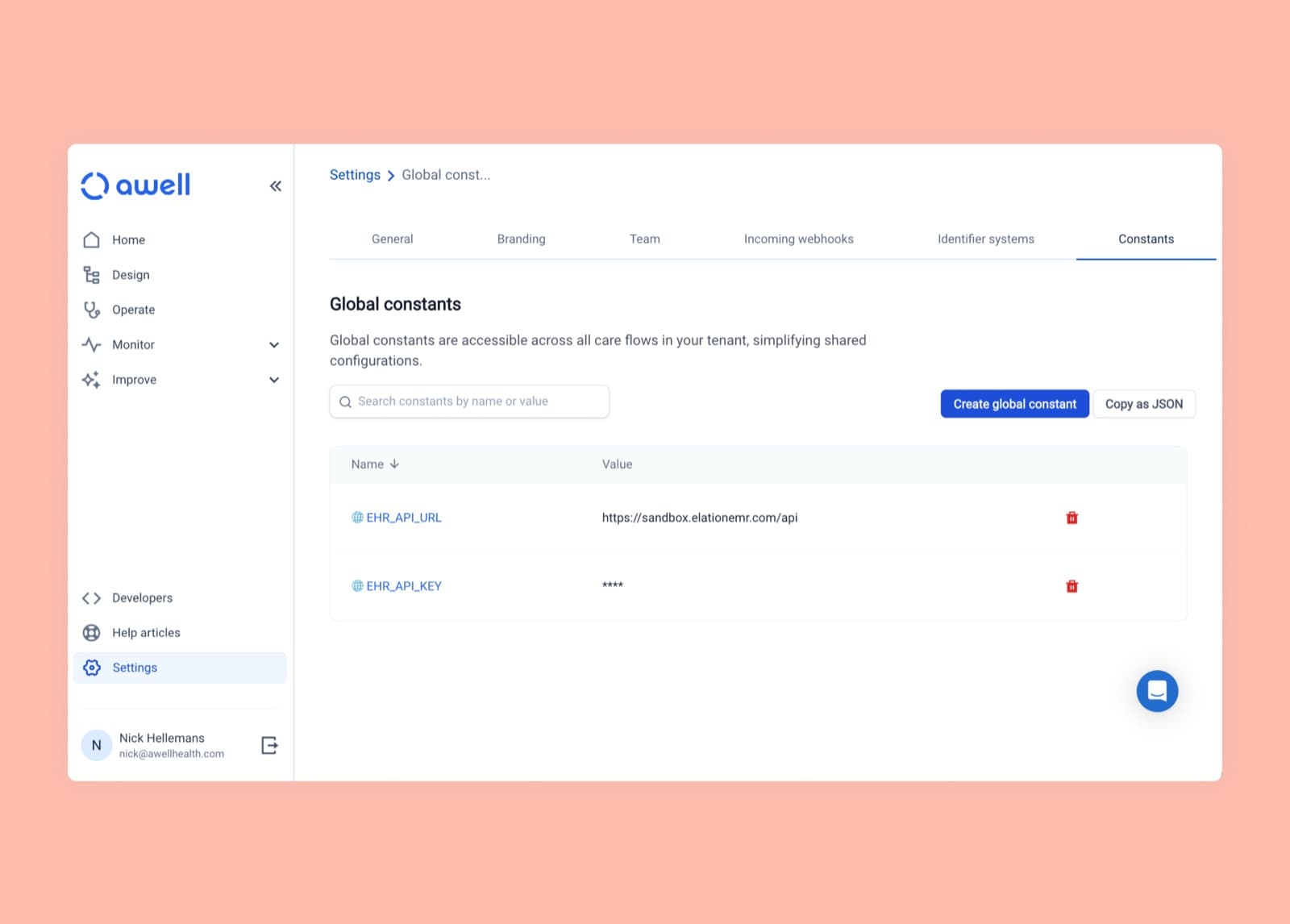
Global constants are defined once and reused

Managing global constants for an organization

A value that appears in several care flows can be defined once as a global constant and referenced everywhere it's needed. Changing it later is one edit instead of a hunt through every care flow.

See store static values in constants.

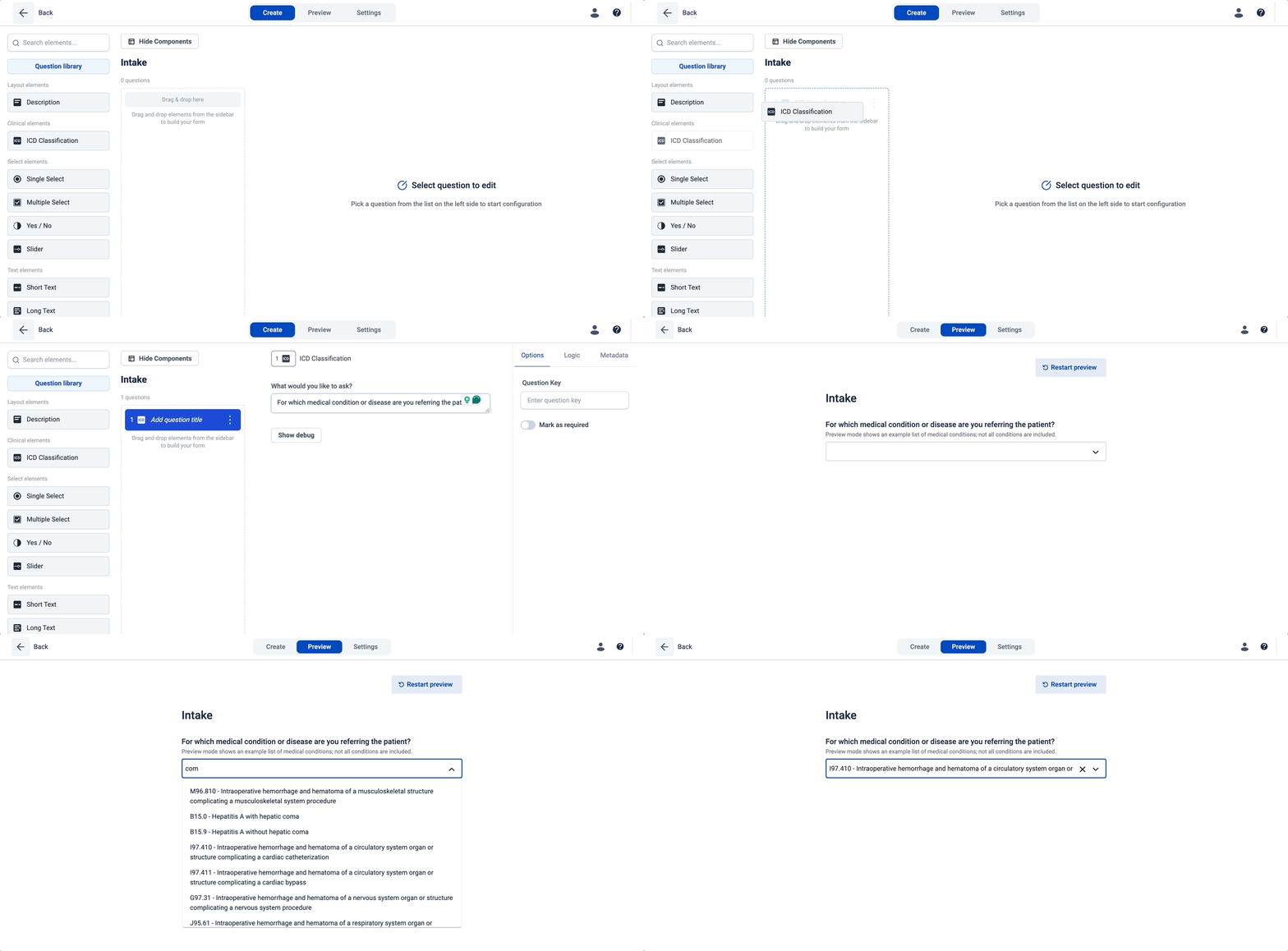
The ICD question collects conditions with ICD-10

Searching for a condition in an ICD question

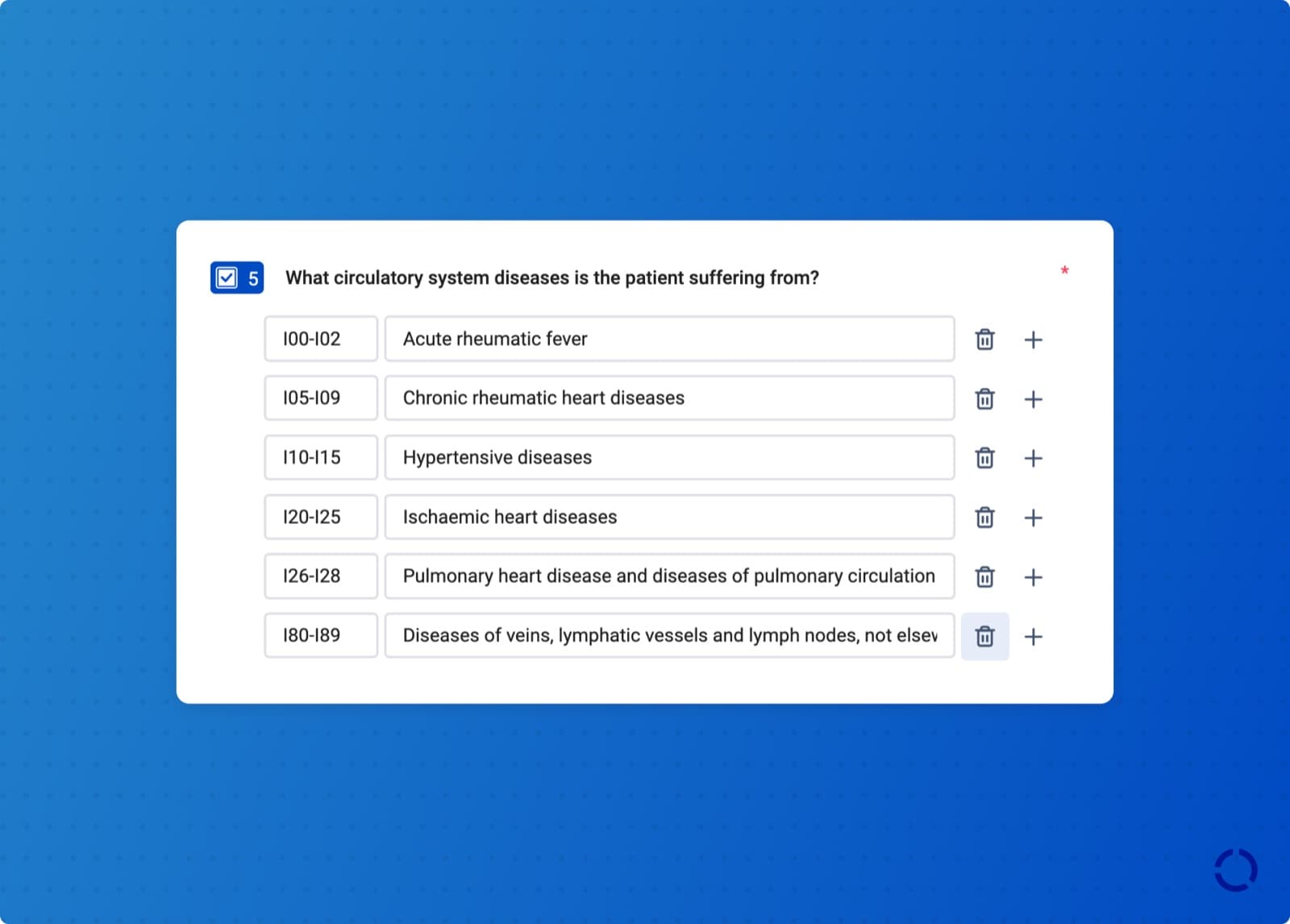
The ICD question collects medical conditions using the ICD-10 classification, the standard system for recording, reporting, and monitoring diseases, so the answer arrives coded rather than as free text.

See configure your ICD question.

Action fields support dropdowns

A dropdown on an extension action field

Extension developers can give an action field a dropdown of predefined options, so a care flow author picks from a list instead of typing a value that has to match exactly.

See action fields.

Also added

  • Polish is supported in Hosted Pages.
  • The Catalight Family Wellbeing Scale (CFWS) is part of the score library.
  • New Elation actions create and close care gaps. The password grant for authenticating with Elation is deprecated; use the client credentials grant instead.

Improvements

  • Extension actions are significantly faster, making activation and completion close to instant.
  • Searching and selecting data points was reworked across Awell Studio.
  • Deleted data no longer appears in Monitoring dashboards.
  • Creating a Hosted Pages session can specify a stakeholder, which covers care flows where the first activity isn't the patient's.
  • The dynamic choice selector can pass additional data for select options.
  • The phone input in Hosted Pages accepts pasted numbers in more local and international formats.
  • A patient's preferred language is available in the patient table in BigQuery.

Fixes

  • Activity cards show the action title consistently, which makes the feed easier to line up against the care flow design.
  • Fixed date validation ignoring the reader's timezone when "include date of response" was set.
  • Fixed a pagination bug that hid some failed activities in the Monitoring dashboard.
  • Working hours are evaluated in the correct timezone.

See where patients move through a care flow, and where they stop

Everyoneimproveanalyticscare-flows

Flow Path shows care flow performance step by step, and Awell is SOC 2 certified.

What's new

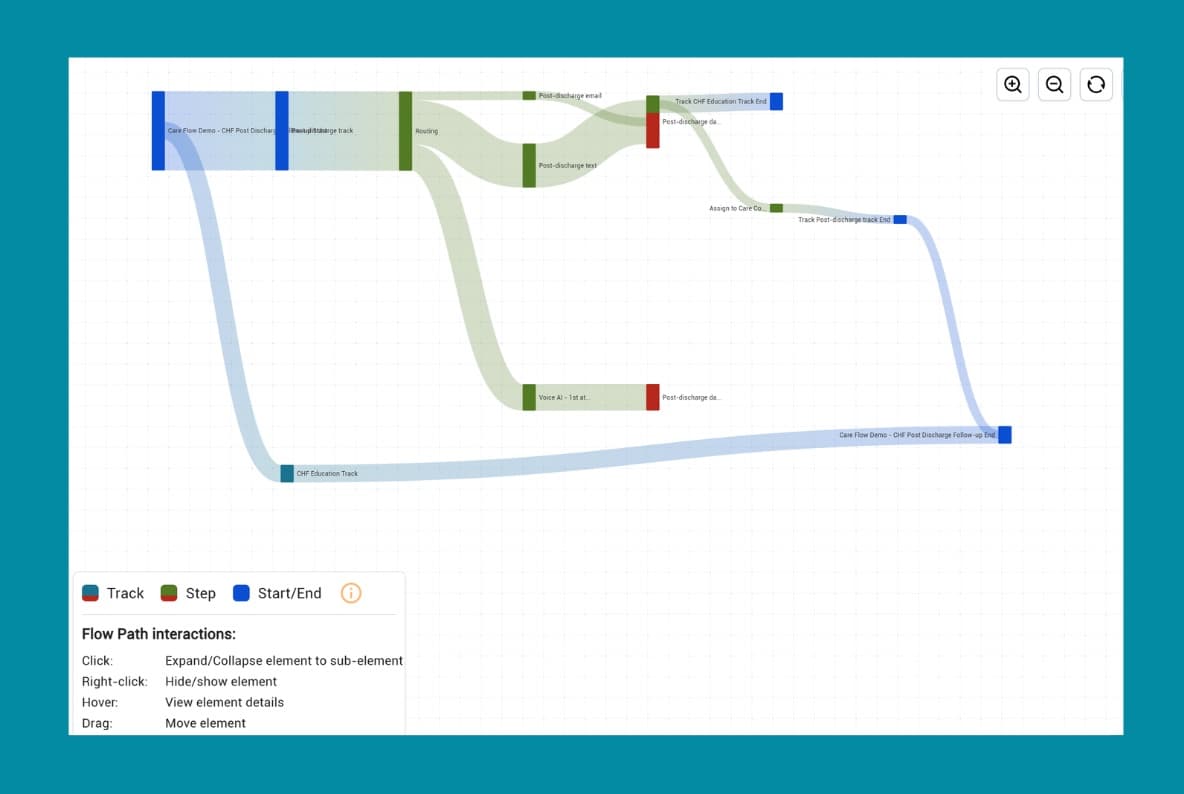
Flow Path, showing patient progression through the steps of a care flow

Flow Path shows how patients and care teams move through each step of a care flow: where patients engage, where they drop off, and how the care team decides and completes work.

Flow Path lives in the Improve section. See Flow Path.

Also added

  • Awell is SOC 2 certified.

Monitoring makes failing activities and integrations visible

Everyonemonitoringorchestrationoperations

A failing care flow can now be debugged in the app rather than by asking Awell what happened.

What's new

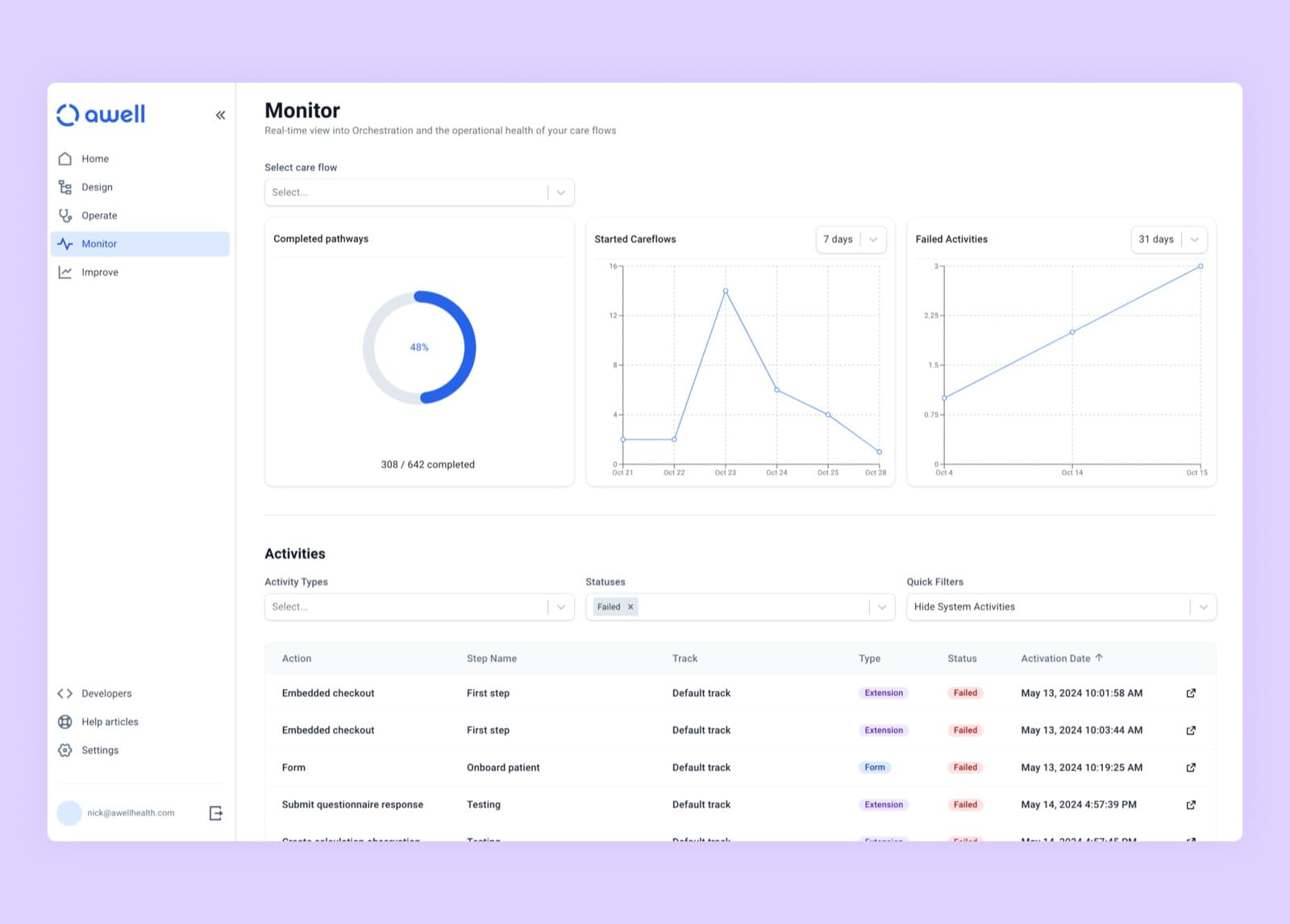
The Monitoring page, showing started care flows and recently failed activities

Monitoring is one of the stages of the CareOps lifecycle and is now a stage in the platform. It focuses on third-party connections and integrations. From the Monitoring page a team can:

  • See how many care flows were started
  • Review recently failed activities and their errors
  • Filter and drill down to a specific activity for inspection

Also added

Improvements

  • The patients table in Awell Care shows patient identifiers and can be searched by them.
  • The "add identifier to patient" action can update an existing identifier system with a new value.

Verify a patient's identity with date of birth before a session starts

Everyonehosted-pagessecurityforms

Hosted Pages can verify a patient's identity before a session starts, forms have an email question, and a new query returns every data point value for a care flow.

What's new

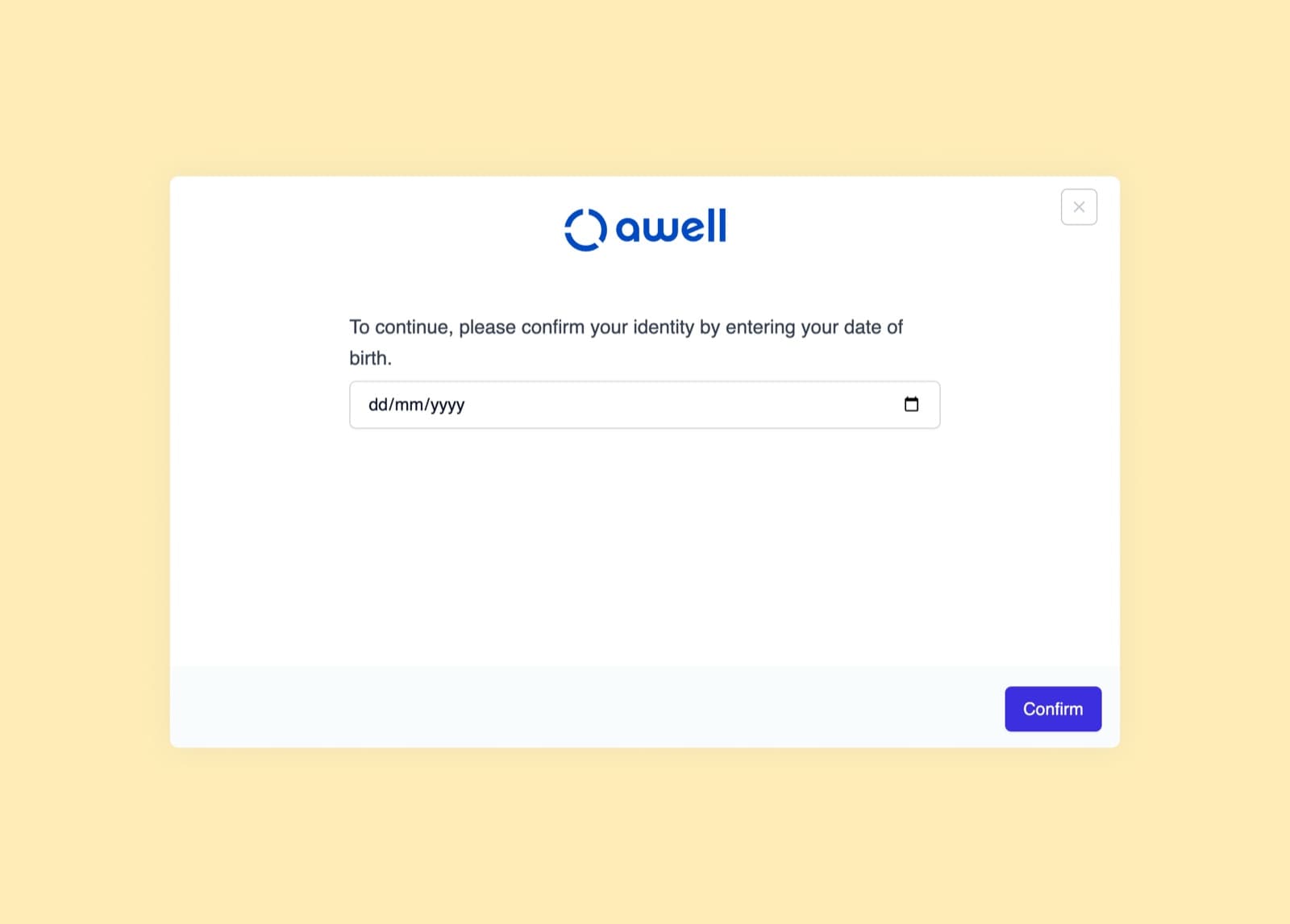
The date of birth verification step in Hosted Pages

A date of birth action in Hosted Pages asks for the patient's date of birth before the session continues. A link that reaches the wrong inbox no longer opens the wrong patient's activities, and the care team has a check that the person answering knows a detail only the patient is likely to know.

Also added

  • An email question in the form builder, which checks that the respondent entered a syntactically valid email address.
  • Push form responses to Healthie, an action that maps answers collected in Awell onto existing Healthie form templates.
  • A query that returns every data point value for a care flow or a single activity.

Improvements

  • The text on call-to-action buttons in Hosted Pages can be customized for messages, checklists, and forms.
  • Enabling the Awell extension no longer asks for an API URL and API key.

Worklists give care teams one list to work from

Everyoneawell-careoperationsextensions

Worklists are embedded in the platform, and a view can be narrowed to one team, one department, or one role.

What's new

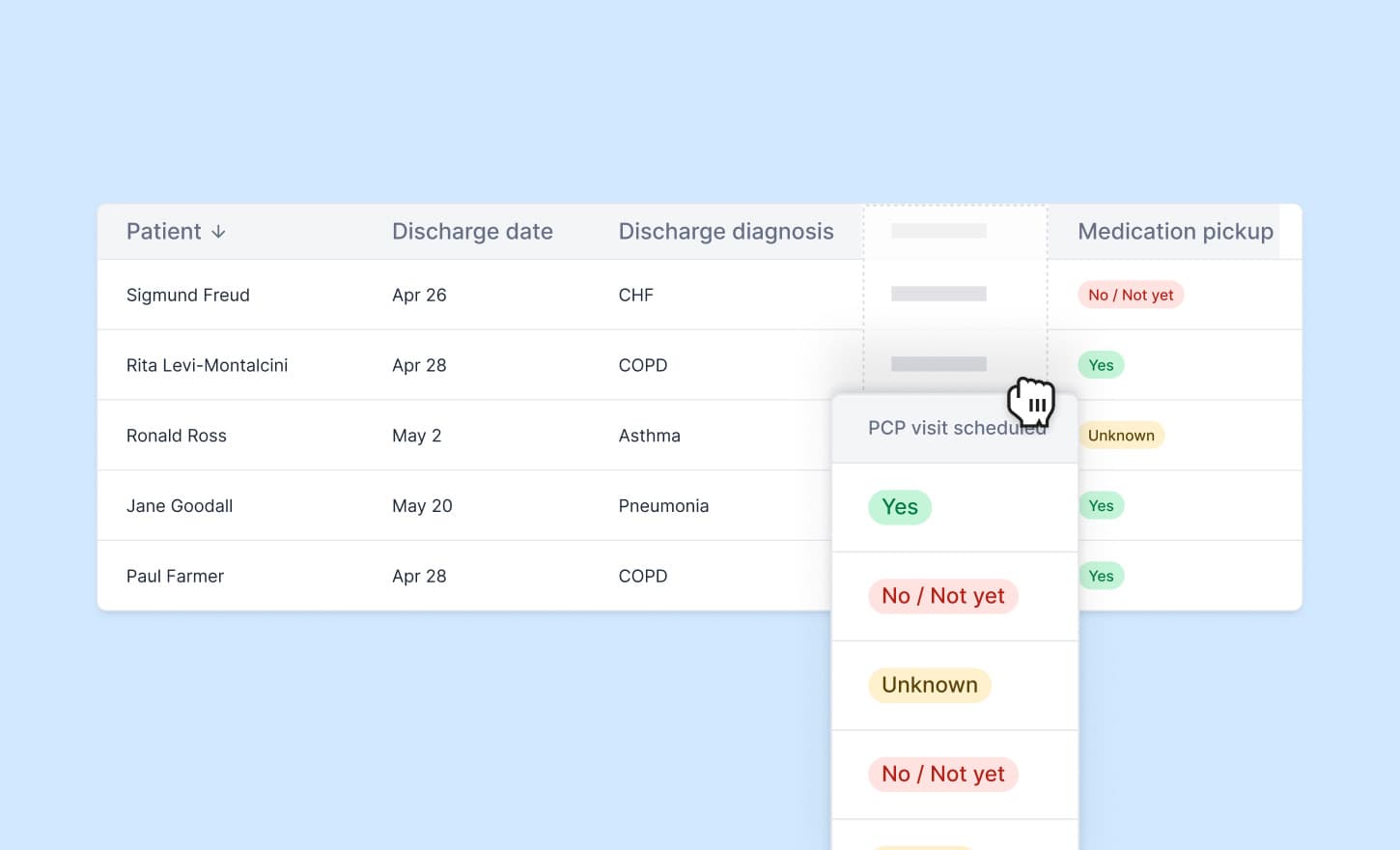
A discharge worklist in Awell Care

Worklists are embedded in the platform and give clinical teams a single view of the patients and activities in front of them, whether that's tracking patient activity or prioritizing care tasks.

Customizable views narrow that list: one view per department, a custom patient chart, or a view per role so each team member sees only the data they need.

To set up worklists for an organization, email support@awellhealth.com.

Also added

  • A REST utility extension that makes advanced API calls and collects data points from the response.
  • New calculations in the score library: WOMAC for hip and knee osteoarthritis, and BASDAI, BASFI, and HAQ for rheumatology.

Improvements

  • To comply with US regulations and Twilio's messaging policy, text messages include standard opt-out language ("Reply STOP to unsubscribe"). The wording is configurable in the Twilio extension settings; disabling it carries the compliance risk.
  • Creating and reusing data variables in messages, notes, and API calls no longer requires retyping the input.

Update and delete records in third-party systems from a care flow

Developersapiintegrationsstudio

Calling a third-party API from a care flow no longer stops at reading and creating.

What's new

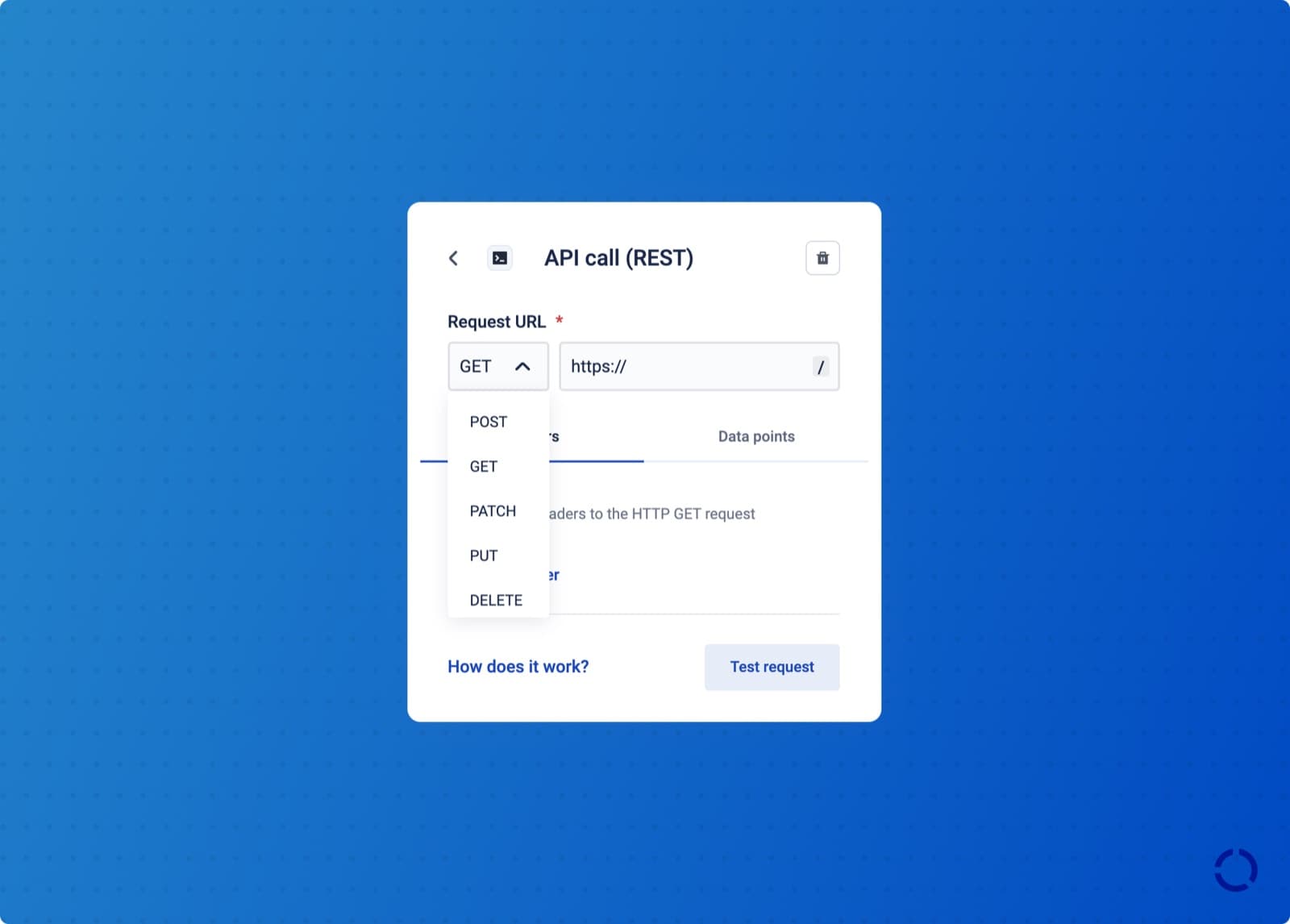
Choosing an HTTP method on an API call action

API call actions support PATCH, PUT, and DELETE, so a care flow can update or remove a resource in a third-party system without building an extension for it.

API call actions also accept non-JSON responses. Previously only JSON was parsed, which blocked calls to third-party APIs that return anything else.

Also added

Improvements

  • The Awell Studio homepage was redesigned as part of the wider design system work.
  • Performance work on the canvas: calculation actions load faster, fewer API calls are made when moving between steps, and caching improved.
  • The "create appointment" action in the Healthie extension passes metadata.

Ask questions of care flow data, and duplicate a care flow in a few clicks

Everyoneimproveanalyticsstudiocare-flows

Shelly answers questions about care flow data directly, and a care flow can be duplicated.

What's new

Shelly answers questions about care flow data

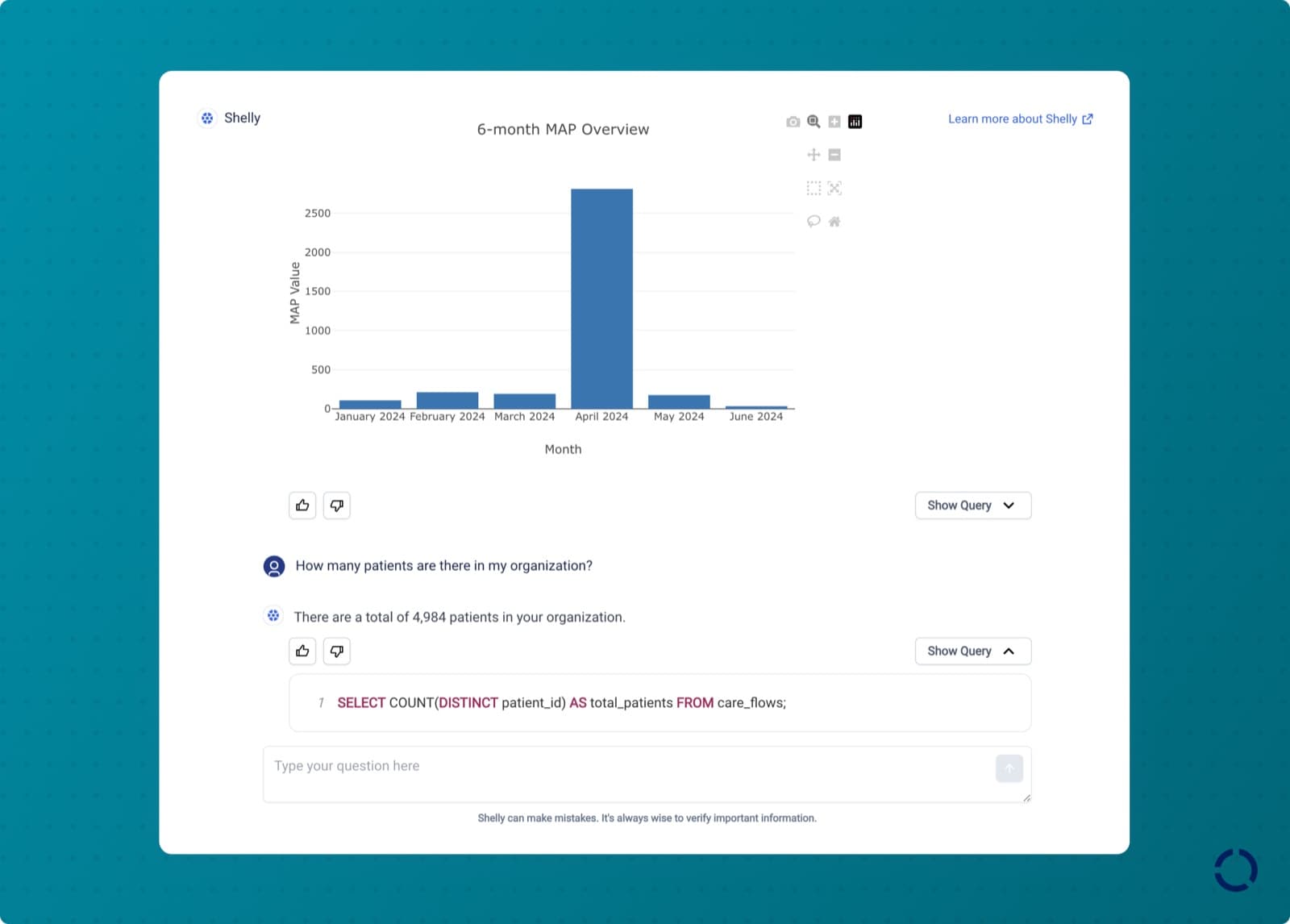
Shelly answering a question about care flow data

Getting an answer out of care flow data meant reading a wall of charts or waiting on the data team to write a query. Shelly answers the question directly: bottlenecks in a care flow, completion rates for a step, outcomes across a patient population.

Questions that work well:

  • "How many patients completed the Intake care flow in April this year?"
  • "What is the completion rate of the Onboarding step in the Hypertension care flow?"
  • "How many respondents completed the PHQ-9 form last month?"
  • "What are the average PHQ-9 scores across all patients?"

Shelly is in beta. See instant care flow insights with Shelly.

A care flow can be duplicated

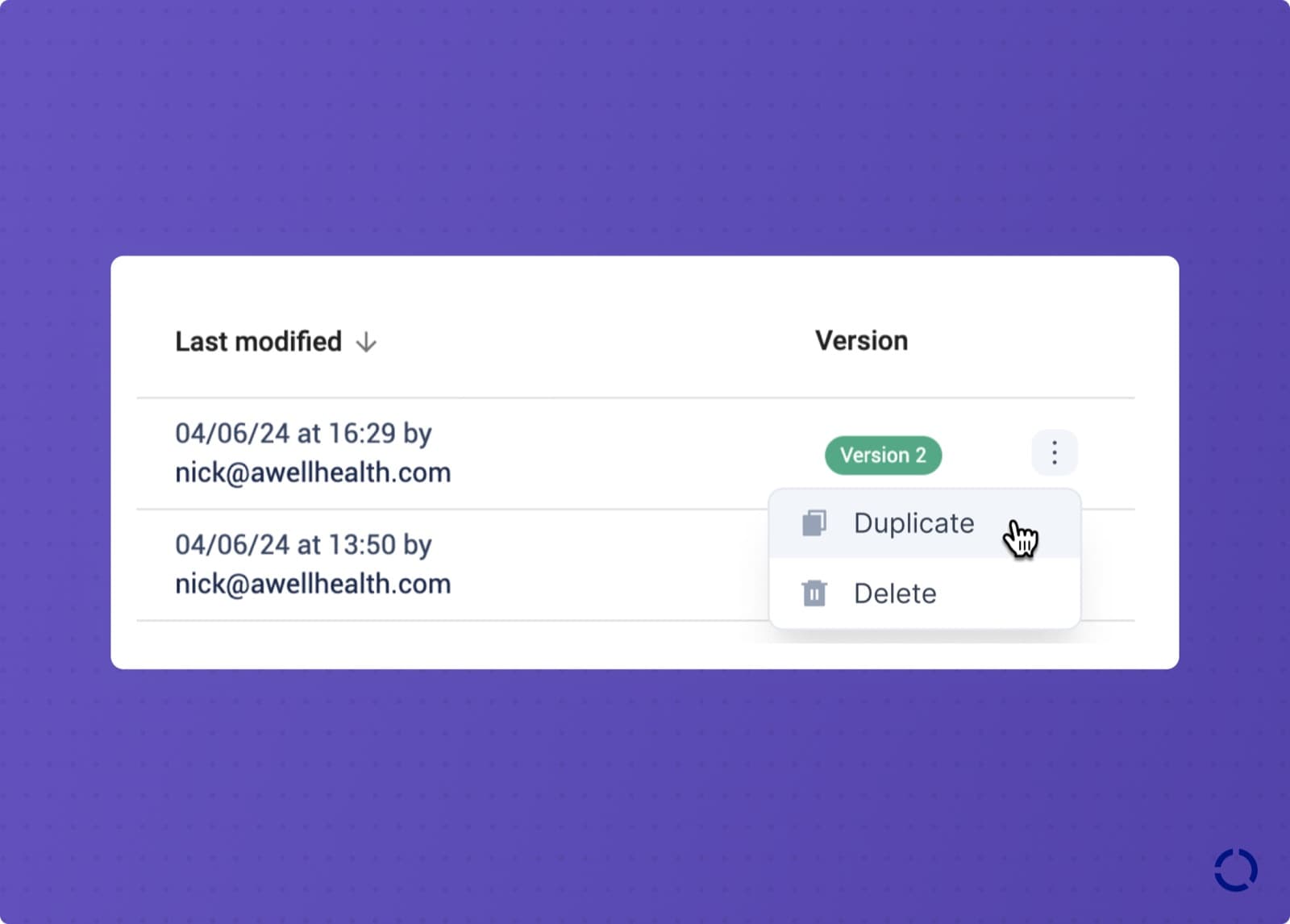
Duplicating a care flow from the Awell Studio menu

Building several care flows that differ in a few details no longer starts from scratch. Duplicating a care flow copies the original, with these exceptions:

  • Cases are not copied. The duplicate starts with no history.
  • The Hosted Pages sharing link is not copied. Each care flow needs its own link. See Hosted Pages settings.
  • Source control settings are not copied, since that would overwrite the original care flow.
  • Forms are not copied. The duplicate references the same forms, so editing one of them affects both care flows.

See duplicate a care flow.

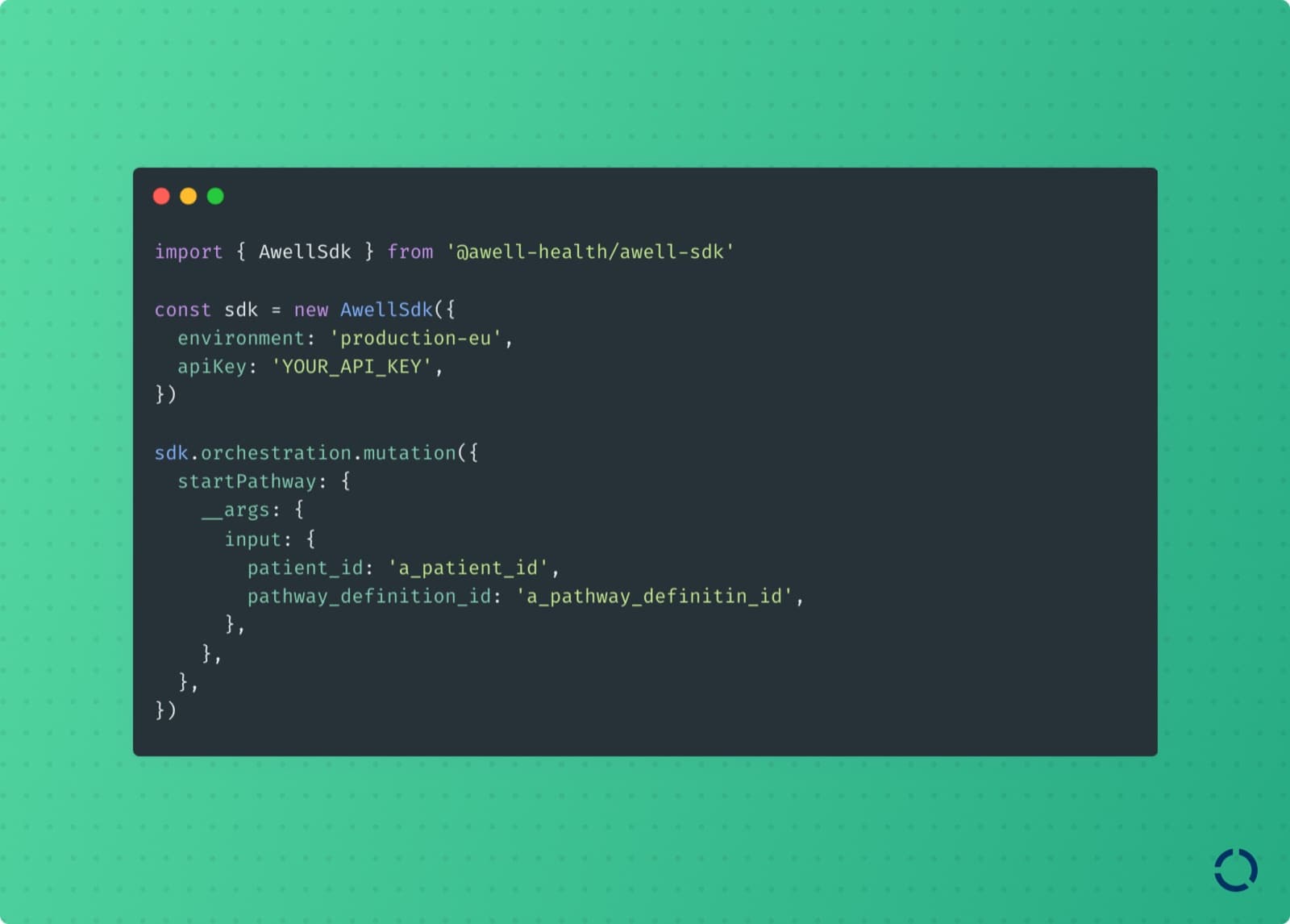
A Node.js SDK for the Orchestration API

Developersapisdkdeveloper-tools

Talking to Awell's GraphQL APIs from a Node.js service is now an npm install rather than a client to write.

What's new

The Awell Node.js SDK

Awell's server-side SDK wraps the GraphQL APIs and removes the boilerplate around them. It provides auto-completion, request validation, and type safety in TypeScript, and exports all of Awell's GraphQL types.

Track one patient under identifiers from every system

Everyonepatientsapiformsextensions

A patient can hold multiple business identifiers, and any of them can retrieve the patient or start a care flow.

What's new

Patients carry identifiers from other systems

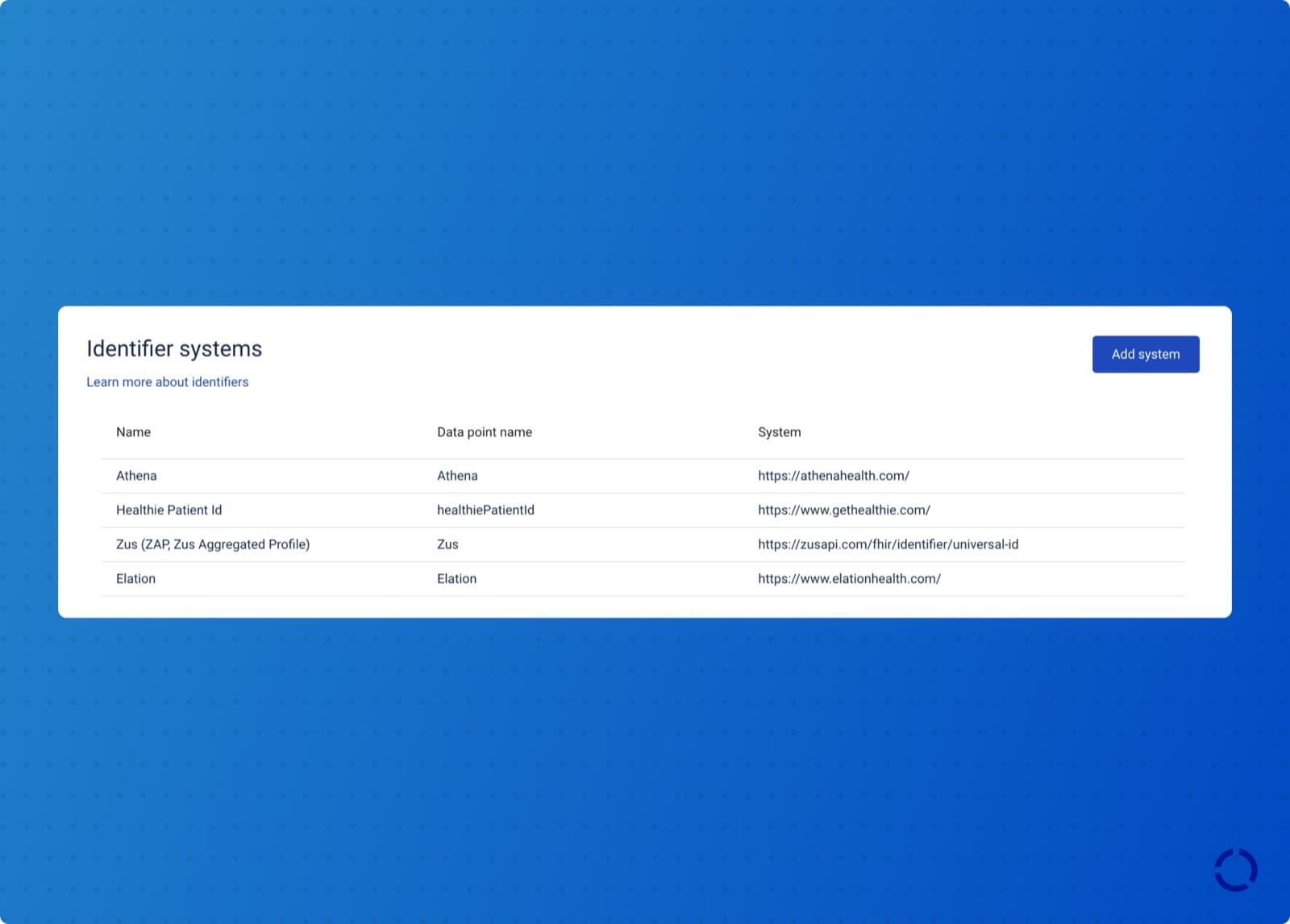
The identifier systems configured for an organization

A patient is tracked under a different identifier in every system that touches their care: a medical record number, a provider number, an identifier issued by a government agency. Awell now supports identifier systems, so a patient can hold multiple identifiers, also called business identifiers.

Those identifiers work in care flow design, in the API, and in care flow triggers. A patient can be retrieved, and a care flow started, using the identifier the organization already assigned rather than the Awell patient ID.

Identifiers can be assigned in the Awell apps, through the API, through incoming webhook triggers, and through shareable Hosted Pages links. Identifier values are unique within a given system within an organization, which rules out duplicate patient records.

Identifier systems replace the patient code field on the patient profile. The patient code field still exists and is deprecated.

See patient identifiers.

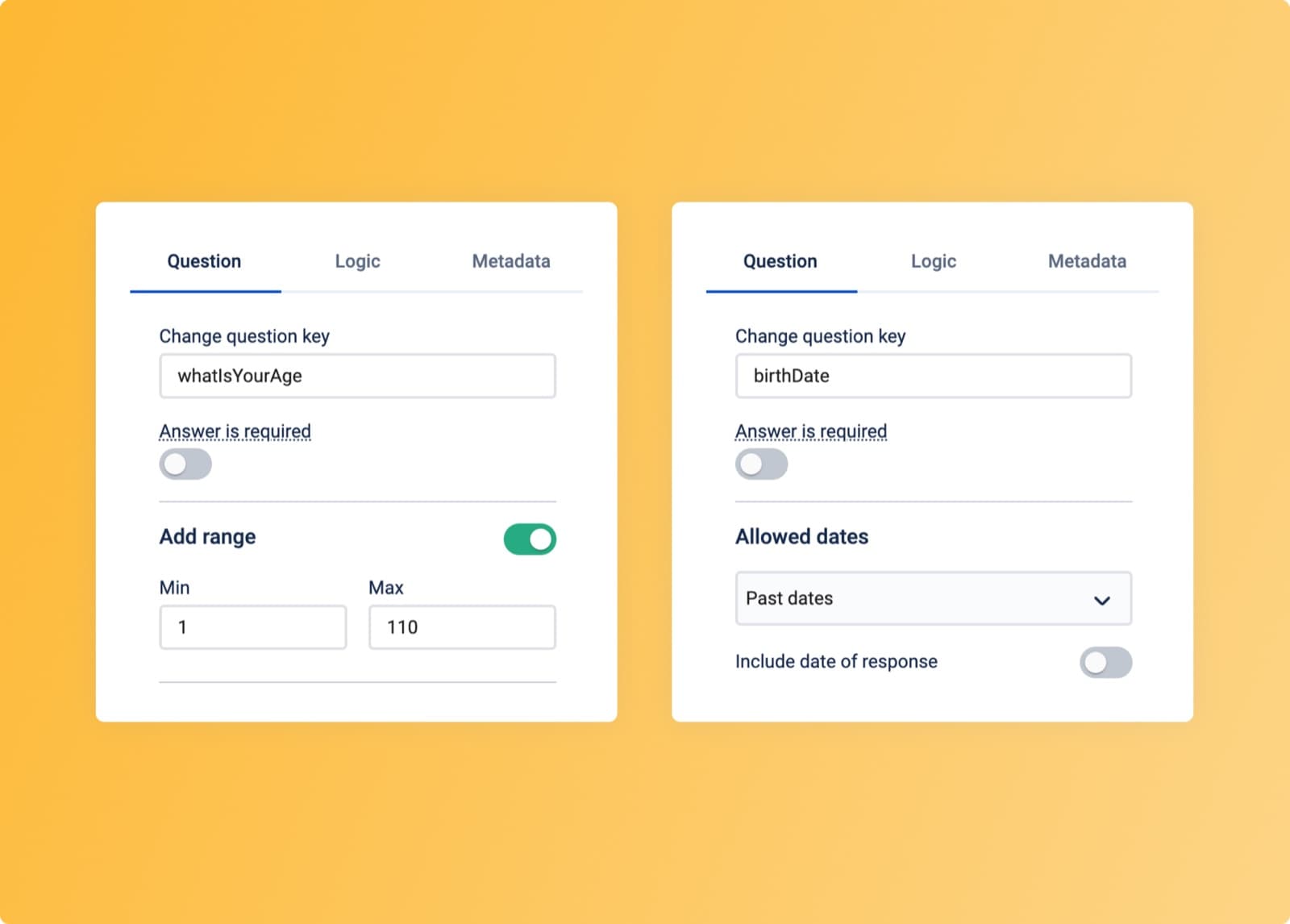
Number and date questions accept validation rules

Validation options on number and date questions

A number question can carry a minimum and maximum, and a date question can be limited to past dates, future dates, or any date. Both keep out-of-range answers out of the care flow instead of correcting them later.

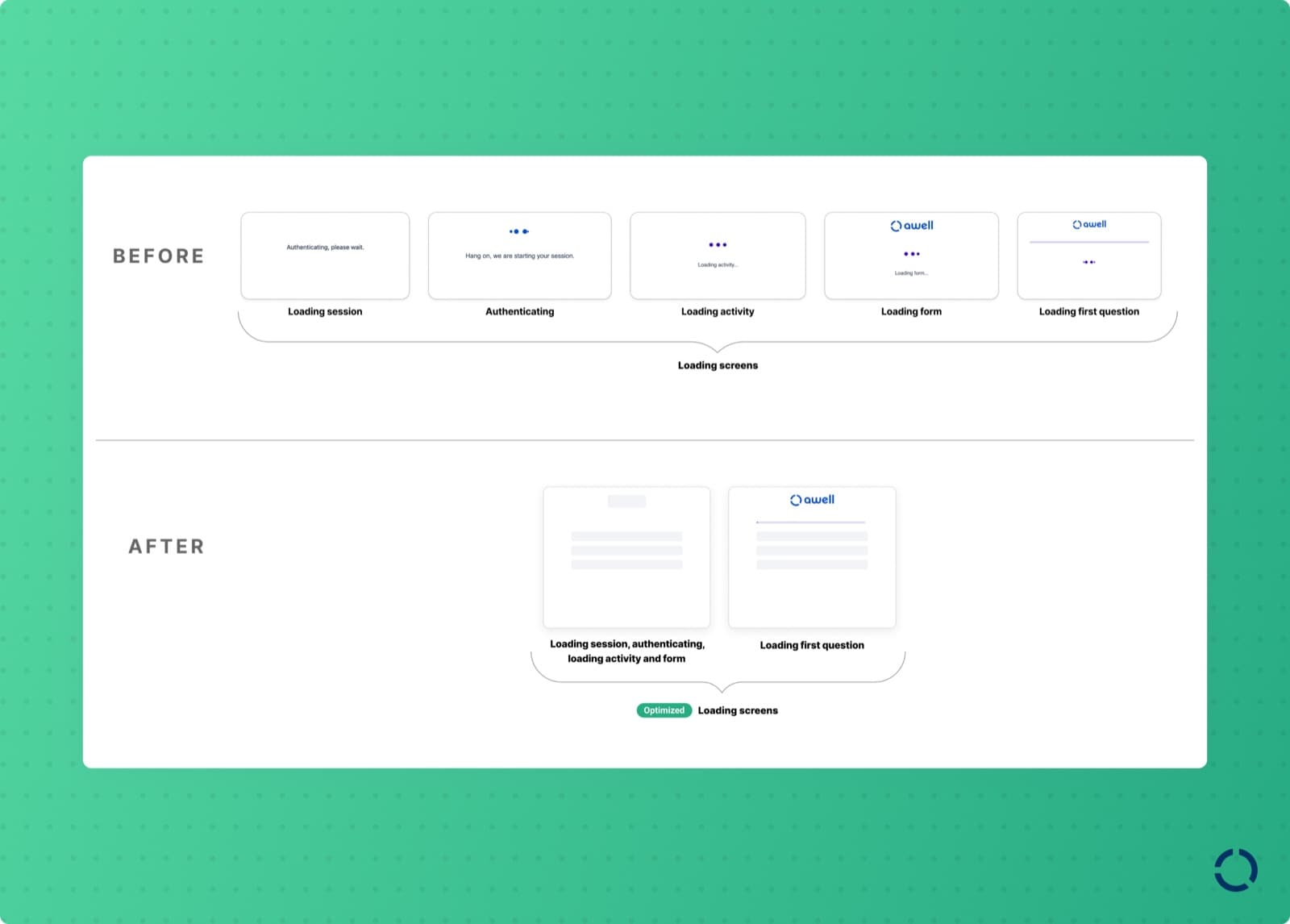
Hosted Pages loading states dropped the jargon

The redesigned Hosted Pages loading state

Loading screens in Hosted Pages no longer mention sessions, activities, or authentication, which meant nothing to the patient reading them. Loading skeletons replaced the spinners, showing where content will appear while it loads.

Extension marketplace

Extension marketplace updates

Added

  • The first version of the Athenahealth extension.
  • Textline, a customer engagement platform for transactional text messages.

Improvements

  • The Twilio extension has an action that only sends text messages during the day, between 9am and 5pm, so a reminder doesn't arrive at midnight.
  • The Awell workflow extension has an action that updates baseline info.

Start a care flow from a third-party event, and send HIPAA-compliant faxes

Everyoneautomateintegrationsformsextensions

Trigger types are browsable in Awell Studio, the WestFax extension sends faxes, and select questions accept text values.

What's new

Trigger types are browsable, and webhooks need no code

The trigger types available for a care flow in Awell Studio

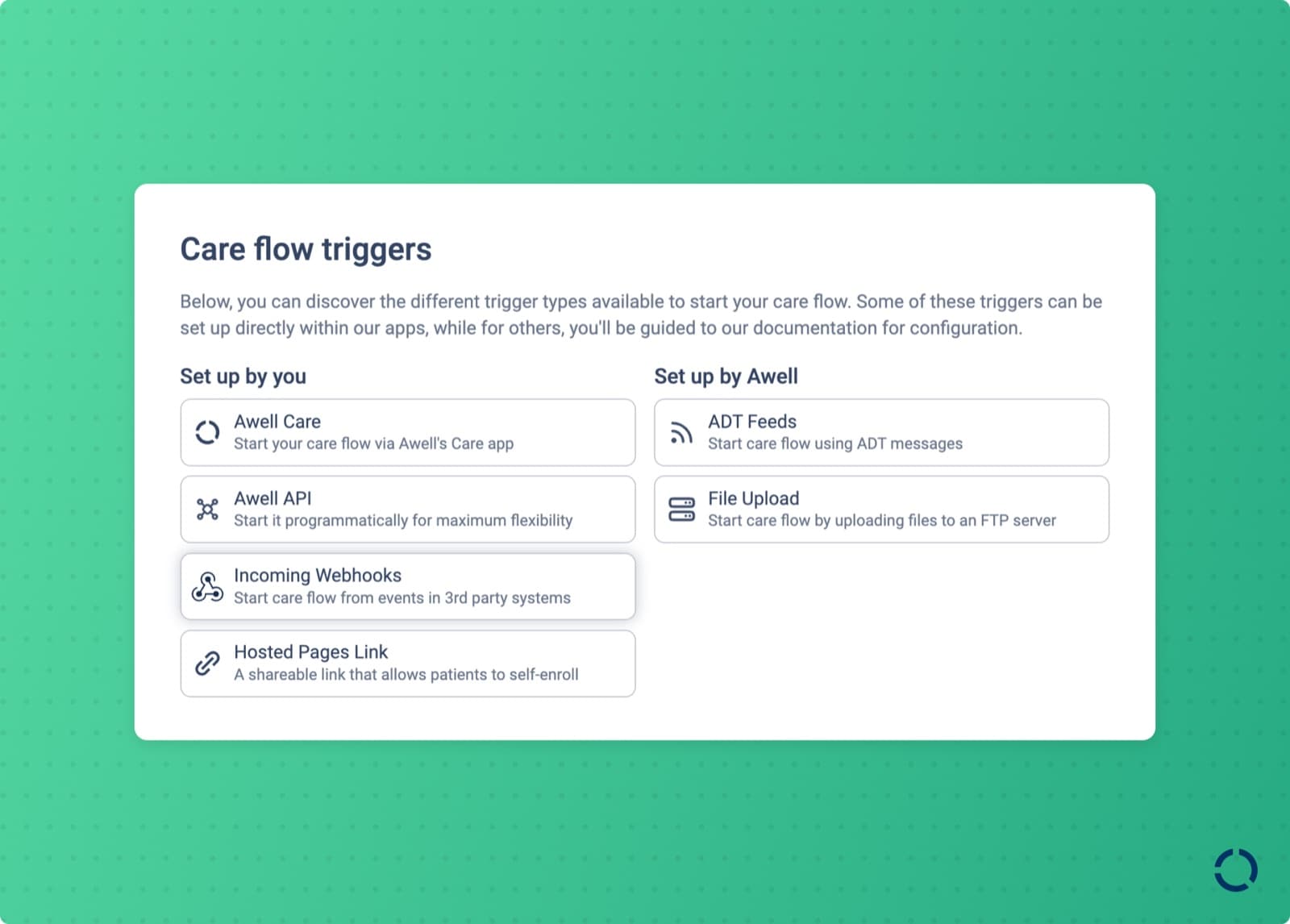
A care flow can be started in several ways, and which one fits depends on the use case. Awell Studio now lists the available trigger types so they can be compared and picked in one place.

Webhook-triggered care flows can be set up in Awell Studio without writing code. Selecting the incoming webhooks trigger type produces a webhook URL to hand to the sending service, and data from the webhook payload can be mapped into the care flow.

See start a care flow from an incoming webhook.

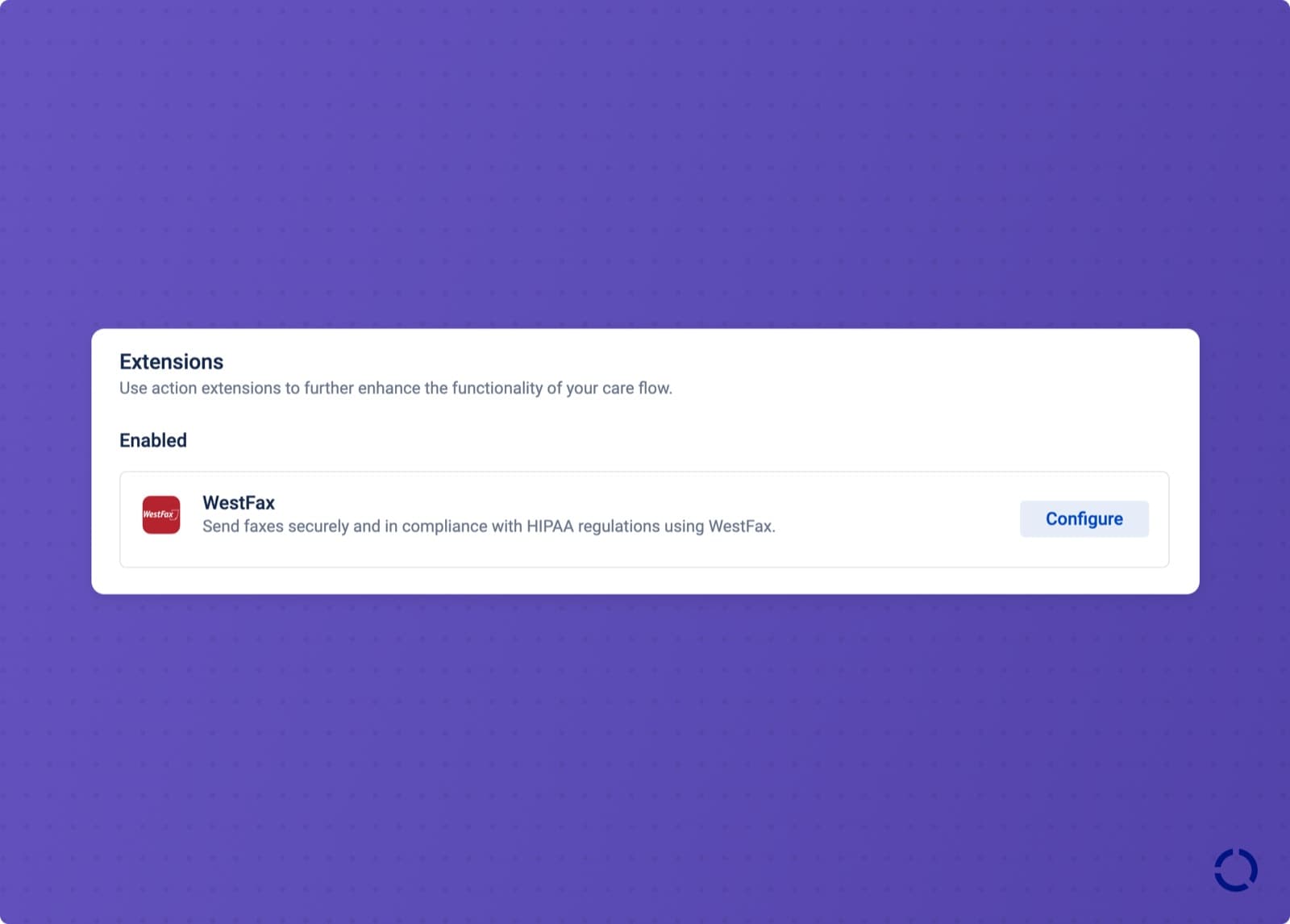
The WestFax extension sends HIPAA-compliant faxes

The WestFax extension

Fax is still how a lot of information moves between care providers. The WestFax extension sends faxes from a care flow while meeting HIPAA requirements.

Select questions accept text values

Choosing a text value type for answer options

Answer options in single- and multi-select questions can carry text values instead of numbers. Numeric values remain the practical choice for calculations; text values are more descriptive everywhere else.

The value type of a question's options can only be changed once. Switching back means adding a new question, which protects the integrity of data already collected and avoids breaking the care flows that read it.

See encode questions and answer options.

Expire stale actions, sign in with SSO, and finish activities on-site

Everyonestudioformshosted-pagessecurityawell-care

Forms and messages can expire, single sign-on is available, the slider question records only deliberate answers, and a QR code opens a patient's pending activities during a visit.

What's new

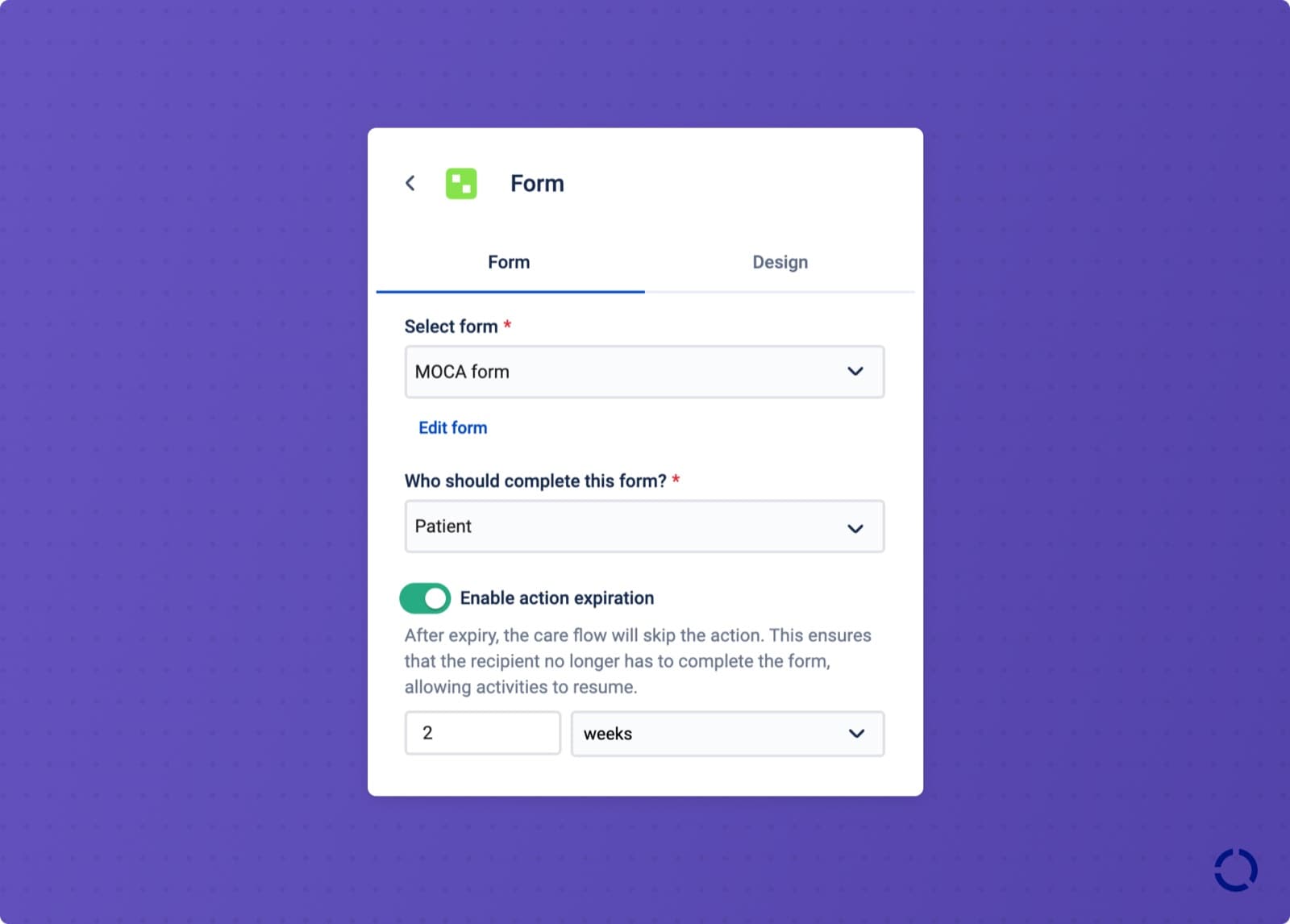
Forms and messages can expire

Setting an expiration time on an action

A post-surgery care flow that collects outcome data every year has a real problem when the patient skips year one and answers in year two: filling in last year's survey is redundant at best, and misleading data at worst.

An action can now be given an expiration time, measured from a period of inactivity. Once it expires, it's marked expired and no longer active or pending. Expiration is available on forms and messages:

  • Forms: the care flow skips the expired form. Because forms block the care flow until they're completed, expiration is also what keeps a care flow from being stuck indefinitely.
  • Messages: the care flow skips the expired message, so nobody reads instructions that no longer apply.

See message and form expiration.

Single sign-on

The single sign-on configuration

Awell supports single sign-on, or SSO, so people reach Awell's apps with the credentials already held in the organization's identity platform, which removes a password to manage and keeps user management in one system.

SSO is available over OAuth and OpenID Connect, which covers providers such as Google and Microsoft. Enterprise connections to a workforce identity provider are supported too, for organizations running their own identity provider instance. See set up SSO.

The slider question records only a deliberate answer

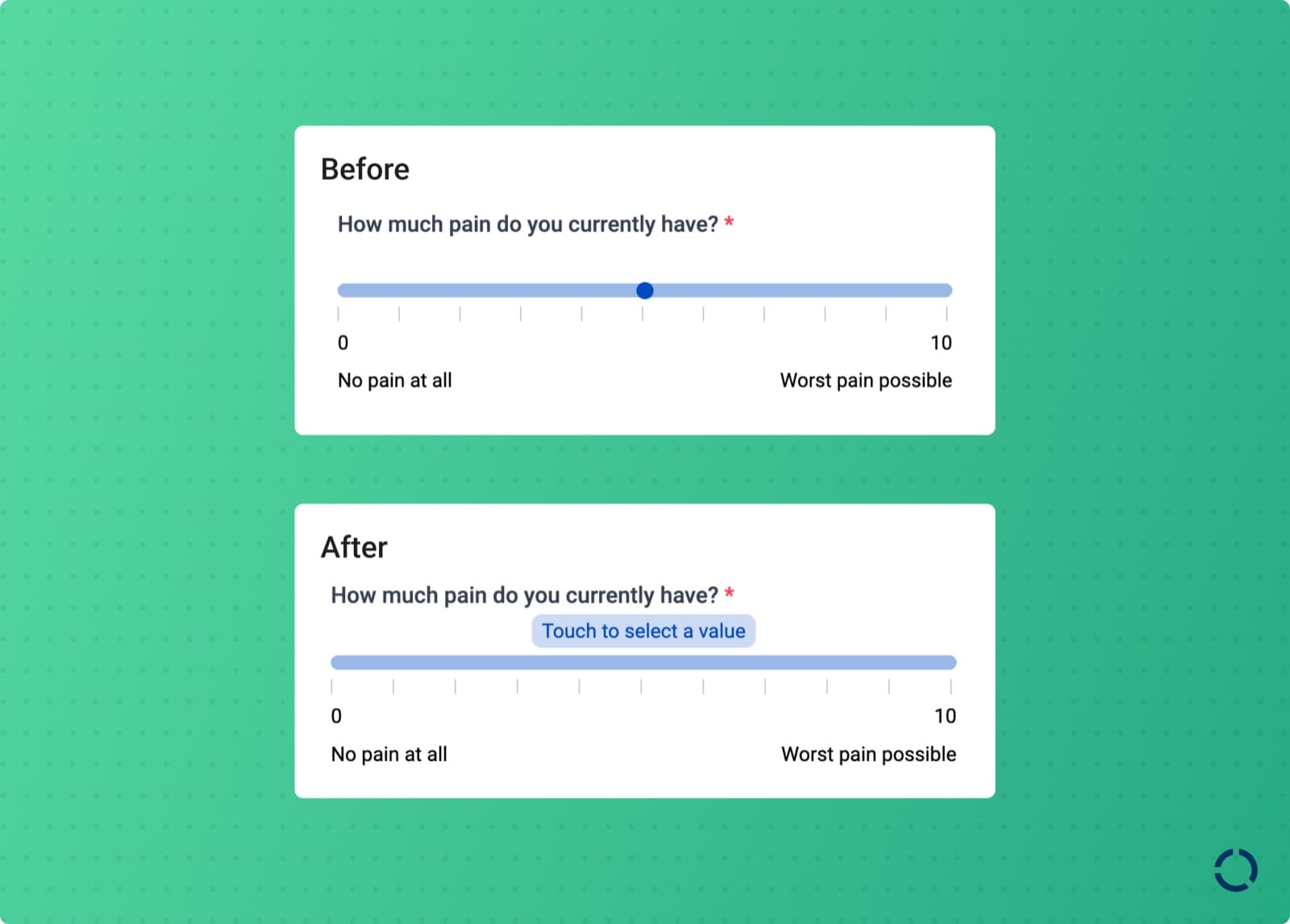
The updated slider question

The slider question used to record an answer even when the respondent never touched it, defaulting to the minimum, which made an untouched slider indistinguishable from a deliberate minimum. It also broke with the paper Visual Analogue Scale the slider is modeled on, which starts with no thumb position precisely because a starting position influences the answer.

The slider now requires interaction before it records anything. From January 15, 2024, an unanswered slider and a deliberately selected minimum are distinguishable in the data.

A QR code finishes pending activities during a visit

Scanning a QR code in Awell Care to open a patient's pending activities

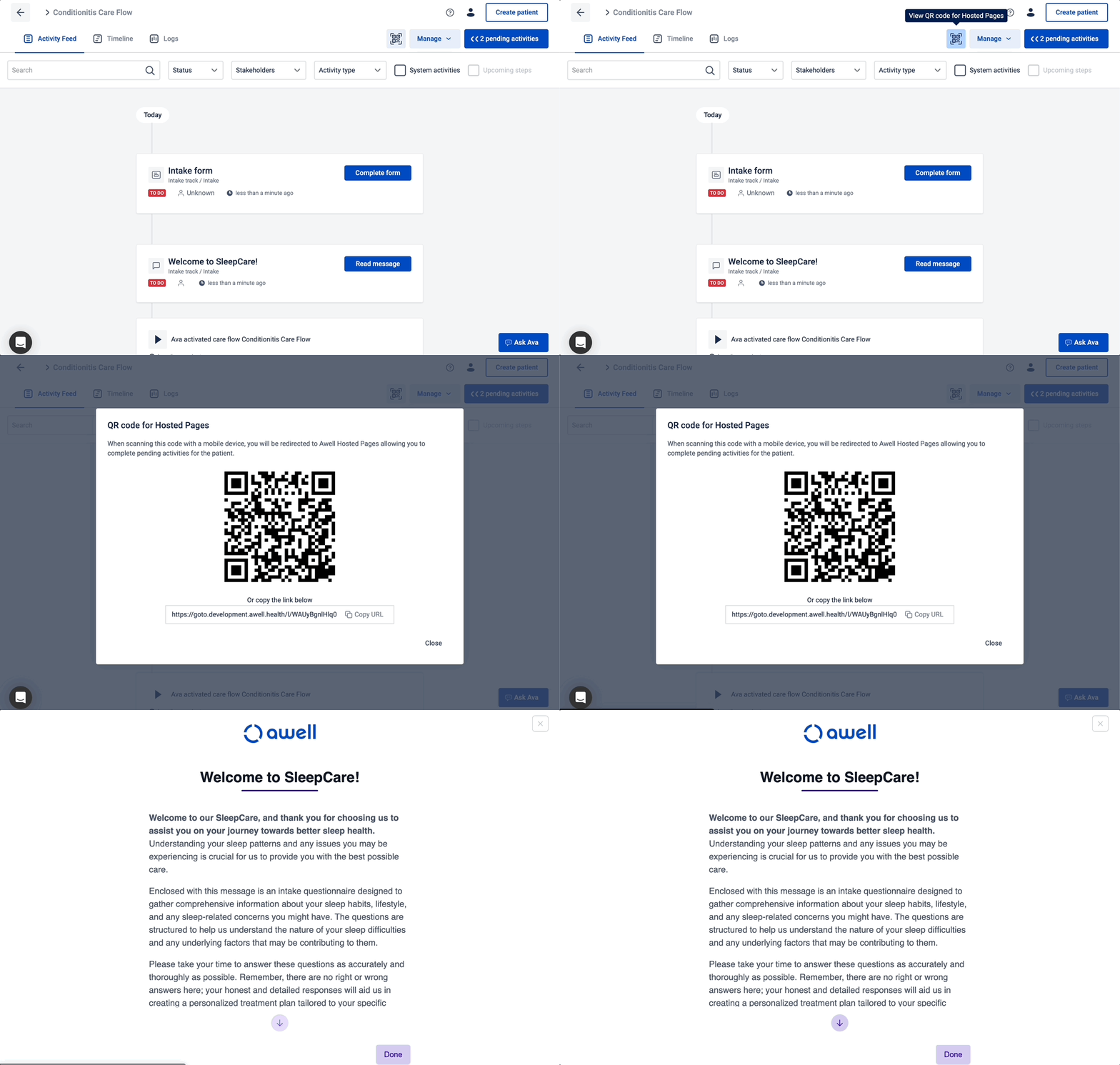
Patients arrive for an appointment with pre-visit activities unfinished. In Awell Care, the QR code button at the top of the screen opens that patient's outstanding activities on their own device or a tablet in the waiting room, so the visit isn't spent chasing a form.

Select questions can load choices from an API

The single-select question has always needed its choices defined up front. The advanced data collection extension loads them from a remote source instead, which suits long lists and choices that change over time or aren't known when the form is built.

Also added

  • Awell Care can prefill a form with answers from a previously submitted form.
  • New scores: Keratoconus Outcomes Research Questionnaire (KORQ), Modified Lysholm Knee Score (MLKS), and Acromegaly Quality of Life Questionnaire (AcroQoL).

Improvements

  • Performance work on the Orchestration API that was likely behind intermittent failures in the US and EU environments.

Fixes

  • Various fixes to filters in the working list in Awell Care.

Care flows as code, versions that roll back, and audit logs

Everyonestudiocare-flowshosted-pagesaudit

Care flows now sync to source control, any published version can be set live or rolled back, and audit logs explain what the engine did.

What's new

Care flows sync as code to a source control provider

Source control syncs care flows as code to a source control management provider such as GitHub or GitLab. Clinical operations and engineering can work from the same history, see what changed between published versions, and publish with a record of why.

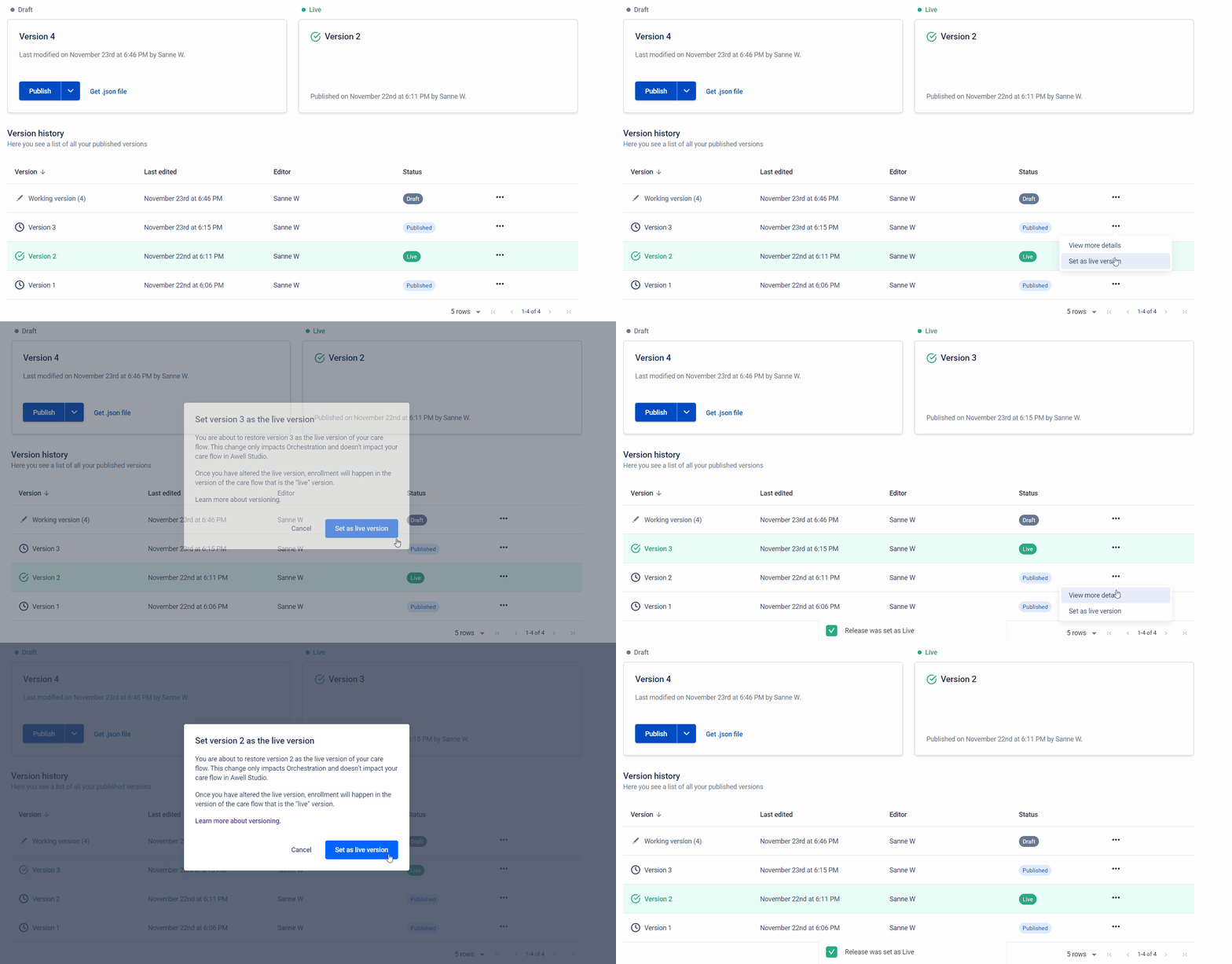
Any published version can be set live

Selecting a care flow version to set live

Any version of a care flow can be saved and set live. A change that needs undoing is a version switch, and a patient can be enrolled in a different version deliberately. Set a version to live and all patients follow that version, or publish a tested version now and set it live later.

Reverting to an earlier version also reverts care flow settings: reminders, webhooks, constants, extensions, and API call retry settings.

See publish and set your care flow live.

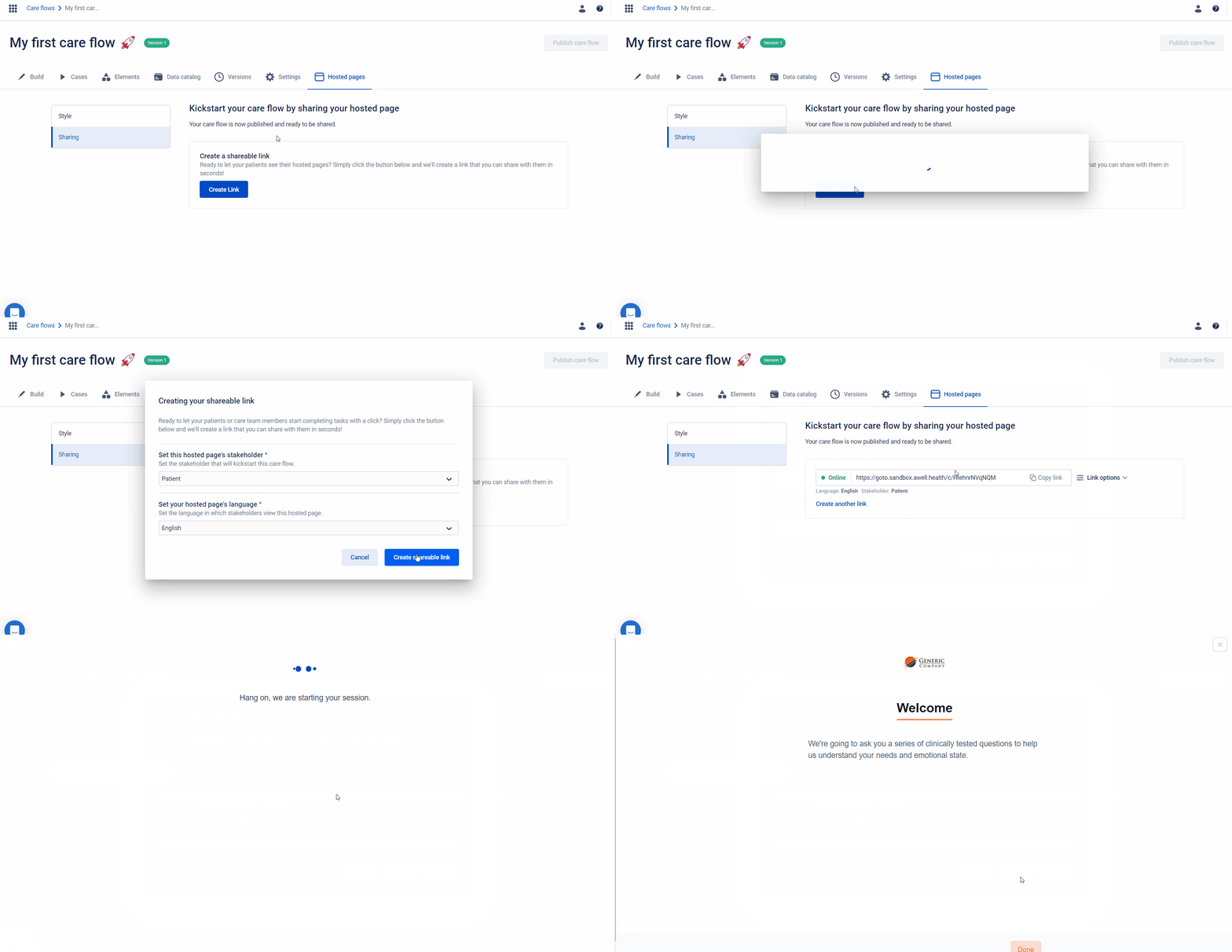
Generating a Hosted Pages link for a care flow

Awell Studio can generate a unique link for a care flow. Put it on a website or portal, and clicking it starts a Hosted Pages session with no engineering work at all. The stakeholder lands straight in the first activity: a questionnaire, an onboarding sequence, or a form to raise a health concern.

Links work for care flows involving anonymous patients or stakeholders such as the care team, which also makes them a quick way to test a patient-facing flow. A link can be turned into a QR code.

Links can be configured with a language, cancel and success URLs, and a custom slug such as https://goto.awell.health/onboarding.

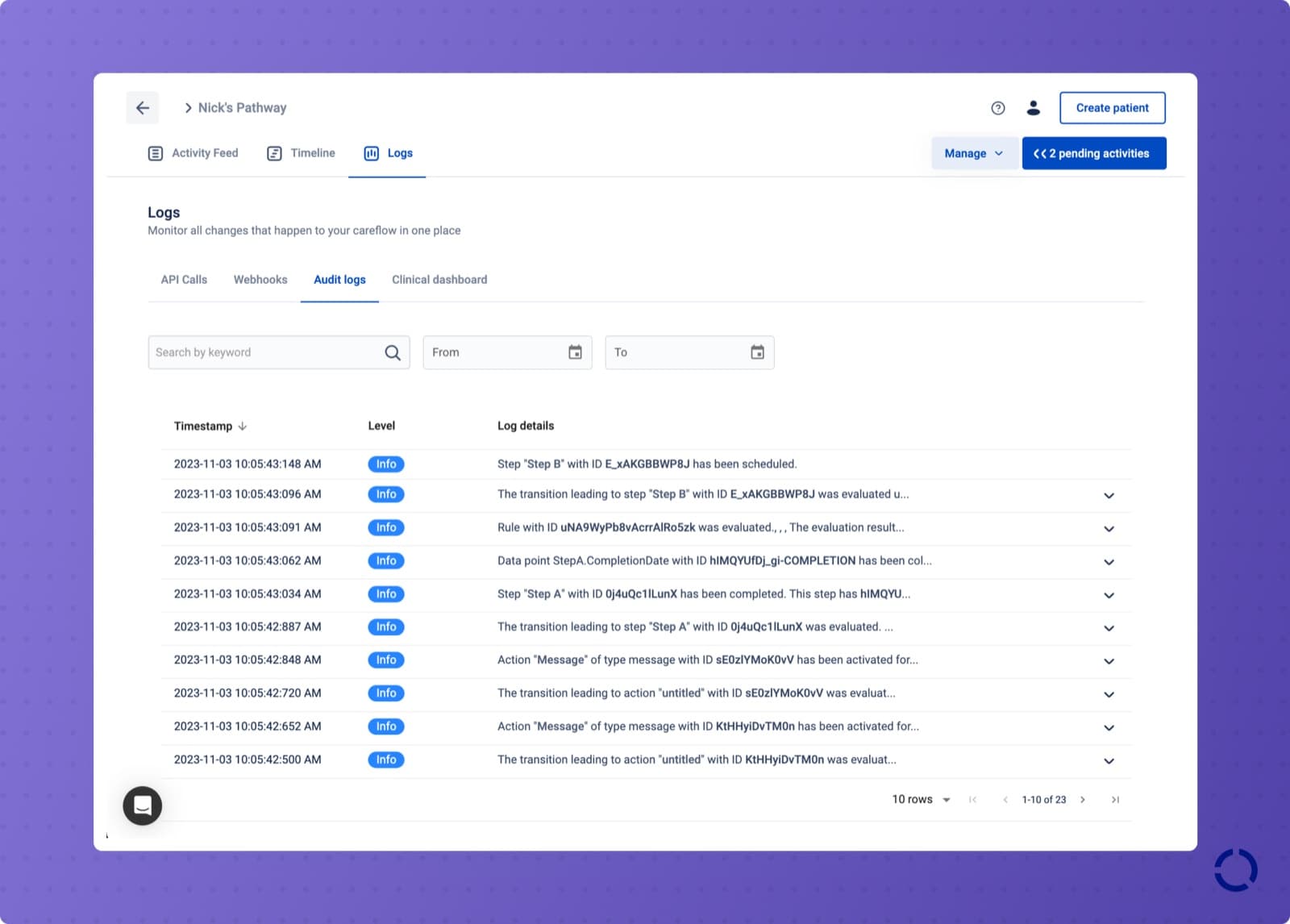
Audit logs record what the engine did and why

The audit logs table in Awell Care

Audit logs provide a trail of everything that happened in a care flow, including the moment each track, step, and action was activated and the reason it fired. They're readable as a table in Awell Care and retrievable through the API.

The Hosted Pages URL can use an organization's own domain

Setting a custom domain for Hosted Pages

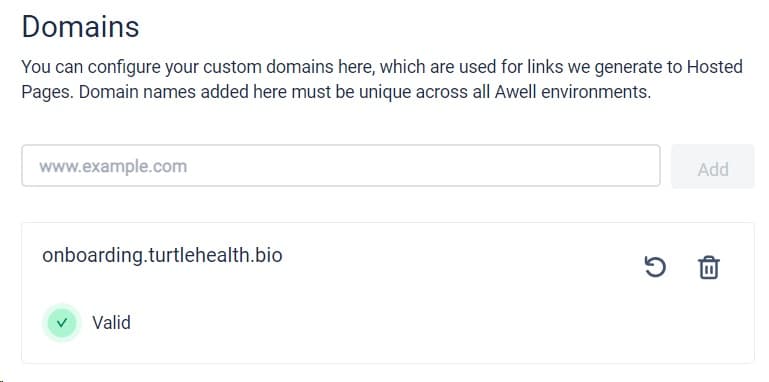
The default goto.awell.health in a Hosted Pages URL can be replaced with an organization's own domain or subdomain, so the link a patient sees in an email carries the brand they recognize.

See set a custom domain for Hosted Pages.

Phone inputs can default to a country code

Configuring the default country code on a phone question

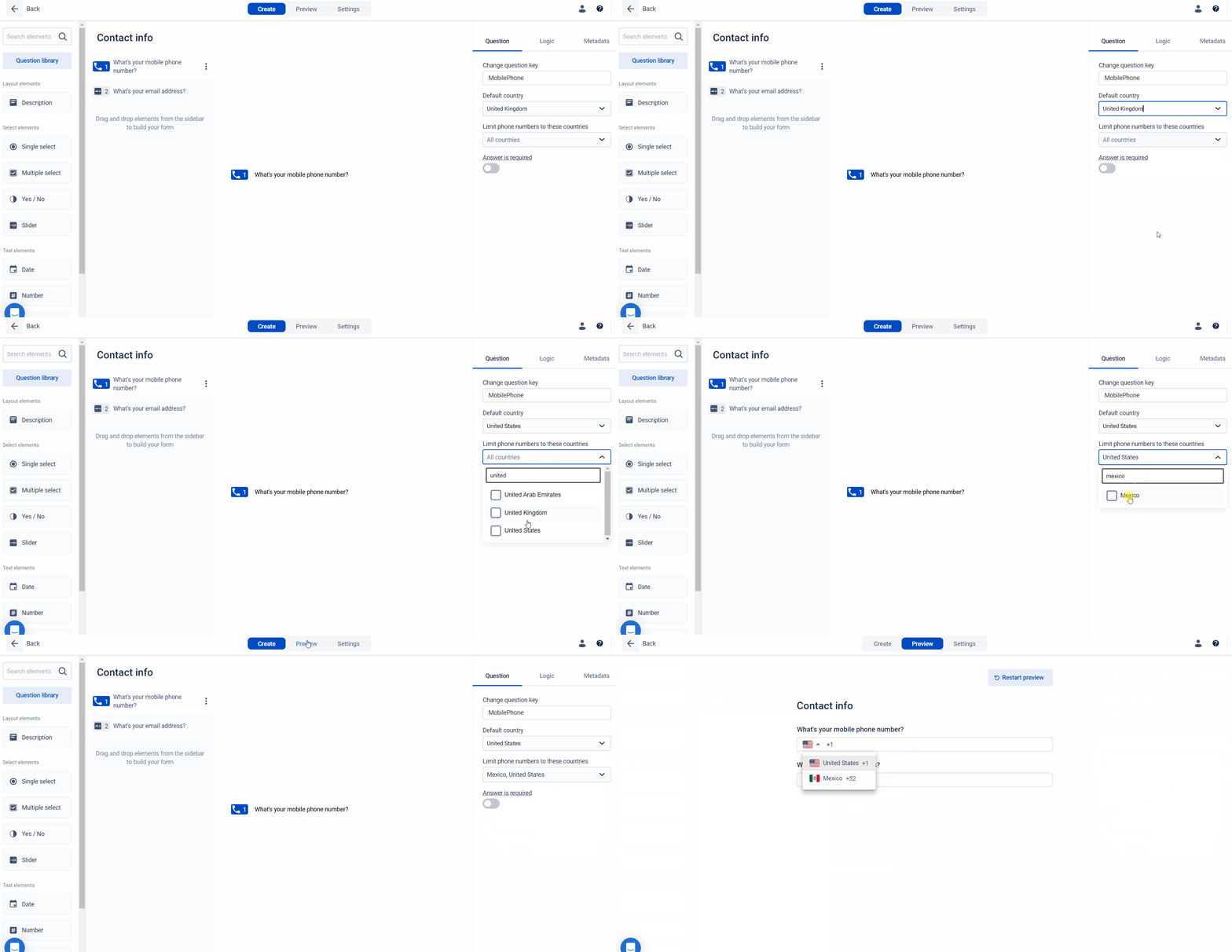
A phone question can default to a country code, or limit the dropdown to a few, which saves the respondent a click on every form.

Also added

  • Change management is available in Awell Studio.
  • The Pittsburgh Sleep Quality Index (PSQI) score and questionnaire were added.
  • The Calendly extension exposes an is_rescheduled_event data point, which distinguishes a new appointment from a rebooked one.
  • The Calendly extension added support for the event.created, event.canceled, and event.rescheduled events.
  • New scores: Modified Fatigue Impact Scale (MFIS), Bladder Control Scale (BLCS), Bowel Control Scale (BWCS), and Pain Disability Index (PDI).
  • The Infobip extension was added to the marketplace.

Removed

  • The event.rescheduled webhook was removed from the Calendly extension. Affected customers were migrated to the event.scheduled webhook.

Improvements

  • The Oxford Hip Score, HOOS, KOOS, and SF-12 questionnaires are available in French.
  • Fetching the next activity in Hosted Pages is more reliable, with additional error monitoring.
  • Better performance on the working list in Awell Care.

Fixes

  • Improved validation on the Sendbird "update custom fields" action.
  • Unresolved webhooks no longer trigger new care flows.
  • The Healthie "create a conversation" action uses the deprecated fields Healthie still relies on internally.
  • Refreshing an extension updates data point types as well as names, so a change from string to number is picked up.
  • Fixed data variables not persisting when used in inputs.
  • Fixed calculation data point values not appearing where they were used as data variables, such as in API call bodies and messages.
  • Improved date handling, including ISO date strings with six or more digits of microsecond precision.
  • Fixed care flow validation errors not being shown.
  • Description questions are handled correctly on form submission.

Data variables work in more fields, and activities load faster in Hosted Pages

Everyonestudioextensionsapihosted-pages

Constants and dynamic variables are unified as data variables, several extensions gained actions, and activities load faster in Hosted Pages.

What's new

Constants and dynamic variables are now data variables

Using a data variable in an API call action

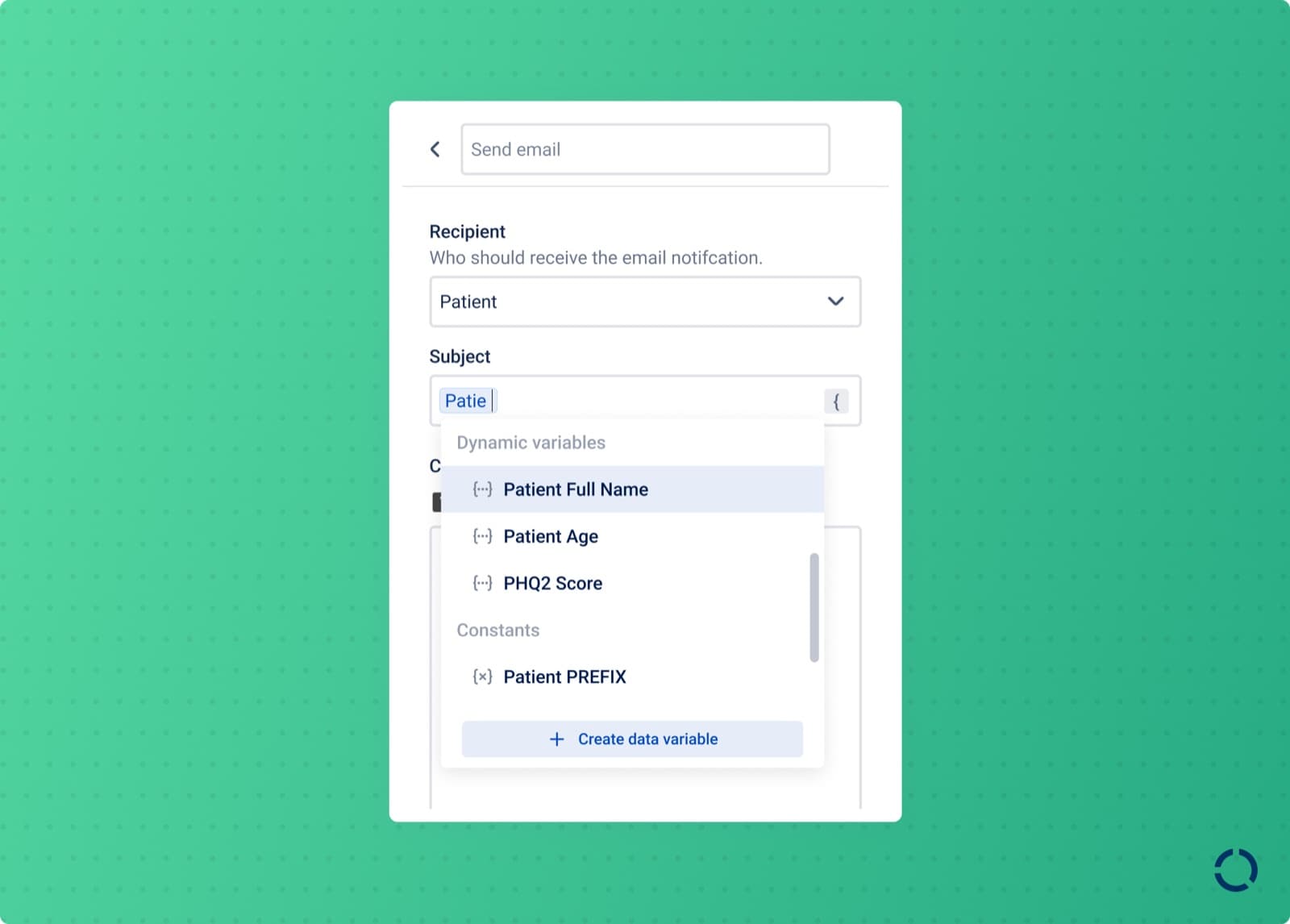
Constants and dynamic variables are renamed data variables. A constant stores a static value used in several places; a dynamic variable stores, transforms, and reuses data captured in the care flow. Both move data in and out of Awell, and both now work in the endpoint and header fields of API call actions.

Extension updates

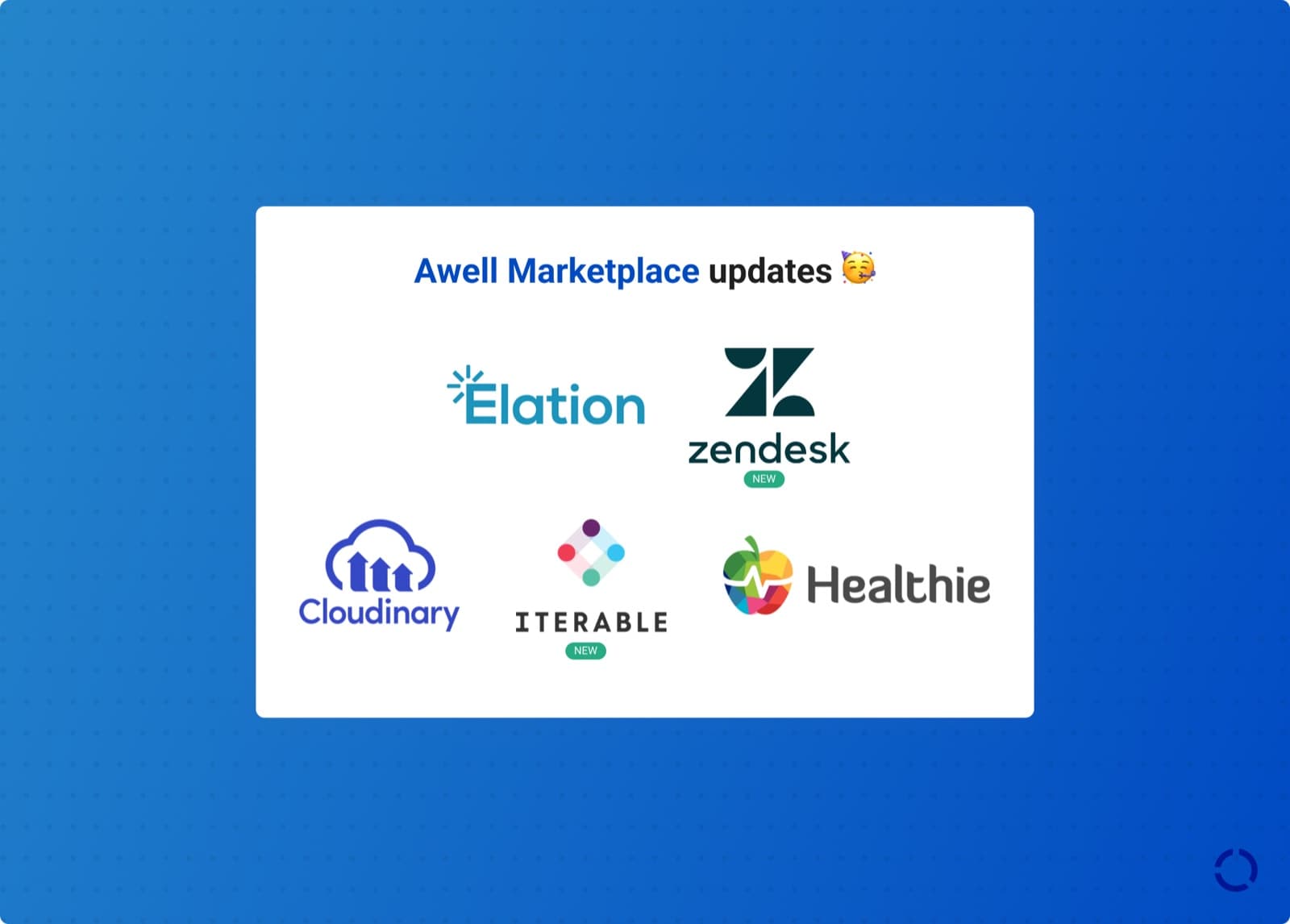
Extension updates in the Awell marketplace

Added

  • Zendesk: actions to create and complete tasks.
  • Iterable: actions to send emails and track events.

Improvements

  • Elation: new actions, and updates to existing ones.
  • Healthie: actions to update a patient's quick note, create a metric entry, and retrieve a metric entry.
  • Cloudinary: an action to upload a single file and store its URL in a data point.

Also added

  • A track in a patient's care flow can be scheduled for a future date through the API, and unscheduled again, which puts the timing decision in the calling system rather than in the care flow design.

Improvements

  • Activities are retrieved and sessions ended much faster in Hosted Pages, which cuts the wait between activities.
  • Track and step activation is more resilient and idempotent.
  • The form.submitted webhook returns more about the form's design, including question keys and titles.

Fixes

  • Fixed an edge case where activities loaded in Hosted Pages in the wrong order.

Infinite loop control, and shareable links to a single activity

Everyoneorchestrationawell-carestudio

Orchestration now limits the impact of an infinite loop, and an activity can be opened and shared as a link from the working list in Awell Care.

What's new

  • Infinite loop control. Orchestration has preventive measures that limit the impact of an infinite loop, which previously could affect the whole system.
  • The patient ID is available as a data point in a care flow.
  • An activity can be opened directly from the working list in Awell Care, and shared as a link.

Improvements

  • Dropdown labels truncate more intelligently, so more of a data point's name is readable.
  • Webhook endpoint URLs are deterministic rather than random, which makes them reconstructable.
  • Sorting works correctly on more tables, including sorting the working list by date.

Fixes

  • A track activation configuration involving ad-hoc tracks no longer breaks the track list in Awell Studio.
  • An extension action panel handles multiple JSON inputs.
  • Extension webhooks and data points are exported and imported correctly when a care flow is promoted.
  • Stopping a care flow generates the corresponding activity, which previously left the feed erroring on a GraphQL failure.
  • Forms can no longer be submitted with required questions unanswered.

Import patient demographics, and attach metadata to forms

Everyoneawell-careformshosted-pagesextensions

Patient demographics import from external systems, forms and questions carry metadata, standardized questionnaires display to specification, and conversational forms progress automatically.

What's new

Patient demographics import from an external system

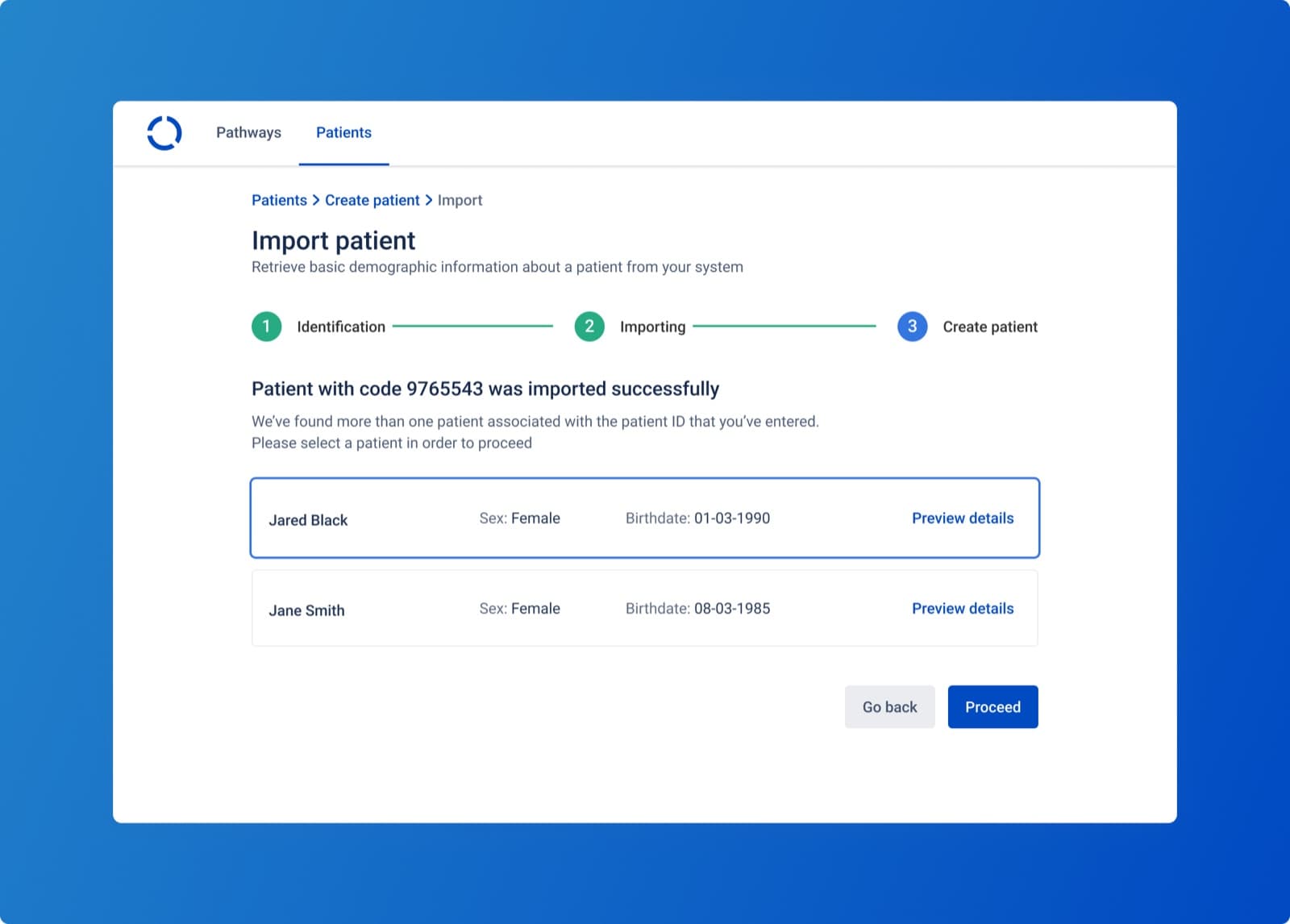
Importing a patient into Awell Care

Patient details usually live somewhere else: an electronic health record in a hospital, a proprietary or CRM-like system in a virtual-first provider. The Patient Demographics Query, or PDQ, integration retrieves demographic data from that system, which removes the re-keying of patient details into Awell.

Once PDQ is configured in the organization's developer settings, an Import patient button appears in Awell Care.

Forms and questions carry metadata

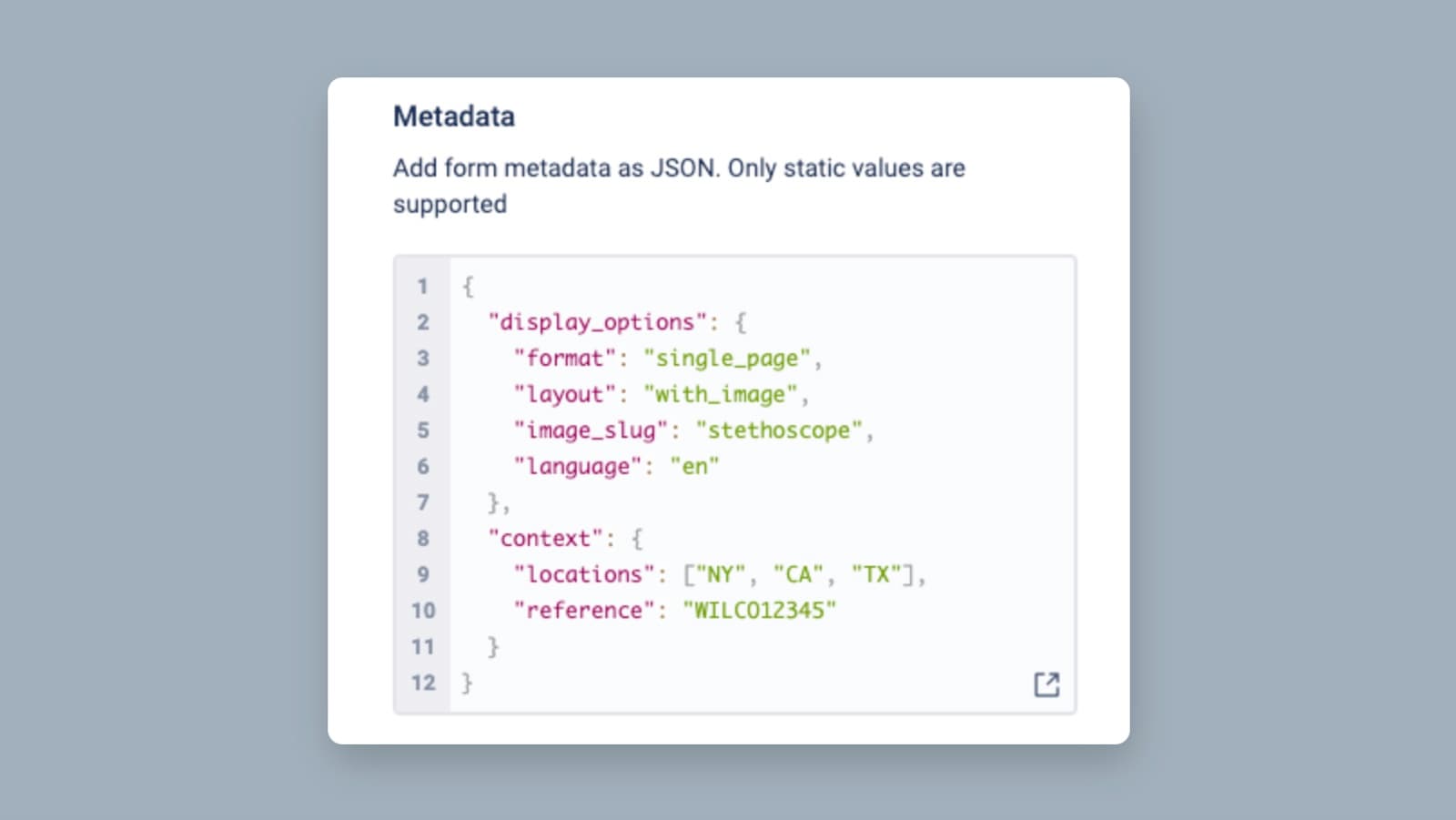
Setting metadata on a form question

A form or an individual question can carry a JSON metadata object holding the details specific to how the form is rendered: placeholders, helper text, internal references such as an input type or a slug, or a question style.

A system fetching forms through the Orchestration API gets the content and the context together, so it doesn't have to reconstruct presentation rules from a lookup table of its own.

Metadata is configured in the form builder in Awell Studio.

Standardized questionnaires display to specification

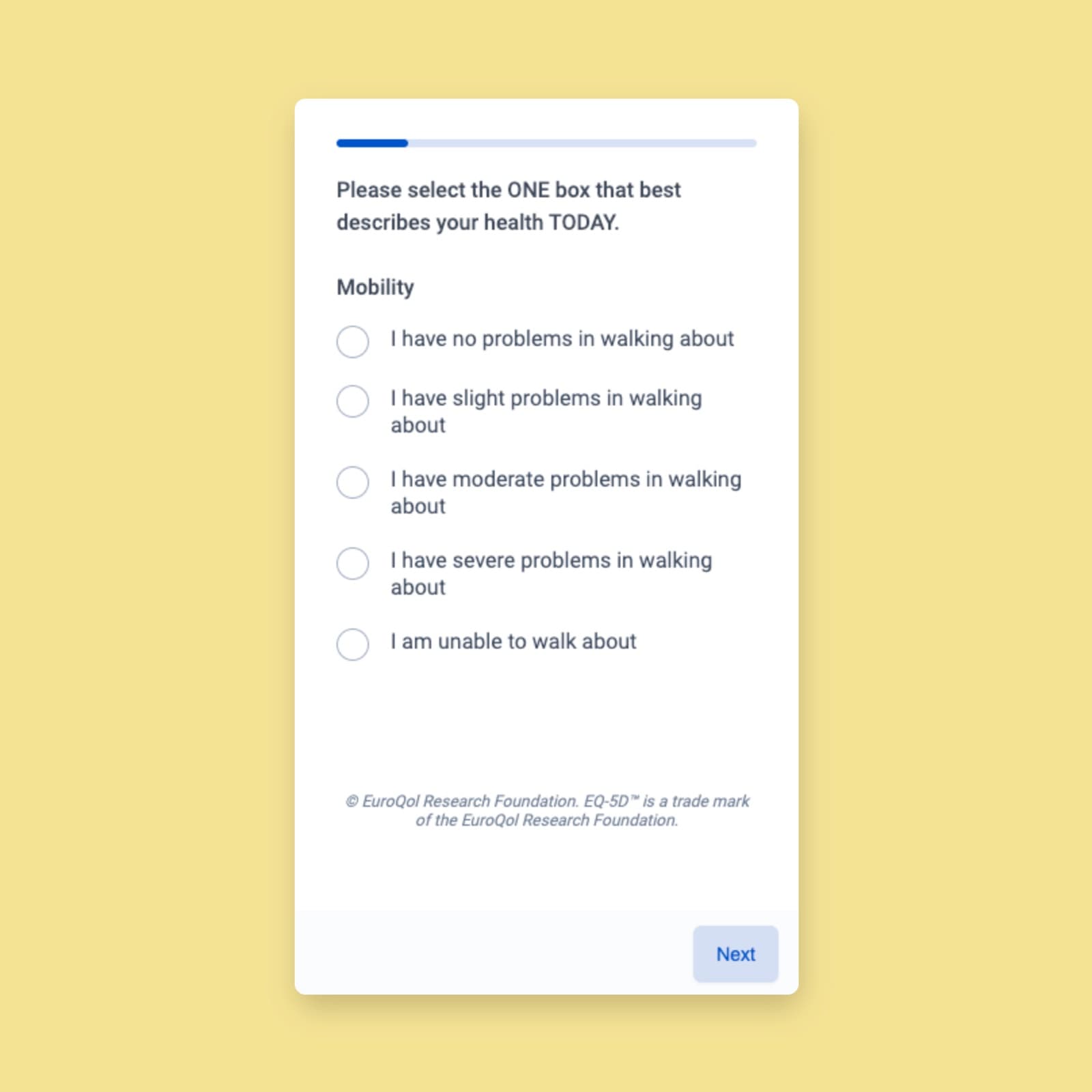
A standardized questionnaire in Hosted Pages

Validated instruments such as the EQ-5D come with strict presentation requirements. To meet them:

  • Question display. Standardized questionnaires fit on screen without scrolling in conversational form mode.
  • Trademark text. Each form can carry trademark text, shown at the bottom of every page in Hosted Pages.
  • Slider clarity. Labels and values on slider questions align properly, which makes them readable.
  • Autosave control. Form autosave can be disabled per care flow, which keeps incomplete responses out of storage where that's a requirement.

Conversational forms progress automatically

Auto-progress can be enabled for forms in Hosted Pages, cutting the number of clicks in conversational display mode by 35% (measured on the average Awell form composition, at a 50% click reduction on question types requiring user input). With it on, answering a single-select or yes/no question moves the respondent to the next question, and every input question type (short text, long text, date) is focused automatically, so the respondent can start typing instead of clicking the field first.

Answers remain reviewable and editable by navigating back through the form.

AvaGPT answered developer hub questions

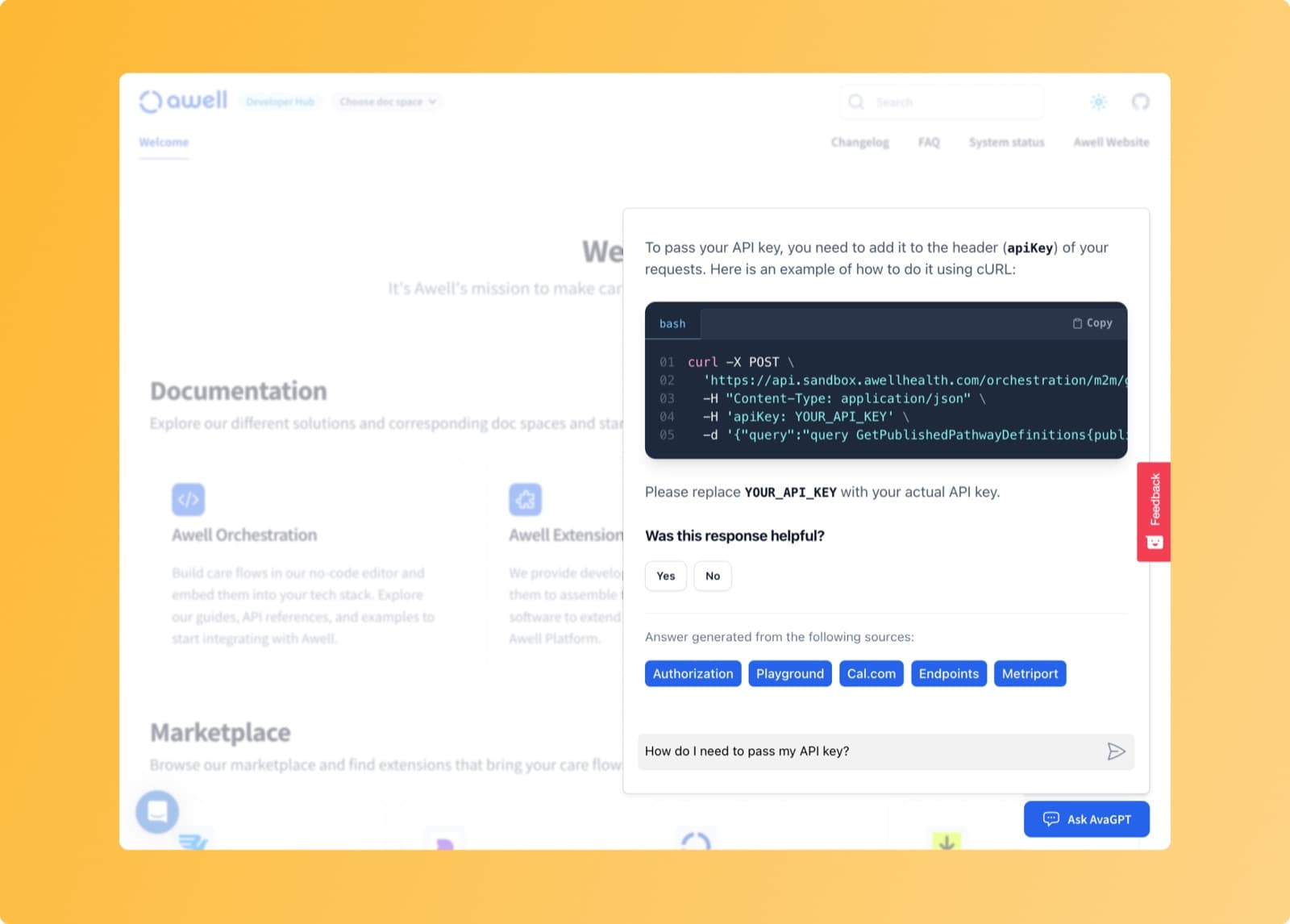
AvaGPT on the Awell developer hub

AvaGPT launched on the developer hub in August 2023 as an assistant for questions the search box couldn't answer: piecing together information from several pages, and generating example code in a chosen language from the existing documentation.

Also added

  • An "assign patient to group" action, which assigns a patient to a group or removes them from one.
  • The DocuSign extension was added to the marketplace.
  • A date transformation that adds business days to a date.

Control what happens when an API call fails, and stop a care flow from Awell Care

Everyoneapiintegrationsawell-careformsextensions

Retry behavior for failed API calls is configurable, a care flow can be stopped from Awell Care, forms have display modes, and the Healthie extension supports more webhook events.

What's new

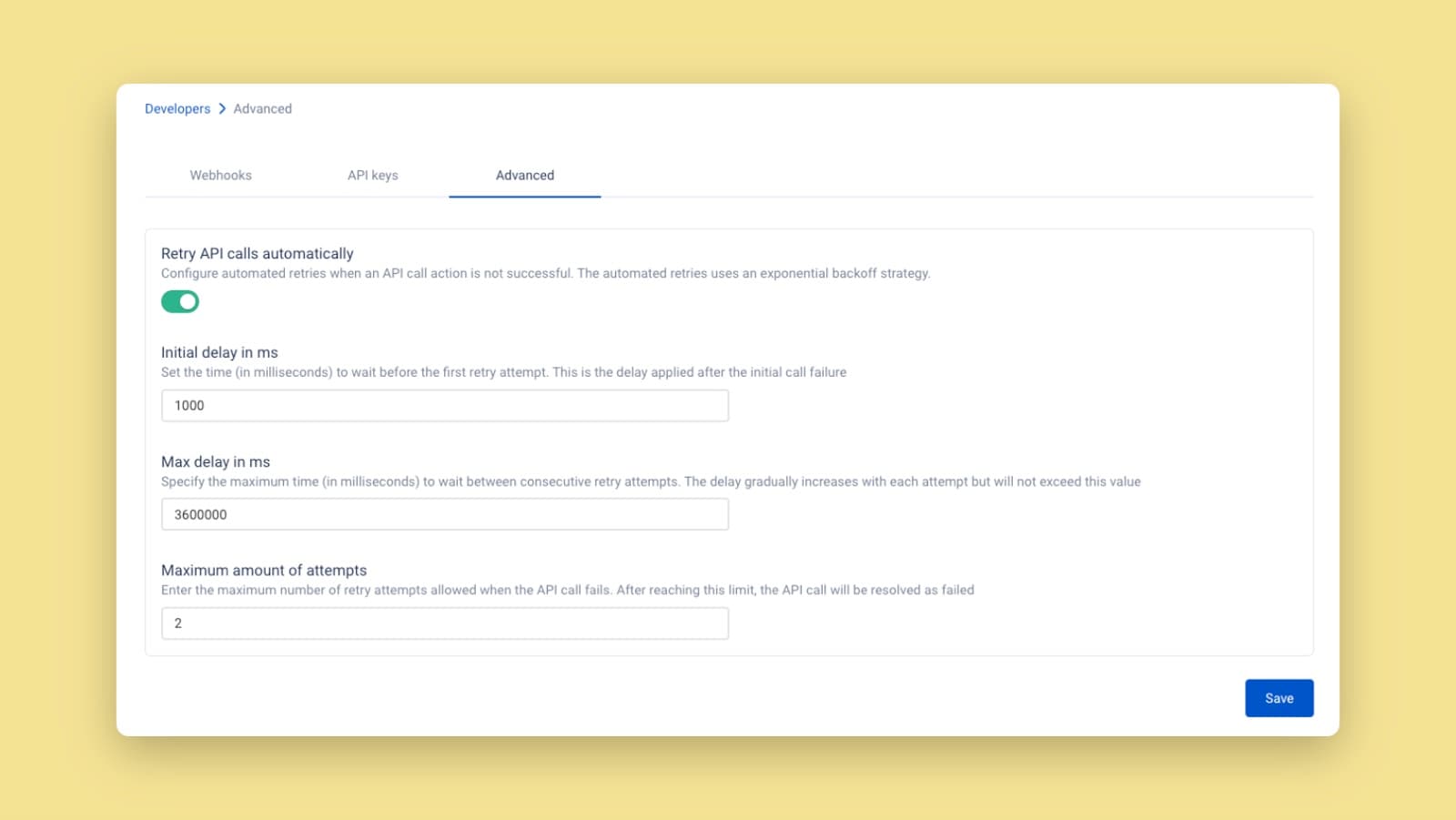
Retry logic for failed API calls is configurable

Configuring retry logic for failed API calls

Retry logic for failed API calls can be configured at the organization level and per care flow: wait longer before retrying, or stop retrying and control the outcome instead.

Idempotency keys are appended to the headers of all outgoing API calls. The key is the id of the activity that generated the request, which makes it unique and traceable, and lets the receiving system recognize a retry of a request it already handled.

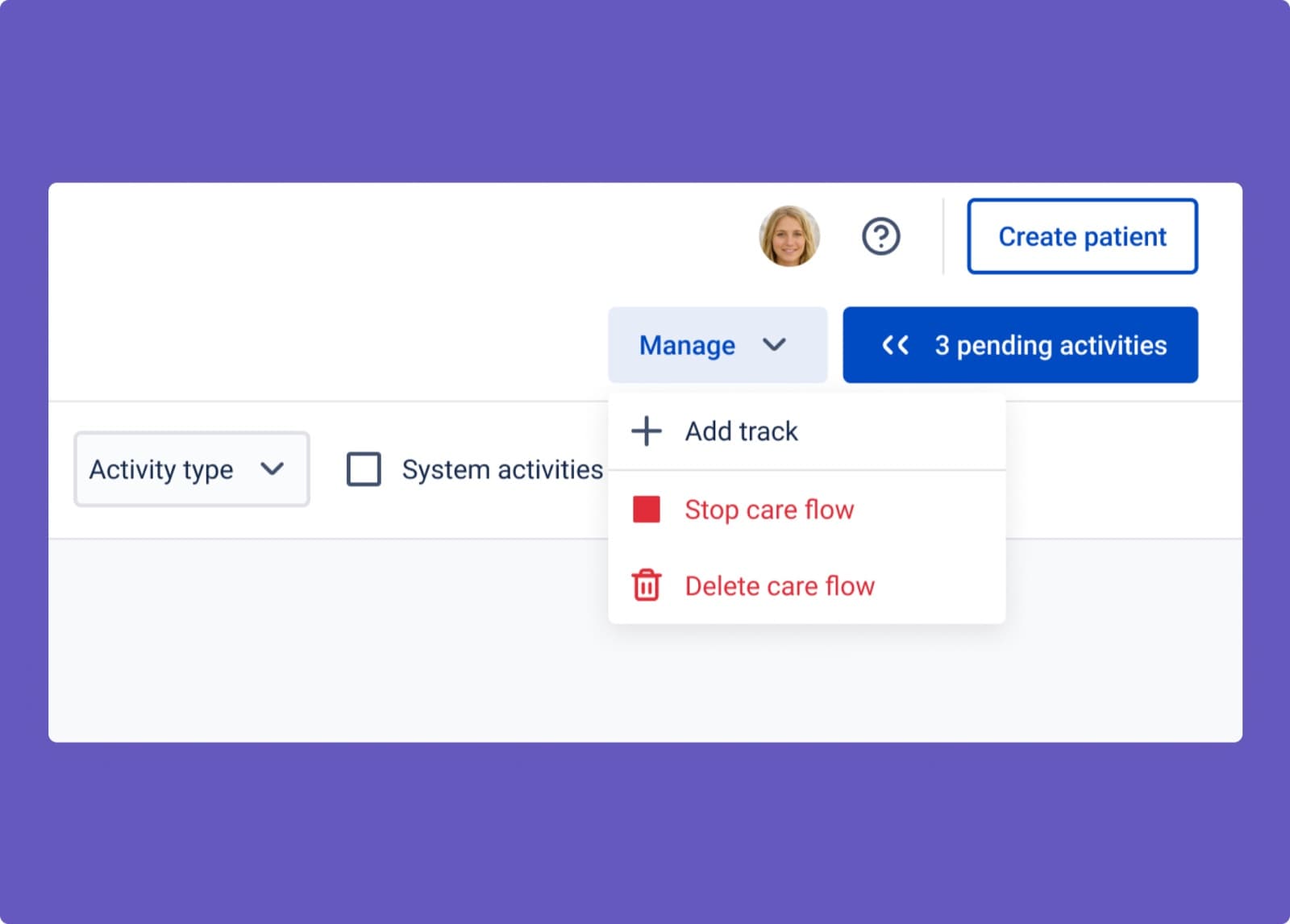
A care flow can be stopped from Awell Care

Stopping a care flow from a patient profile in Awell Care

Stopping a care flow was already possible through the API and is now available in Awell Care, from the patient profile (where several care flows can be stopped at once) or from the care flow details page under Manage.

A stopped care flow activates no new activities, and its existing activities can't be completed. Unlike a deleted care flow, its data is retained. A stopped care flow can't be resumed.

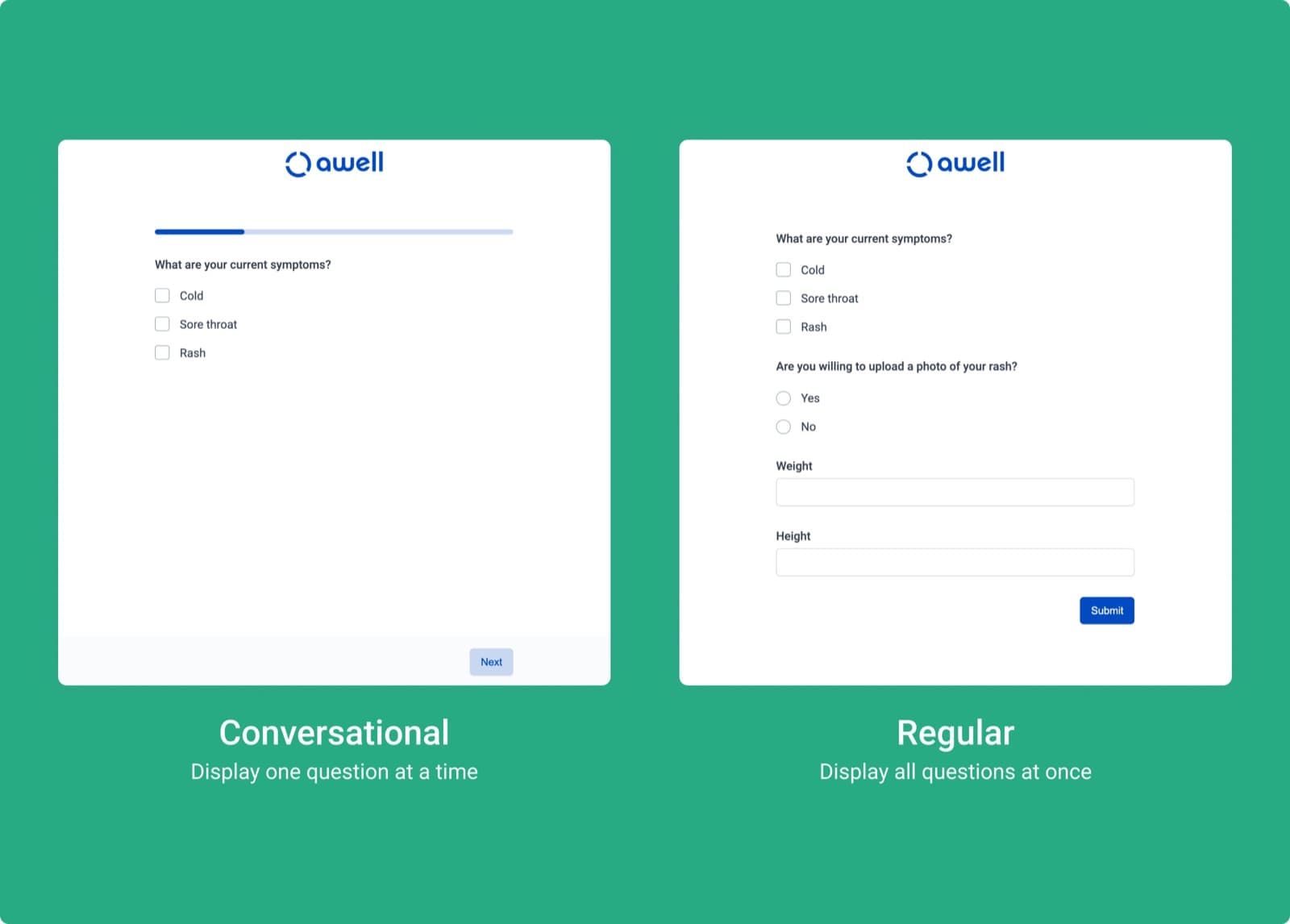
Forms display one question at a time, or all at once

Choosing a display mode for a form

A form's display mode is configurable. Conversational mode shows one question at a time, which reads more like a conversation and suits patients. Traditional mode shows every question at once, which makes a long form easier for clinical staff to review before submitting.

See set a display mode for your forms.

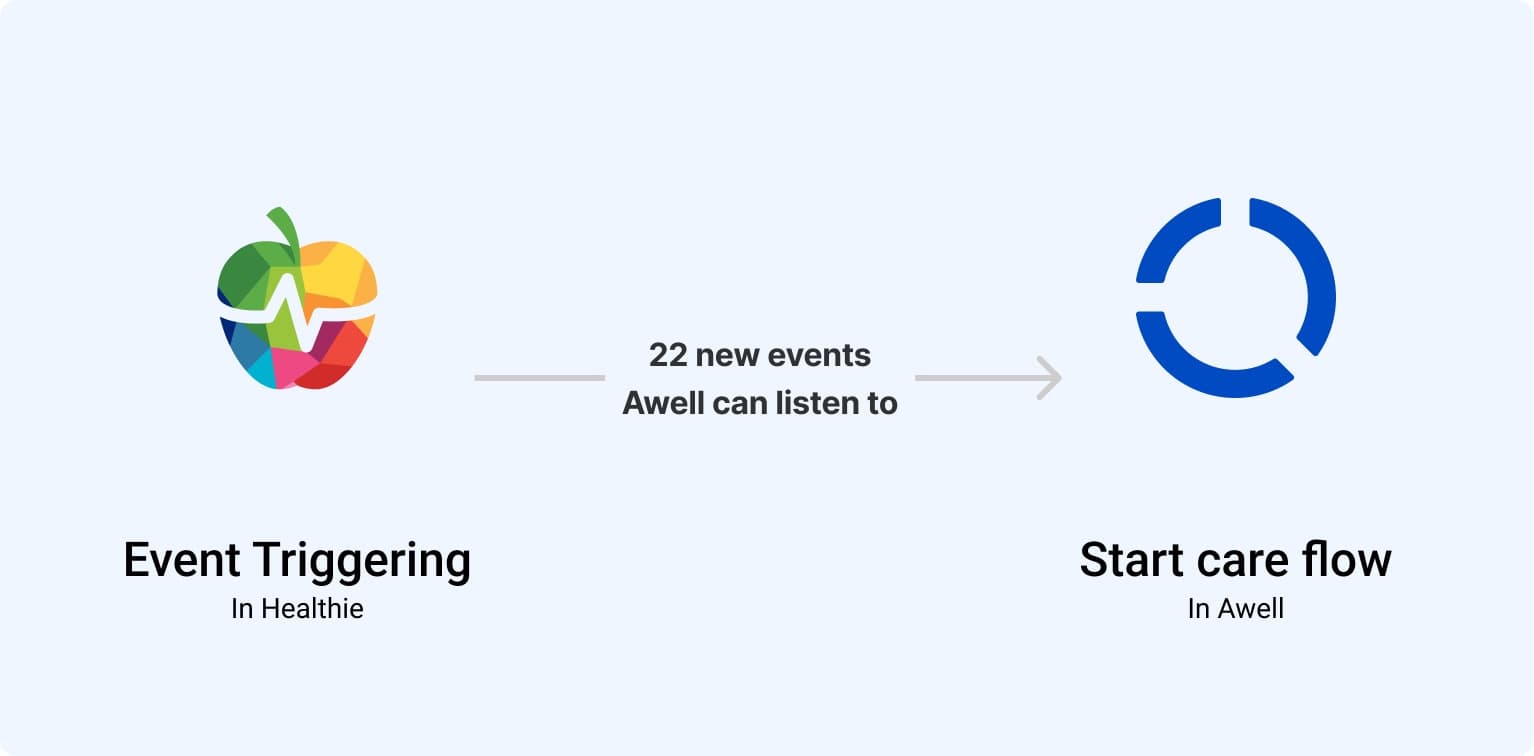
More Healthie events can trigger a care flow

Healthie webhook events

The Healthie extension supported two webhook events, patient.created and appointment.created. It now supports many more, including applied_tag.created, appointment.updated, form_answer_group.signed, lab_order.created, message.created, metric_entry.updated, patient.updated, request_form_completion.created, and task.updated.

To use them, refresh the Healthie extension in the extension settings and enable the events of interest on the Webhook tab.

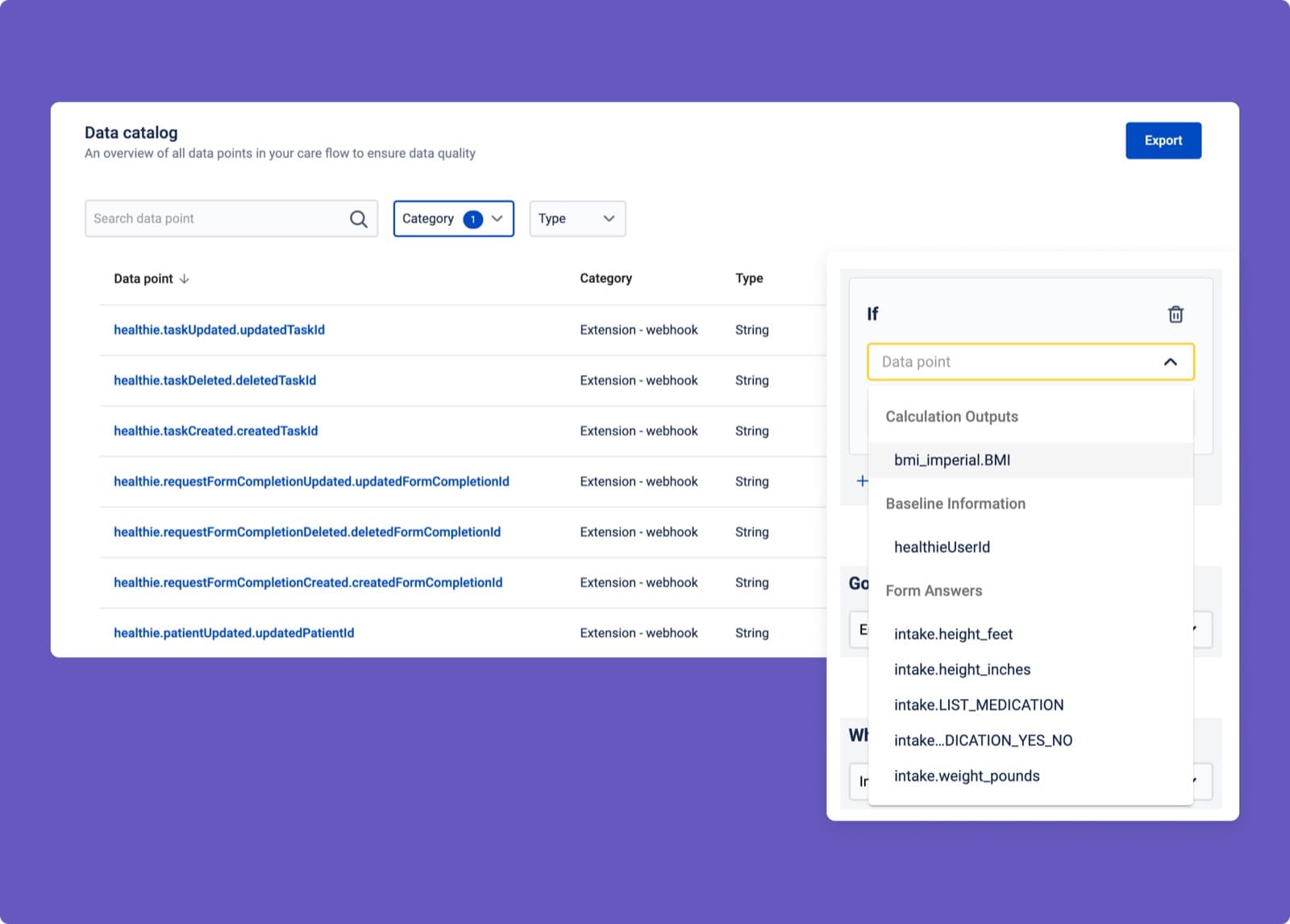
Data points are grouped and named by origin

Data points grouped by category in the data point selector

Finding the right data point was hard, particularly for data points coming from extension webhooks. The data point dropdown now groups data points by category (form answers, calculation outputs, baseline information, and so on), and data points originating from an extension webhook are named {extension}.{event}.{dataPointKey}.

Breaking changes

The Sendgrid extension is not backward compatible

The updated Sendgrid extension

A new version of the Sendgrid extension shipped with an action that adds or updates contacts in Sendgrid, so lists and contacts can be managed from within a care flow.

The new version isn't backward compatible with the old one. Care flows that haven't configured the Sendgrid extension are unaffected and will only see the new version. Care flows already using the extension have to migrate; the old extension and its actions carry a DEPRECATED label. The older version was deprecated on September 1, 2023.

Also added

  • Three new date transformations: YYYY, YYYY-MM, and YYYY-MM-DD.

Improvements

  • Hosted Pages is available in an additional language, with a more accurate progress bar and wider body margins.

Fixes

  • Fixed the GraphQL API call test suite in Awell Studio not parsing variables, which made requests fail. GraphQL API call bodies are also initialized correctly, which previously caused issues when the variables input was left unchanged.
  • Creating a data point definition from the API call data mapping panel no longer wraps the name in quotation marks.
  • Switching between GET and POST on a REST API call action updates the UI without a page reload.
Manage API keys in the app, and branch on missing data

Everyoneapistudiosecurity

API keys are self-service, and new operators make conditions possible on data that is missing or dated today.
What's new

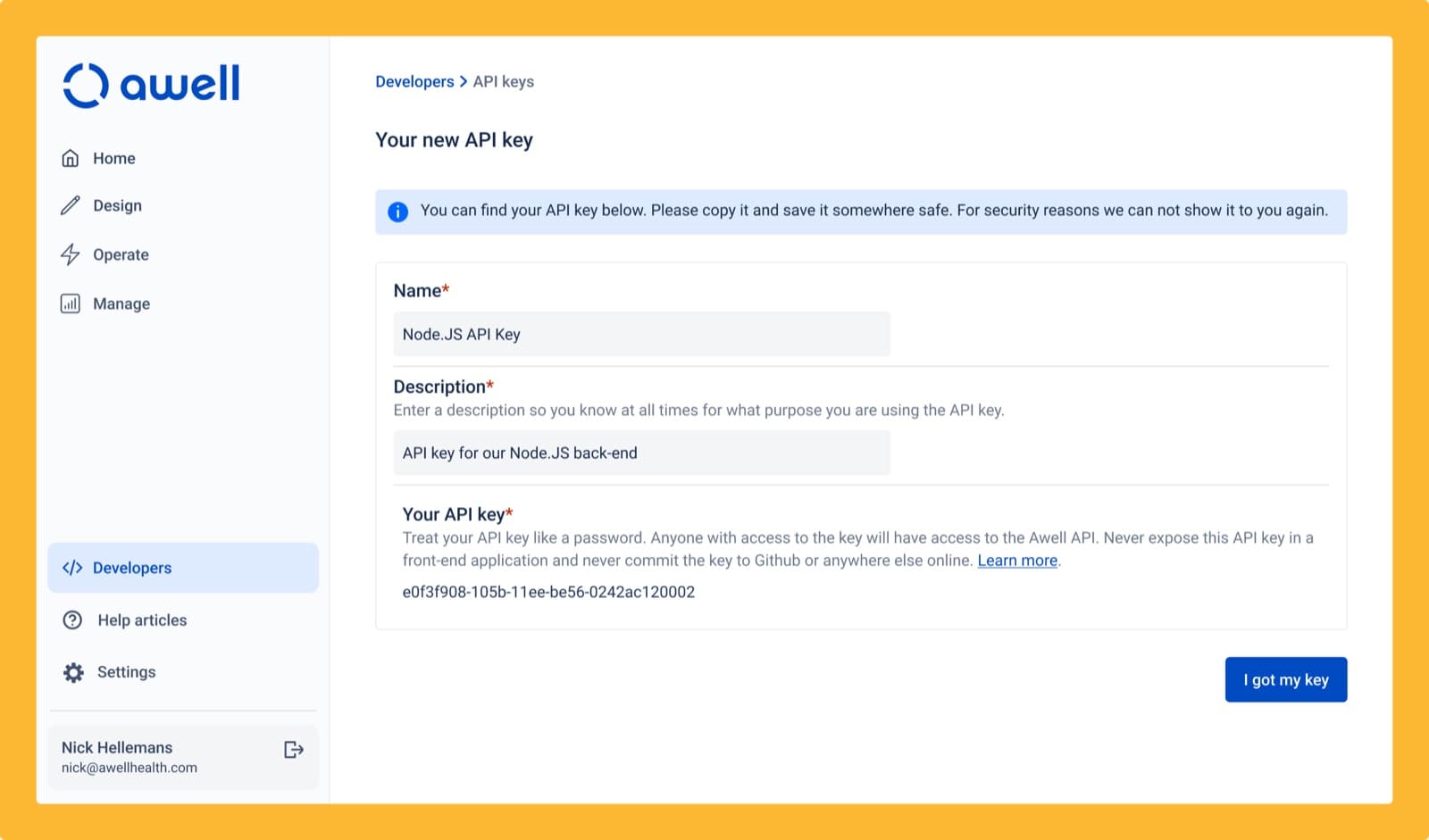
API keys are created and managed in the app

Managing API keys in the Awell platform

An engineering team can create and manage its own API keys in the Awell platform, and see every key that grants access to the API in the organization's name.

API keys created before this release keep working but don't appear in the list. They can be replaced with new self-service keys; to have the old ones deleted, email support@awellhealth.com.

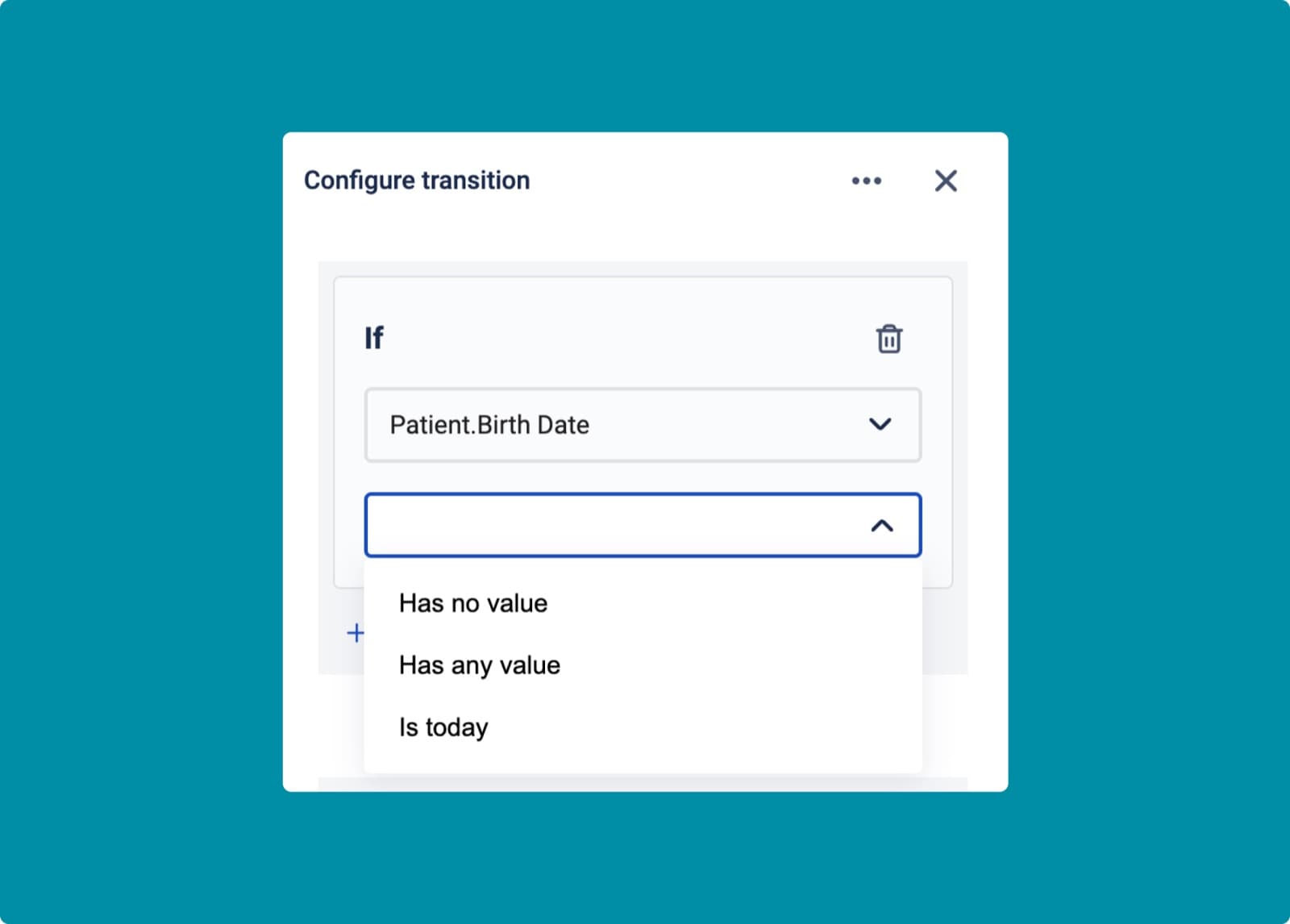
Conditions can branch on absent data

The has no value and has any value operators on a transition

The Has no value and Has any value operators trigger a track or step on whether data is absent or present. That covers cases like branching to an SMS notification when the patient has no email address. Both operators work on every data point value type:

Data point value typeHas no value when
numberundefined, null
stringundefined, null, empty string
booleanundefined, null
dateundefined, null, empty string
telephoneundefined, null, empty string
arrayundefined, null, empty array

An Is today operator was added for date data points, which transitions to a step when the referenced date equals today.

Improvements

  • A date transformation that formats dates in the Eastern Time timezone.
  • Twilio: a new action sends text messages from a messaging service rather than a "from" number.
  • Healthie: a date interval value can be configured when the interval type is "once".

Fixes

  • Fixed incorrect activation dates when using "after a delay of" timing logic.
  • Fixed the slider input in Hosted Pages not handling an existing answer value.
  • Fixed Healthie actions being marked successful when the Healthie API had returned errors and nothing was done.