
Configure API call retries
Change how Awell retries a failed API call from a care flow, at organization level or per care flow, and which setting wins.
When a care flow makes a REST or GraphQL API call and the call is considered unsuccessful, Awell retries it automatically using exponential backoff.
The defaults
- a maximum of 5 attempts
- an initial delay of 2 seconds
- a maximum delay of 1 hour
For many integrations these are fine. Change them when the system being called has its own rate limits, or when a slow retry chain would leave a patient waiting.
Care flow settings override organization settings
Retry behavior is set either for the whole organization or for one care flow.
Care flow settings take precedence over organization settings. A care flow with its own configuration ignores the organization default, so an org-level change has no effect on it.
For the whole organization
Organization settings are only available to Admin roles. Ask an admin on the team for access.
- Open Settings, at the bottom of the left navigation.
- Switch to the Advanced tab.
- Toggle on Customise default API call retry configuration and adjust:
- Initial delay in ms — the wait before the first retry
- Max delay in ms — the ceiling on the gap between attempts
- Maximum amount of attempts — after this, the call is resolved as failed
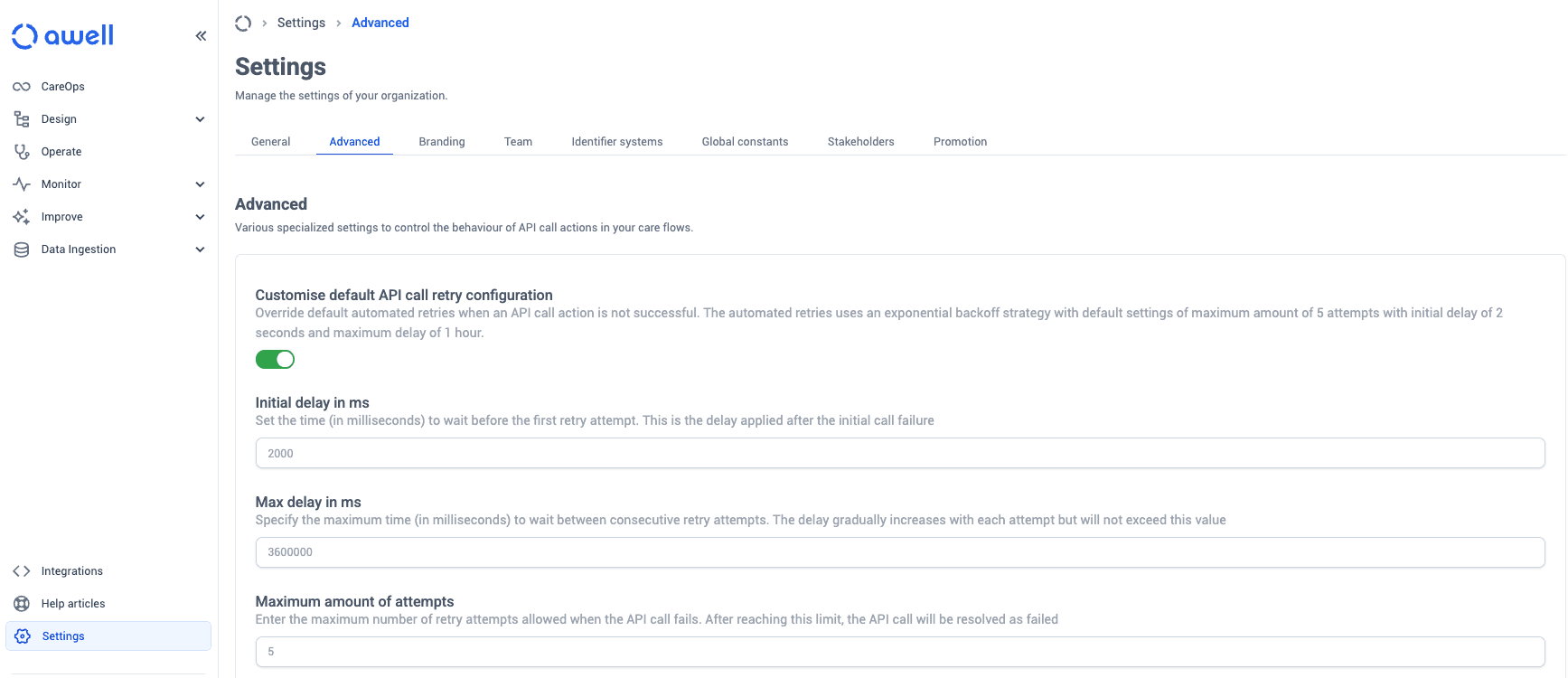
The delays are entered in milliseconds, so the defaults appear as 2000 and 3600000 rather than
2 seconds and 1 hour.
For one care flow
- Go to the Design space in the app switcher.
- Select the care flow.
- Switch to the Settings tab.
- Select the API Calls menu on the left.
- Toggle on Use specific configuration, then enable or disable automated retries and adjust the values.
Turning retries off makes transient failures permanent
With retries off, a single timeout or a brief outage at the other end fails the call for good. Prefer fewer attempts over none.
Next steps
Next: React to Healthie events for a worked example of a listener.
Webhook event catalog
Every event Awell can send to a subscribed endpoint, grouped by what it is about, with what each one reports and what it does not.
React to Healthie events with your own listener
Act on Healthie webhook events through the extension's built-in events, or build a custom listener when those are not enough.