
What happens when a care flow runs
How a designed care flow becomes activities once a patient is enrolled: and why activities, not steps, are what to read, query, and build integrations against.
A designed care flow is a plan. This page covers what happens once a patient is enrolled and the plan starts running.
How a care flow is built comes first; this page builds directly on it.
A running care flow is translated into activities
Every time an action activates, Awell creates an activity to track it: when it started, its status, when it completed.
Each activity remembers the action, step, and track it came from, so Awell always knows what needs doing and the context it belongs to.
Activities exist because a step can run more than once
Tracking the step directly would seem simpler, but a track or step can activate more than once.
Take a monthly check-in track: the same step runs twelve times a year. If Awell tracked steps rather than activities, those twelve visits would be indistinguishable. Each run gets its own activity, so each has its own timing, status, and result.
Activities are more than actions
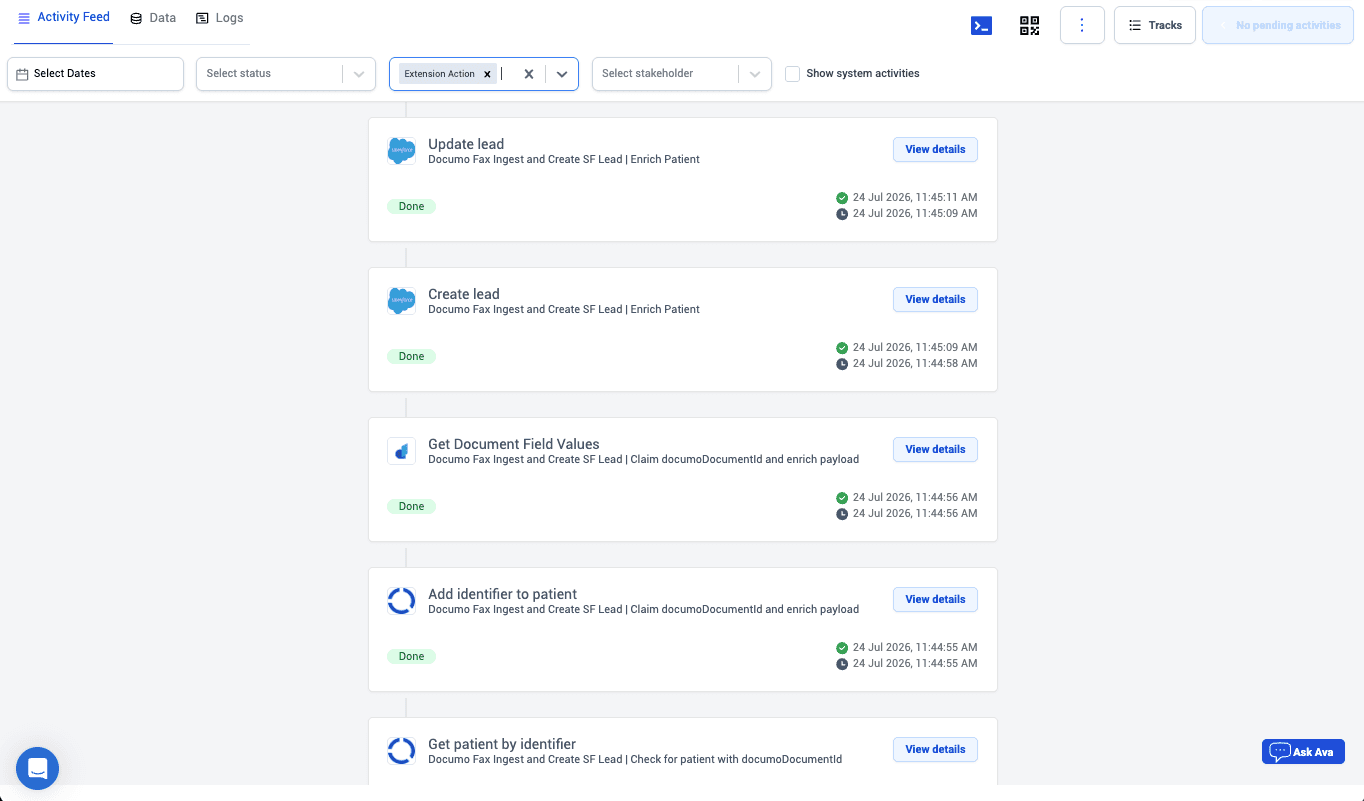
Not every activity corresponds to an action a person does. Awell also records system activities: a track activating, a step completing, a reminder going out.
Activities are the full history log of a care flow: everything that happened, in order, including things nobody was asked to do.
To find out what happened to a patient, query their activities rather than the design.
Integrations read activities, and must expect repeats
- Events fire on activities. A system learns a form came back by subscribing to
activity.completed. See Webhooks and events. - Data points come from activities. Form responses, calculation results, and timings all land as data points the care flow's logic can test.
- Repetition is normal. Anything reading activities has to expect the same step to appear many times for one patient.
Next steps
- Designing care flows → Design care flows
- Reacting to what happens → Webhooks and events
- Reading care flow data → Data & source control
How a care flow is built
The building blocks assembled in Awell Studio: tracks with triggers, steps joined by transitions, and actions assigned to the people who carry them out.
Design care flows
Author care flows in Awell Studio: build the structure with tracks and steps, collect data with forms, and use timers and decisions to move patients forward automatically.