
Source Control
Sync care flows as code to GitHub or GitLab, so changes are versioned, reviewable, and can gate publication.
Source Control syncs care flows as code to a remote Source Control Management provider such as GitHub. Once it's set up, the care flow syncs to the repository every time a new version is published.
Care flow changes become reviewable as diffs
What Source Control makes possible:
- Care flows as code. Care flow components live in a repository the organization owns.
- CI/CD integration. Care flow updates can flow through the pipelines the team already runs.
- Code-based testing. Verify care flow behavior with existing test tooling.
- Visibility on changes. Inspect and diff versions of a care flow as code.
Visibility changes how a clinical change gets reviewed: a diff is something a colleague can check; a description of what someone changed in a canvas is not.
Configure it from the care flow's Settings tab
- Select the care flow to put under Source Control.
- Go to the Settings tab and choose Source Control to configure the repository.
- Paste the repository URL into the repository URL field.
- Paste the access token into the token field.
- Test the configuration to confirm the permissions are right.
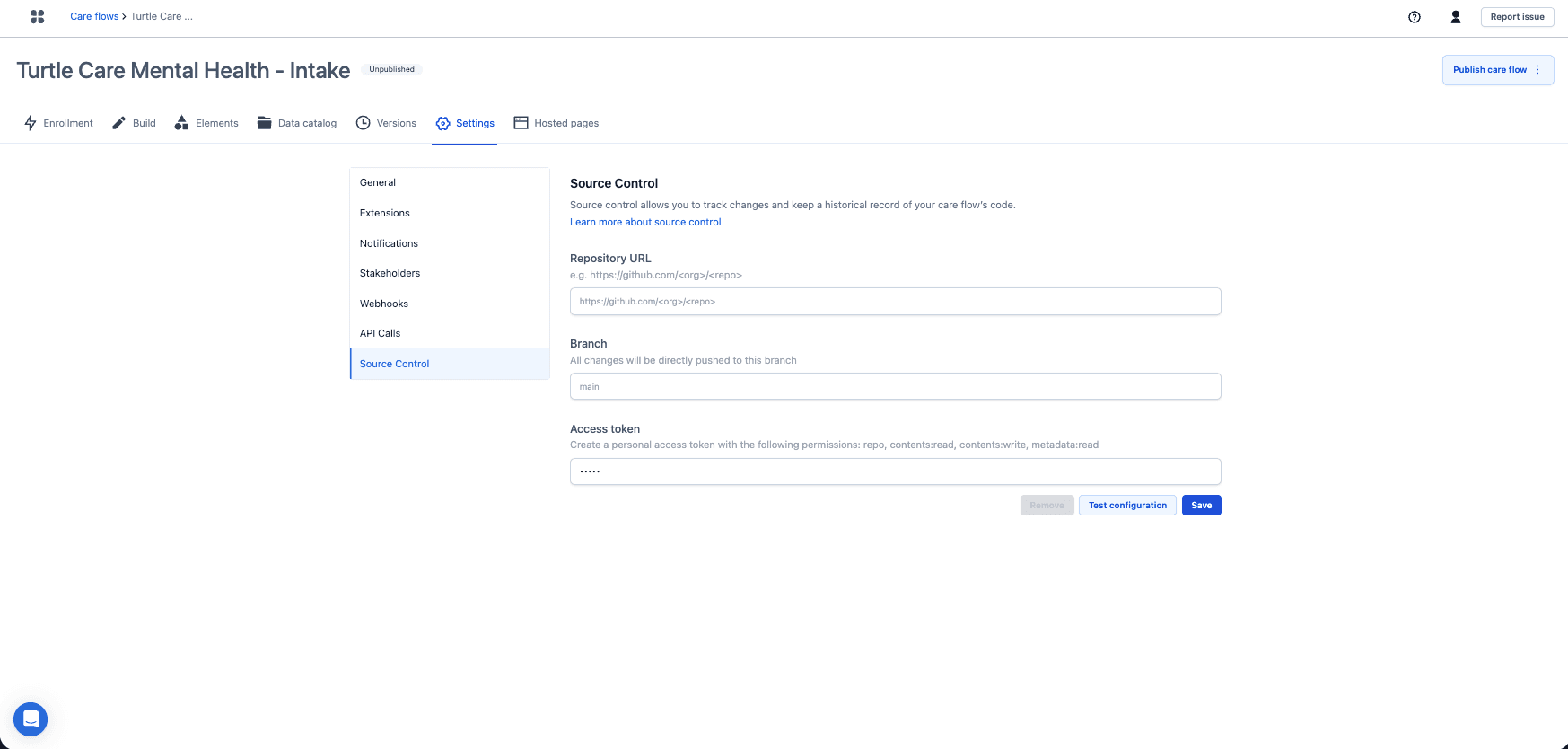
Three values are needed: the repository URL, the branch every change is pushed to, and a
personal access token with repo, contents:read, contents:write and metadata:read. Test
configuration checks the connection before saving.
Awell stores the configuration and
uses it to create and delete a branch.
For the full provider walkthrough, see Set up Source Control.
Editing the repository does not change the care flow
The sync is one-way, and Source Control is set up per care flow per environment. How syncing works has the detail.
Next steps
Next: Set up Source Control.