
Sandbox to production promotion
Build and test in Sandbox, then promote a care flow to Production, keeping the identifiers your integrations depend on.
Most organizations run two environments:
- Sandbox is where care flows are built, tested and validated.
- Production is where care flows run for real patients.
Build in Sandbox, then promote to Production.
Promote a care flow
- In the Sandbox environment, open Settings at the bottom of the left navigation.
- Open the Promotion tab.
- Follow the on-screen instructions.
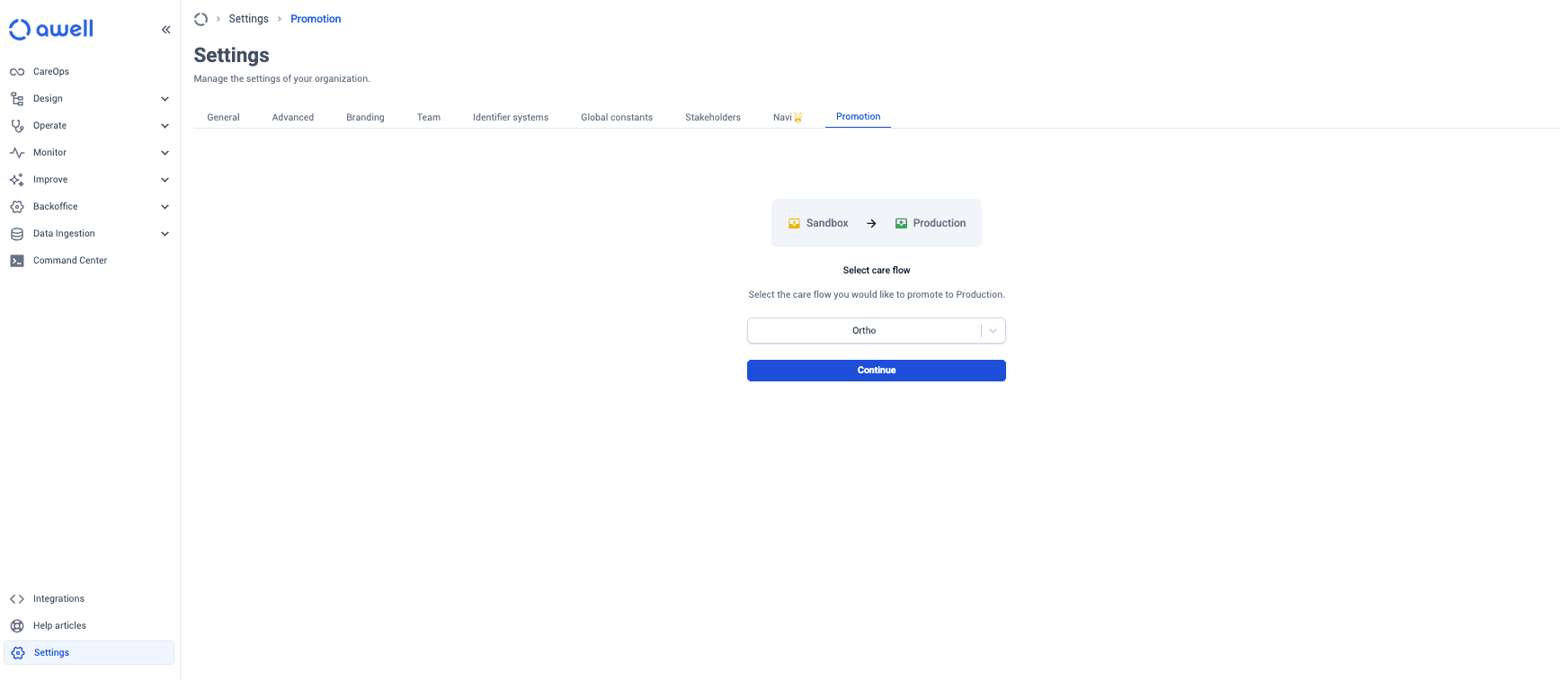
Only an Admin can promote.
Promotion keeps care flow identifiers unchanged
Integrations that rely on care flow identifiers, such as pathway definition IDs or data point IDs, keep working: promotion leaves those identifiers unchanged.
An engineer can build against Sandbox IDs and the same IDs work in Production, so nothing needs rewiring at go-live.
Promotion copies the care flow, not the environment configuration
Promotion copies the current working version of the care flow. It does not carry across environment-level configuration, which has to be set up in Production separately: branding, custom domains, identifier systems, file storage.
The go-live checklist covers that configuration. Where a promoted flow looks unbranded to patients, check the Production branding settings first.
Next steps
Next: Go-live checklist.