
Publish and set your care flow live
Publish a care flow to create a recorded version, set a version live so patients can be enrolled, and switch versions later.
Publishing and going live are two separate actions.
- Publishing records a version of the care flow without affecting any patient.
- Setting a version live makes it the version new patients are enrolled into.
Publish, then set live
- Open the care flow to publish.
- Click Publish care flow at the top right.
- Optionally add publication comments to record what changed in this version.
- Optionally review the list of changes in this version.
- Click Publish.
- Go to the Versions tab and choose Set as live version.
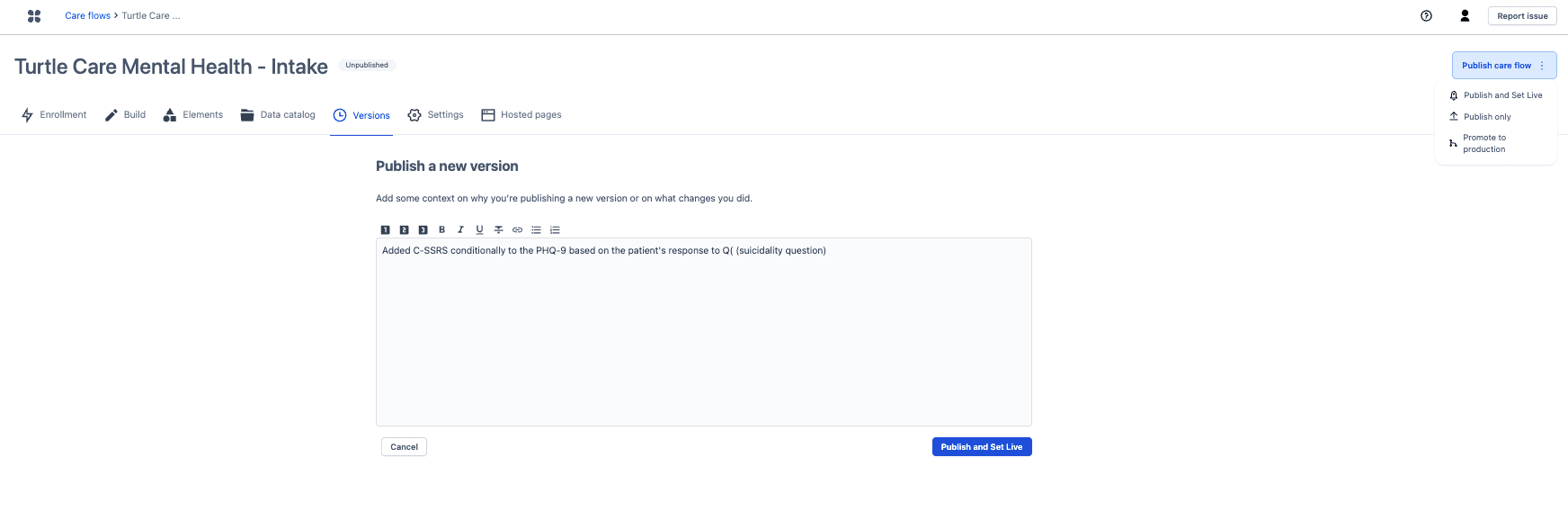
Write the publication comment, because six versions later it's the only record of why this version exists.
Publishing runs checks first, and errors block it
The error message names what's wrong. Fix it and publish again.
Any published version can be set live again
The Versions tab lists every published version, and the live version can change at any time. Rolling back means setting an earlier version live again.
Patients already enrolled continue on the version they started on. Changing the live version affects new enrollments, not people mid-flow, so a bad change is recoverable without stranding anyone.
Next steps
Next: Sandbox to production promotion for organizations that build in one environment and run in another.
Enrich your care flow with baseline data
Pass information from another system into a care flow at start or at runtime, and avoid the optional data point that halts a flow without an error.
Sandbox to production promotion
Build and test in Sandbox, then promote a care flow to Production, keeping the identifiers your integrations depend on.