
Send email notifications
Send templated emails from a care flow using an email extension, configured with the organization's own provider account.
A Send email action delivers a plain templated email to someone's inbox. Use it for notifications that should reach people outside Awell.
For anything containing protected health information or clinical detail, use an in-app message instead, because an inbox isn't a place the care team controls.
Email is sent by an email extension
Awell doesn't send email itself. The Send email action comes from an email extension, and several extensions offer one, including SendGrid, Mailgun, Mailchimp, Braze, HubSpot, Iterable and Infobip. Browse the Marketplace for the current list and the exact actions each one offers.
The extension authenticates with the organization's own account at that provider. The sending domain and its reputation therefore stay with the organization rather than being shared across Awell customers.
Configure the extension
- Go to Settings on the care flow page.
- Open the Extensions tab.
- Configure the email extension for the chosen provider.
- Save.
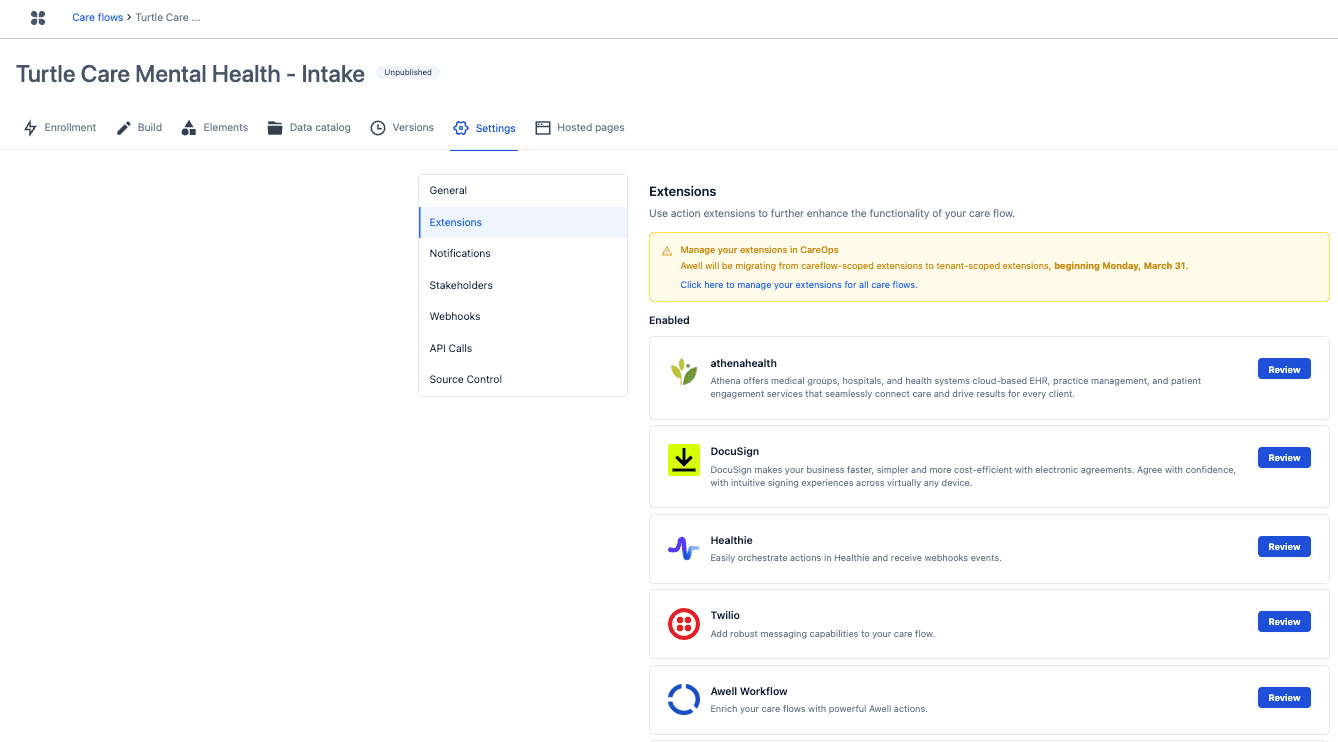
Extensions can be reached from inside a care flow, but they live under the tenant settings, so enabling one makes it available to every care flow in the organization.
Settings differ by provider, so check that extension's Marketplace page for the exact fields. Most need an API key at minimum, and offer a default sender address and name that every action inherits.
For SendGrid, the settings are an API key (required, stored as a secret), plus an optional from email and from name.
Add a Send email action
Once the extension is configured, add its Send email action to a step the same way as any other action.
The inputs depend on the provider. SendGrid's Send email action takes to, subject and body, and optionally a from name and from email that override the extension defaults for that one message. Some providers also offer a template-based variant that takes a template ID and a block of dynamic content instead of a body.
Embedded videos are not supported in email. See Add files, images and videos.
Next steps
Next: Use variables in your actions to personalize what gets sent.