
Set a custom domain for Hosted Pages
Serve Hosted Pages from a custom domain instead of Awell's, so links look like they come from the care organization.
By default a Hosted Pages URL sits on an Awell domain, and it can be served from a custom domain instead.
A patient asked to enter health information is more likely to trust a link on a domain they recognize, and an unfamiliar domain in a text message reads like phishing.
Step 1: Purchase a domain
Buy a domain, or pick a subdomain of one the organization already owns. Prefer a subdomain of the main site, which patients already recognize.
Step 2: Add the domain to the Awell platform
Add it in the platform, which then supplies the DNS records to configure with the registrar.
Step 3: Generate Hosted Pages links on the custom domain
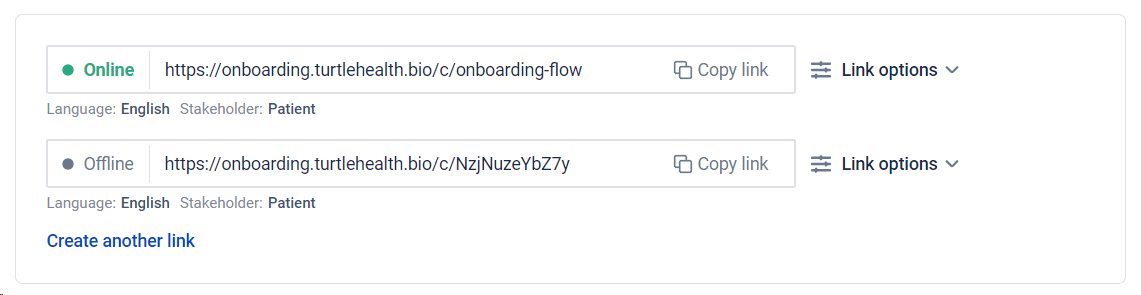
Once the domain is verified, Hosted Pages links are generated on it. Each link shows whether it is online, which language it uses, and which stakeholder it is for.
Each environment needs its own domain
Custom domains are configured per environment, so Production needs its own. See the go-live checklist.
Next steps
Next: Care flow design with Hosted Pages, which changes how a flow is built.