
Hosted Pages settings
Customize how Hosted Pages looks and behaves, per care flow or across the whole organization.
Hosted Pages settings change how it looks and behaves for patients and care teams. They are set for one care flow or for the whole organization.
Per care flow
Sharing
The Hosted Pages sharing link for this care flow, including the QR code version. See Trigger with a Hosted Pages link.
A sharing link belongs to one care flow. It is not carried over when someone duplicates a care flow.
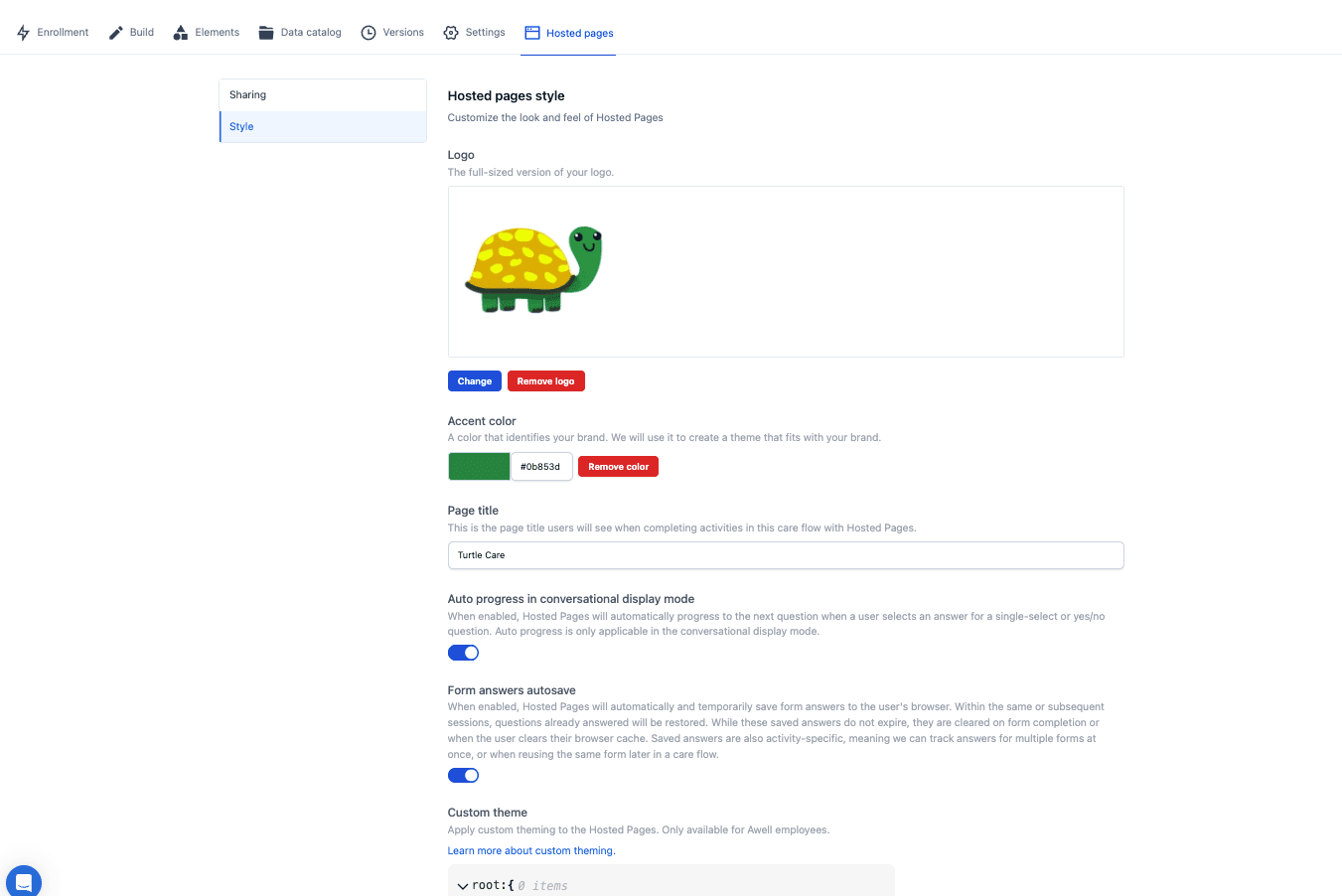
Style
Look and feel for this care flow only. Useful when one care flow is for patients and another is for clinicians, and the two don't have to look the same.
For the whole organization
Organization-level settings apply everywhere and are the right default. Set them once, and override per care flow only where there's a reason.
Branding is set at organization level. See Administer & secure.
Settings are per environment
Setting them in Sandbox does not set them in Production, so check them in Production before go-live. See the go-live checklist.
Next steps
Next: Set a custom domain so the URL matches the organization too.
Embed or redirect to Hosted Pages
Put Hosted Pages in an iframe inside a host app, or send the stakeholder to it, and control where they end up when they finish.
Set a custom domain for Hosted Pages
Serve Hosted Pages from a custom domain instead of Awell's, so links look like they come from the care organization.