
Start a care flow from an incoming webhook
Let another system start a care flow by posting to an Awell URL: create the webhook, map payload data to baseline data points, attach a patient, and read the logs.
An incoming webhook is a URL. When another system posts to it, Awell starts a care flow. It's the right trigger when something outside Awell should begin care: a booking is confirmed, a patient is discharged, a form is completed elsewhere.
This is the opposite direction from the events Awell sends out. For an endpoint that receives from Awell, see Receive webhook events instead.
Only a published care flow can be started
Publish the care flow before creating the webhook.
Create the webhook
- Open Integrations from the left navigation, then the Incoming webhooks tab.
- Click Create webhook.
- Name it and choose which care flow it should start.
A care flow with no required baseline data points can be enabled right away; otherwise, map them first.
An extension can supply the events instead
The Create Webhook screen asks for a Webhook Type. As well as posting to a URL yourself, you can choose Extension webhook and subscribe to events an installed extension already exposes — so a booking or discharge event reaches Awell through the extension rather than through an endpoint you build and maintain.
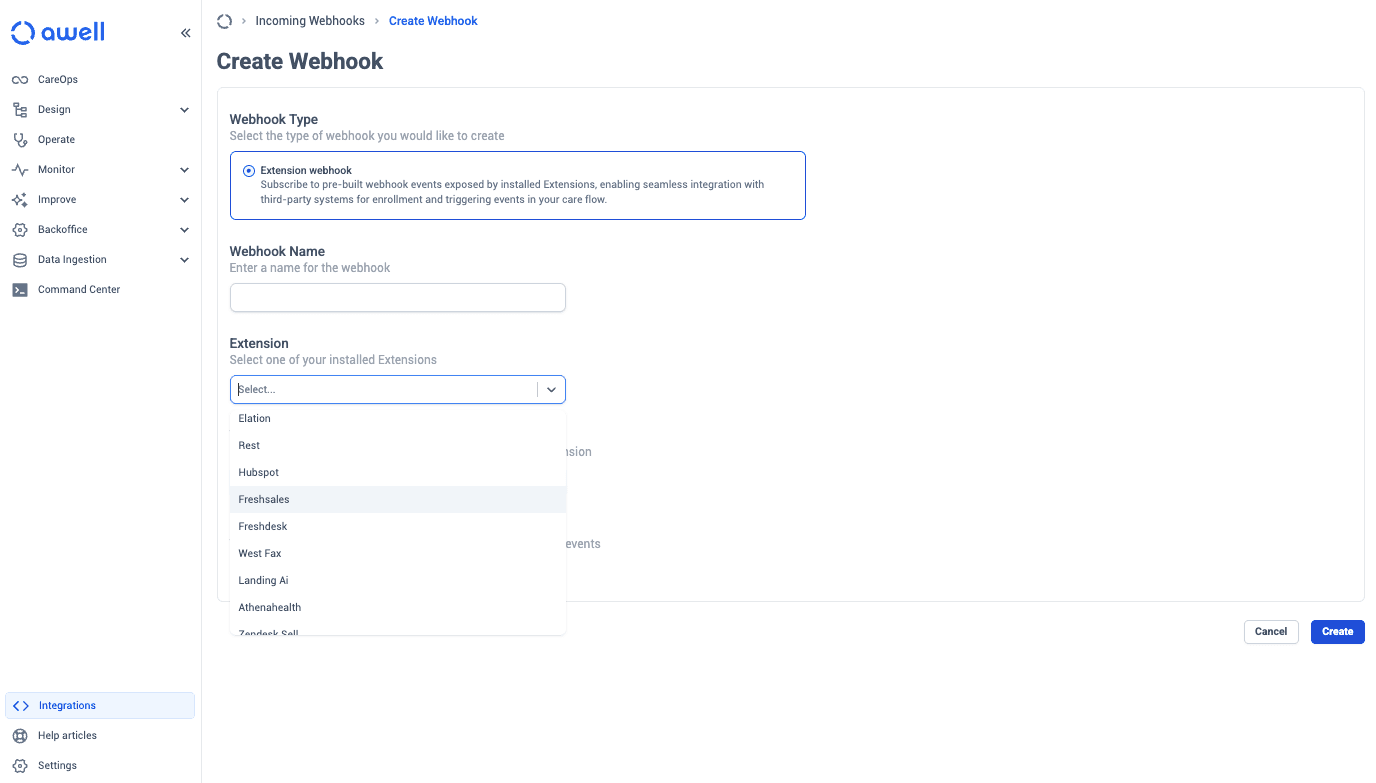
The dropdown lists the extensions your organization has installed, so what you see depends on that. See Marketplace for what is available, and What are Awell extensions for how extensions work.
Map payload data to baseline data points
Baseline data points are the values a care flow needs before it can start, such as a date of birth or a referral reason.
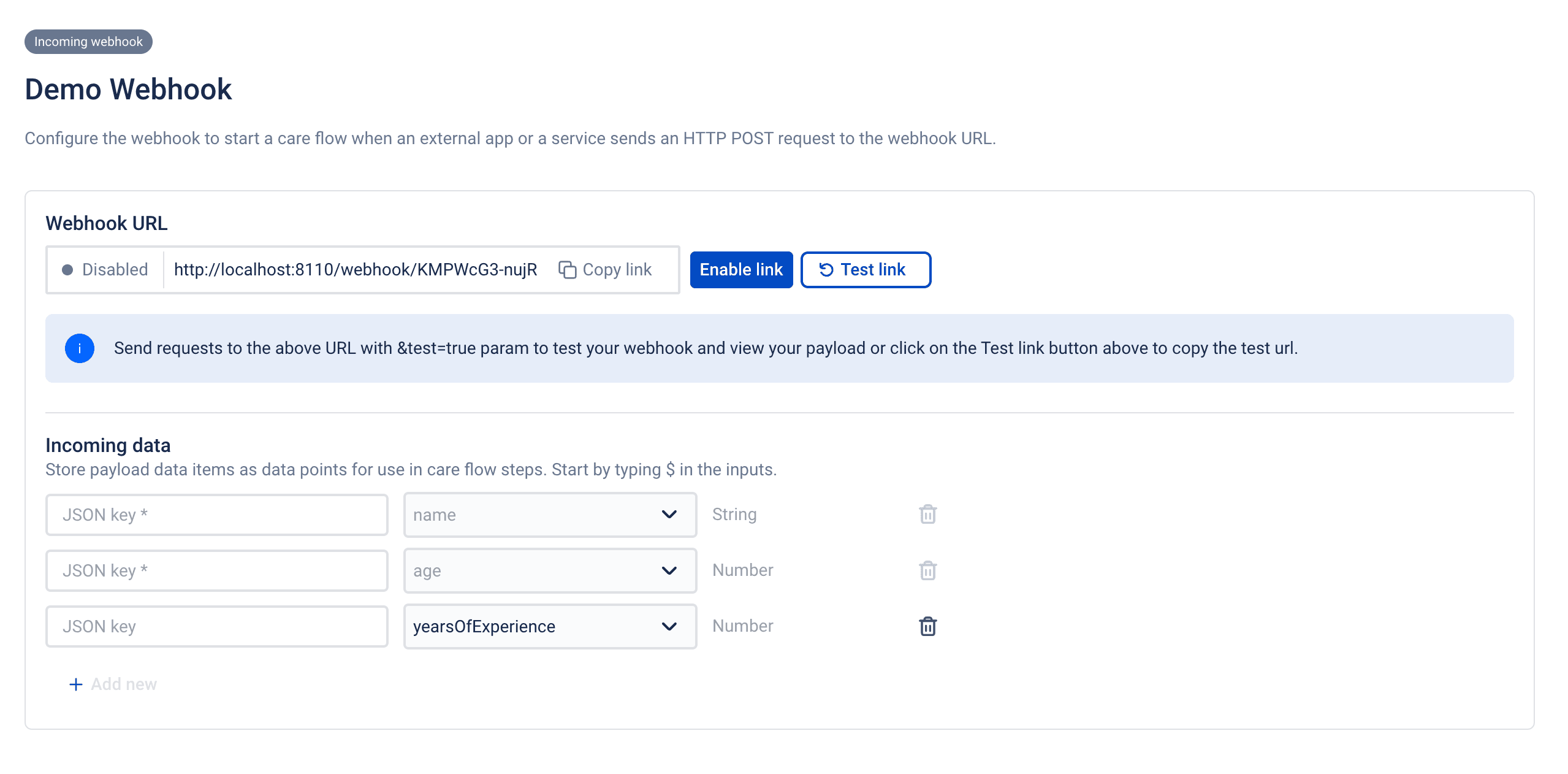
- Click Test link to send a test request to the endpoint. The payload appears on the page within a minute.
- Use JSONPath to pick values out of the payload and assign each to a baseline data point.
- Send another test payload once everything is mapped.
- Awell checks whether the mapping is valid and sufficient to start the care flow.
- If validation passes, enable the webhook.
Required data points are enforced. If a required baseline data point has no mapping, the request is rejected rather than starting a partial care flow.
Requests start an anonymous patient unless the payload names one
By default, every request starts a care flow for an anonymous patient, which is often fine: on an intake form the person may not be known yet.
To create a patient instead, or to start a care flow for someone who already exists, include an identifier in the payload:
{
  // rest of the payload
  "patient_identifier": {
    "system": "{{IDENTIFIER_SYSTEM}}",
    "value": "{{IDENTIFIER_VALUE}}"
  }
}
Set up the identifier system in settings first. See patient identifiers in Connect systems.
Filtering happens on the trigger, not on the endpoint
The webhook URL accepts every request that reaches it. Trigger conditions on the linked enrollment trigger then decide whether a request starts a care flow, evaluated against the mapped payload.
Conditions can only test what the payload contains, so the calling system still has to send a reasonably uniform payload and call only when a care flow should begin.
Where the caller can't be that precise, the workaround sits inside the care flow: conditional logic as an eligibility check that stops the flow early. Email support@awellhealth.com for help; there are ways to do it with little or no impact on the monthly active patient count.
The logs show every request and why it was rejected
- Click View logs.
- Filter by request status, incoming webhook name, or care flow name.
- Click View details on a request to see its payload and status.
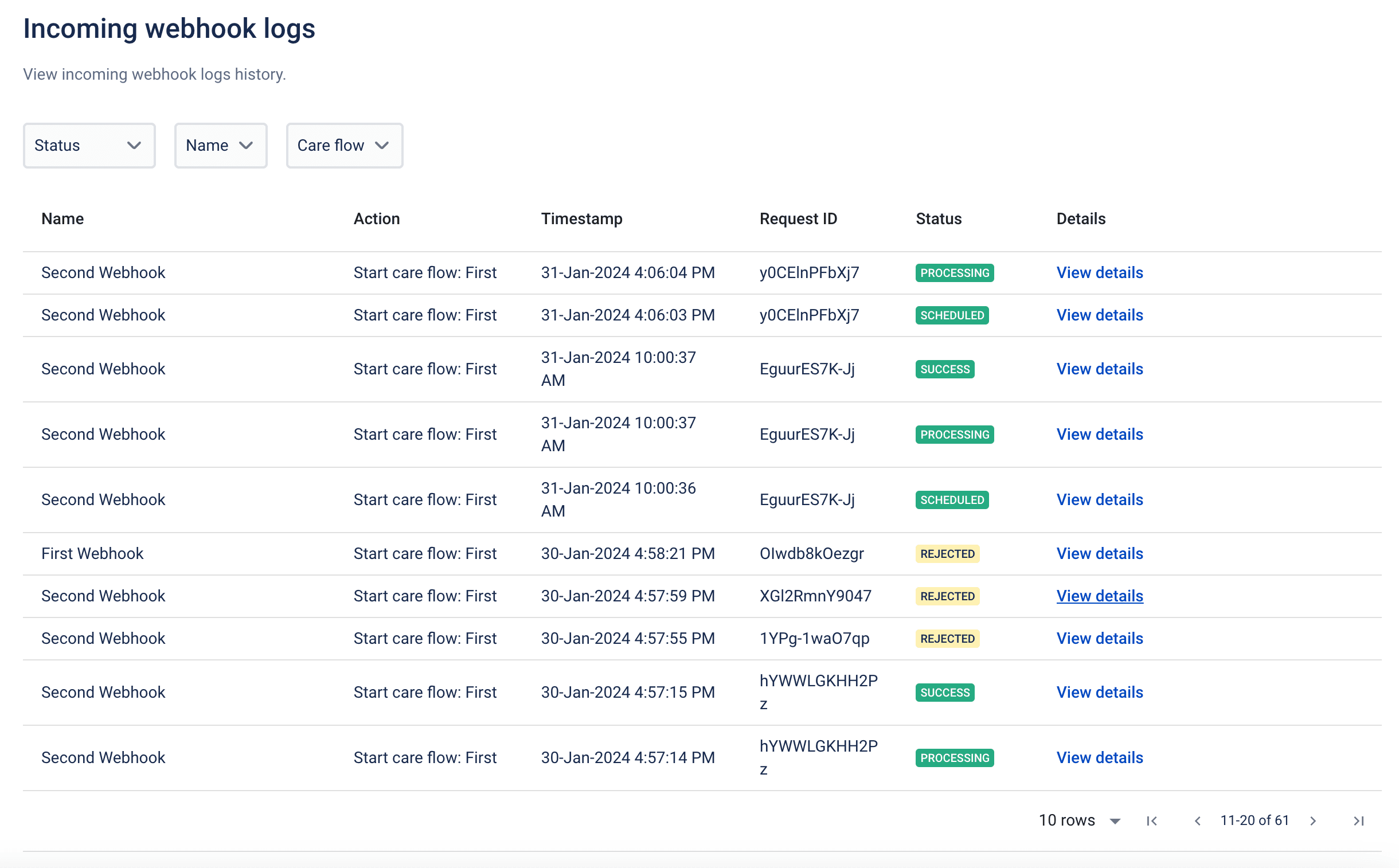
What each status means
| Status | Meaning |
|---|---|
SCHEDULED | The payload has all required baseline data points, and the request is queued for processing. |
PROCESSING | The scheduled request is being processed. |
SUCCESS | The care flow was triggered. The log includes the care flow ID and patient ID. |
REJECTED | Something is wrong with the payload, or the webhook is disabled. Awell rejected the request. |
FAILED | The request failed during processing. |
TEST | A test payload. Awell validated it and, if it would have been rejected, shows why. |
REJECTED means Awell declined the request; FAILED means it was accepted and then broke during
processing. A rejection usually points to a mapping or payload problem, and a failure is worth
reporting to support@awellhealth.com.
Next steps
- Other ways to start a care flow → see the trigger types in this section.
- Monitoring incoming webhooks → Configure webhooks in Studio
- What Awell sends out → Webhooks and events