
Enrollment triggers
The section in the app for viewing and managing what starts each care flow, including webhook-based enrollment through an extension.
Care flows can be started in several ways: through the app, the API, webhooks, bulk enrollment and more. Enrollment triggers is a dedicated section in the app for seeing and managing what starts a given care flow.
Manual enrollment is always available
Every care flow can be triggered manually, either through Awell Care or the Orchestration API.
This trigger is always enabled. It needs no setup and cannot be disabled, so every care flow has at least one way in.
Webhook enrollment takes an extension, an integration and a trigger
A care flow can be started by an event from a third-party system:
- Install the extension for the system to listen to. See Integrate with extensions.
- Set up an incoming webhook integration linked to that extension.
- Configure the enrollment trigger, linking the incoming webhook to it, then configure the data mapping and any trigger conditions.
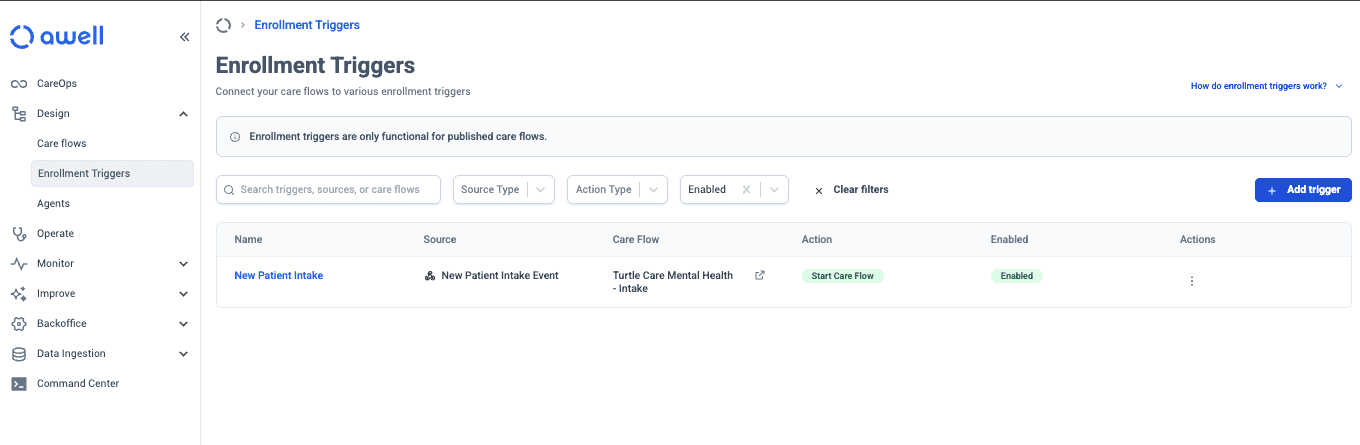
Data mapping pulls values out of the incoming payload into baseline data points. Trigger conditions decide which incoming events should actually start a flow, which matters because a busy webhook will otherwise start one every time it fires.
The other trigger types live in this section too
Hosted Pages links, bulk enrollment and the rest are covered here, starting from Before you trigger a care flow.
Next steps
Next: Trigger a care flow from Awell Care, the simplest option.