
Encode questions and answer options
Give forms, questions and answers stable keys and clinical codes, so the data is findable in logic, comparable across systems, and usable for analysis.
Keys and codes give a form, its questions and its answer options stable identifiers, so an answer means something outside the form that collected it.
Coding pays off in registries, in analysis, and in the data point list
- Codes let the data adhere to a registry, a standard outcome set such as those from the International Consortium for Health Outcomes Measurement, or a research protocol.
- Coded data is far easier to work with in analysis later.
- Data points get referenced when configuring conditional logic. Coded form names, questions and answers make the right data point findable in that list; without them it's a guess between a dozen similarly-named entries.
Code during the build rather than afterward, so the data point list is already usable by the time anyone configures the logic.
Encode a form
- Create or open a form.
- Click Settings at the top of the page.
- Enter a form key in the text field. It saves automatically.
The form key shows up when configuring transitions and in the data catalog.
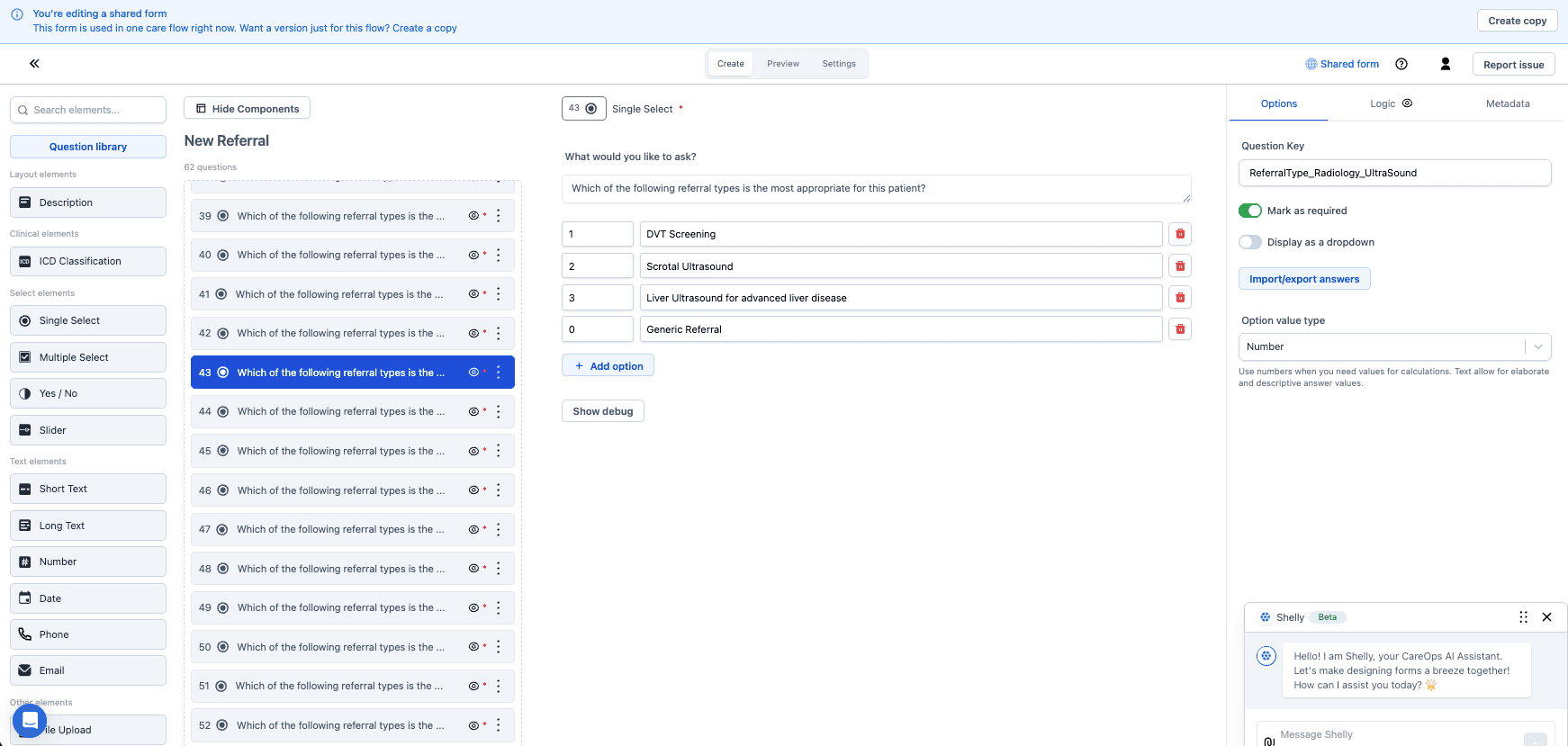
Key each question, and code the answers to the standard
Give each question a key, and where the answers map to a standard, code the answer options too. Use the code the registry or protocol expects rather than inventing one.
Keys are for machines, so keep them stable. Renaming a key later breaks whatever referenced it.
Next steps
Next: Add conditions to questions, which is where coded questions immediately pay off.