
Enrich your care flow with baseline data
Pass information from another system into a care flow at start or at runtime, and avoid the optional data point that halts a flow without an error.
Baseline data points, sometimes called baseline information, carry data from another system into a care flow: a surgery date, a surgeon, an insurance provider, or anything else the flow needs but doesn't collect itself.
Once inside, they behave like any other data point, so logic can read them.
Create a baseline data point
- Go to the Settings tab.
- Select General in the left menu.
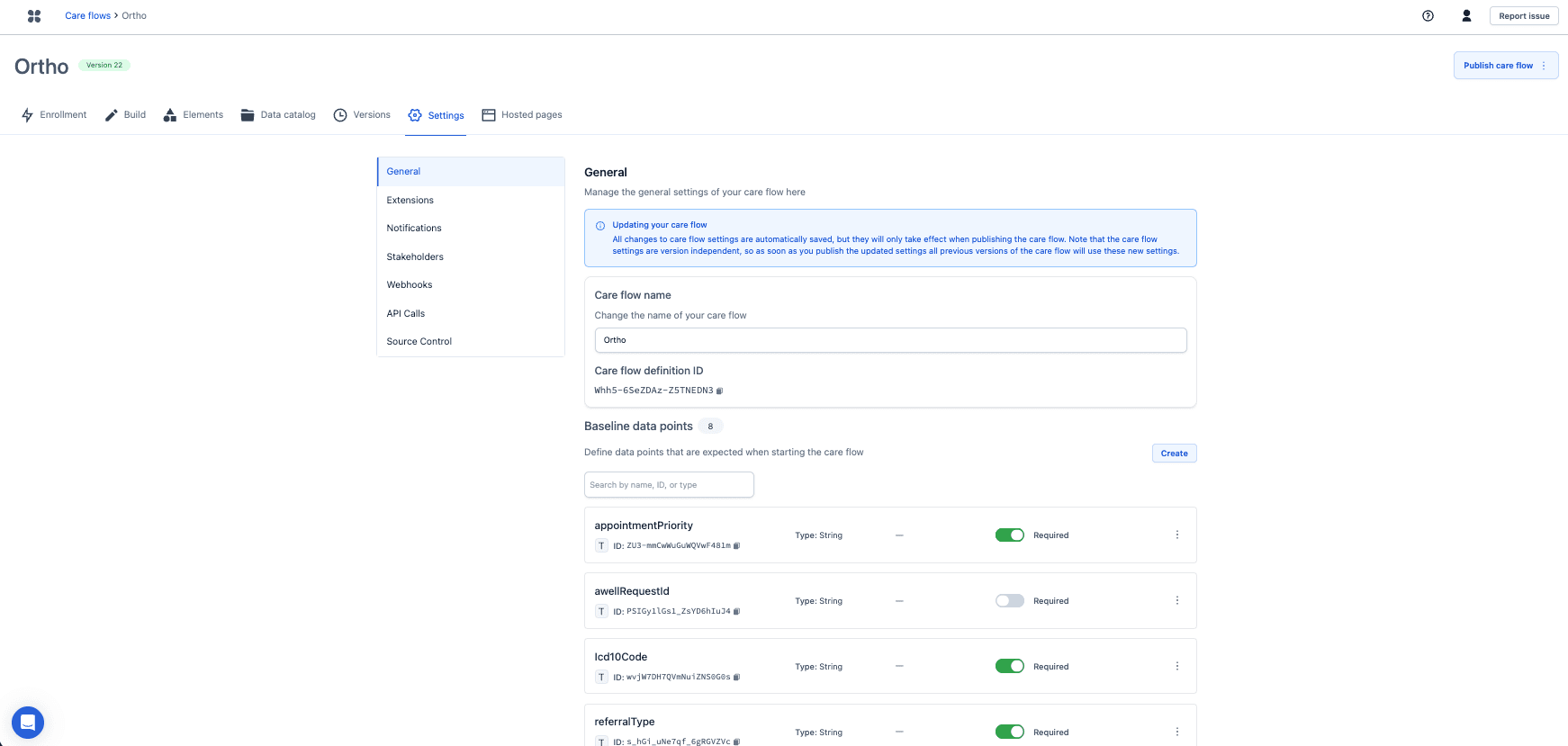
- In the Baseline data points section at the bottom, click Create.
- Provide the key and the value type. For a String, the possible inputs can be defined as label and value pairs.
- Under Optional, decide whether the data point is mandatory when the care flow starts, or can arrive later while the flow is already running.
An optional data point read by logic halts the flow
Where logic in a care flow reads an optional data point, the flow halts if that value is missing. It doesn't fail or warn: it reaches the logic, finds nothing to evaluate, and stops.
Pair optional baseline data used in logic with when value is known and when value is unknown conditions, so both cases have a defined path. A missing value then follows that path, usually to a step that asks the other system for it, instead of stopping the patient's flow.