
Panels and views
A panel holds the columns and settings; views built on it are tailored for a particular job. Which changes affect everyone, and which affect one view.
A panel holds the setup: which columns exist, whether the rows are patients or tasks, and the filters that apply to everything built on it.
A view is a tailored slice of that panel, saved so a team can return to it. One panel can carry several views, so a shared panel serves a morning huddle, a follow-up queue and a manager's overview without anyone duplicating the setup.
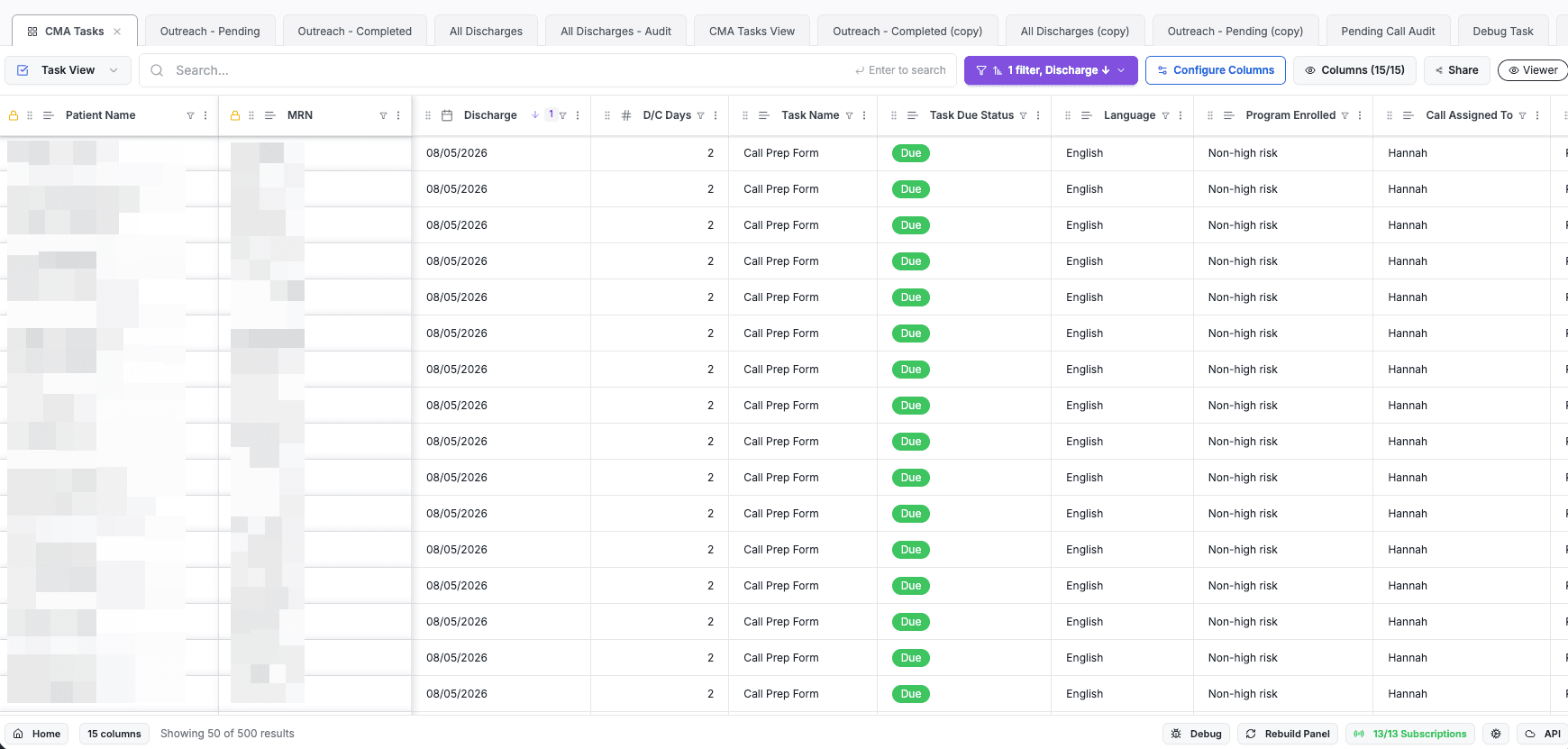
The views built on a panel appear along the top, so switching between them is a click.
Which changes affect everyone, and which affect one view
| Change | Where | What it affects |
|---|---|---|
| Add or remove a column | Panel | The panel and every view built on it |
| Patients or tasks as rows | Panel | New views inherit the choice; existing views keep theirs |
| Show or hide a column | Panel or view | Only the panel or view it was changed in |
| Rename a column | Panel or view | The panel and every view built on it |
| Filter or sort | Panel or view | A panel filter applies everywhere; a view filter applies to that view |
Structure lives on the panel; presentation lives on the view.
A panel's columns are a library that views draw from
A panel holds every column that could be shown. A view picks the ones it needs, so two views on the same panel can look completely different while staying in step with the same data.
That difference shows up in what hiding a column does:
- In a panel, hiding a column takes it off the display but keeps it available to views, and any filter on it keeps working — so a panel can filter on something nobody has to look at.
- In a view, hiding a column takes it out of that view, along with any filter set on it there.
Calculated columns are always current
A calculated column works out its value from other columns, so a discharge date can drive a days since discharge column instead of the team counting in their heads.
These recalculate every time a panel or view is opened, so the number on screen is right for today without anyone refreshing anything.
Next steps
Next: How you work in Awell Care, for the single-patient view of the same work.
What Panels is
Awell Panels is a live list of patients or tasks that a care team works from, built from the data a care flow already collects.
How Panels stores data
Panels keeps its data as FHIR resources, the standard the rest of healthcare already speaks, which is why a row updates the moment something changes and why one panel can serve many facilities without duplicating it.