
Set your track triggers
How a track activates, from "when the care flow starts" to data-point and scheduled triggers, and when to use each.
Each track in a care flow activates on its own trigger. A trigger type either sequences the flow in time, reacts to the data collected, or waits to be activated by hand.
Sequencing triggers follow where the patient is in the flow
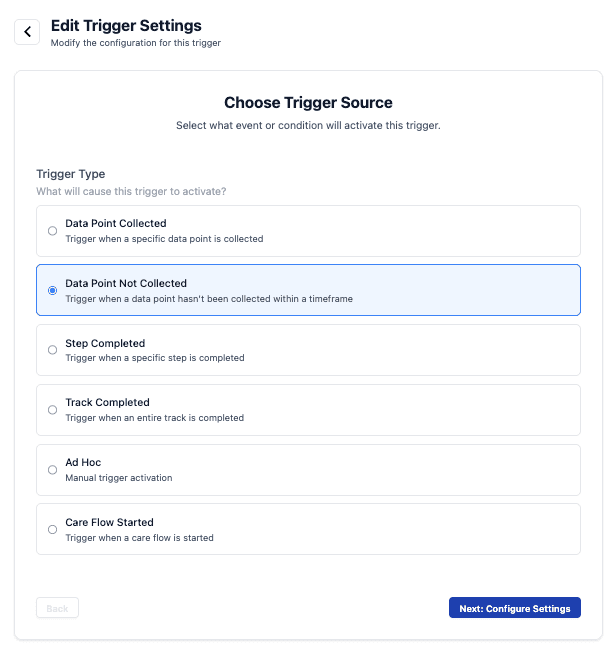
- Care Flow Started. The track activates as soon as the care flow starts for a patient. Every flow needs at least one of these, or nothing ever begins.
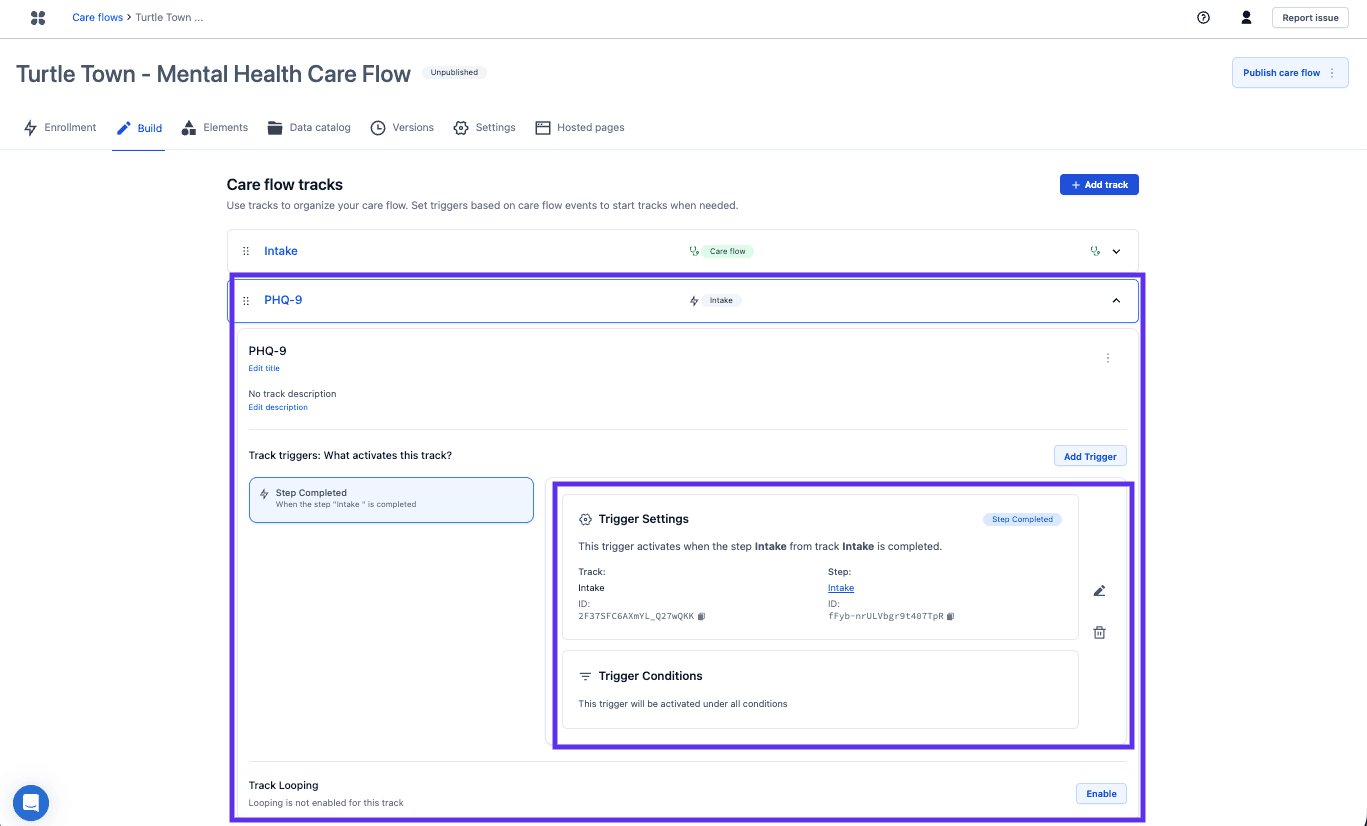
- Step Completed. The track activates when a specific step in a specific track finishes. Conditions can narrow it, so it only activates for some patients.
- Track Completed. The track activates when a whole track finishes. Conditions apply here too.
Use the sequencing triggers for the backbone: intake, then assessment, then follow-up.
Data-driven triggers follow what has been collected
Data-driven triggers suit alerting, follow-up reporting, and repeating work that doesn't fit a neat sequence.
- Data Point Collected. The track activates whenever a particular data point gets a value, at whatever point in the flow that happens.
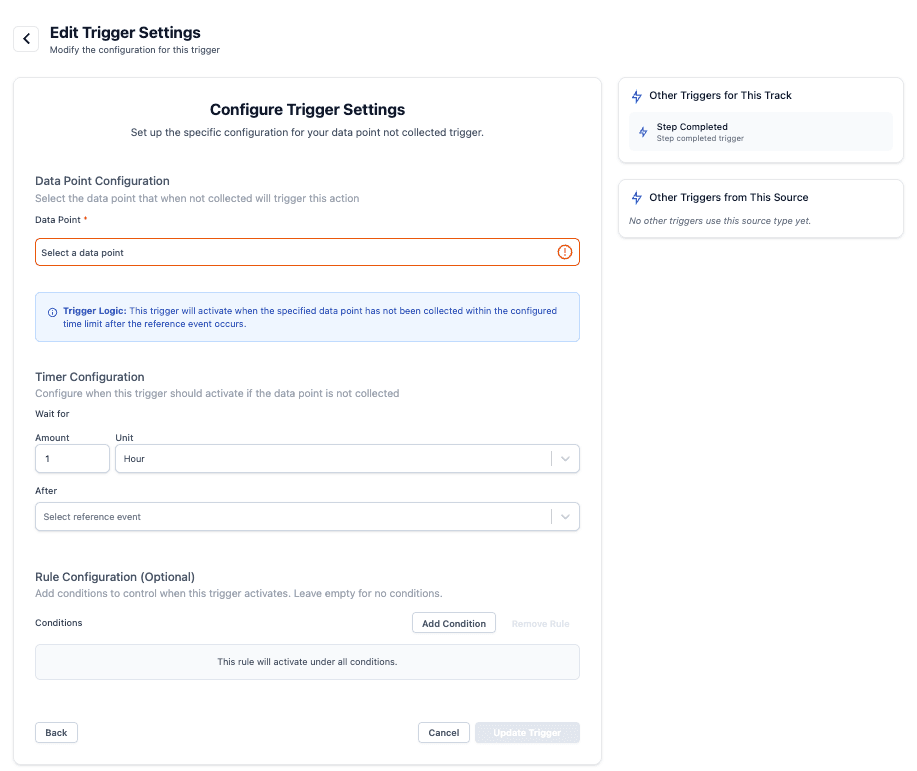
- Data Point Not Collected. The track activates when a data point has not been collected within a timeframe.
The Ad Hoc trigger has no condition
Ad Hoc is activated by hand. Nothing in the care flow starts it, so it fits work a care team decides case by case rather than by rule.
A Data Point Not Collected trigger needs a timeframe: an amount and a unit, counted from a reference event. If the data point is still missing when that time is up, the track activates.
Add a trigger
- Select the track.
- Open its activation trigger settings.
- Choose the trigger type, then the step or track it depends on.
- Add conditions if the track should only activate for some patients.
A track with no trigger never runs
Nothing warns about it, so when a track never activates for a test patient, check its trigger first.
Next steps
Next: Create and name a step. Tracks are the phases; steps are what happens inside them.
Repeating care, like a monthly reassessment, is often a looping track rather than a new trigger.