
Debug integrations with Monitor
Find and investigate failures in third-party connections and integrations, where problems most often surface.
Monitor shows problems affecting third-party connections and integrations, where most failures appear: a care flow's own logic is deterministic, and the systems it talks to are not.
What the Monitor page shows
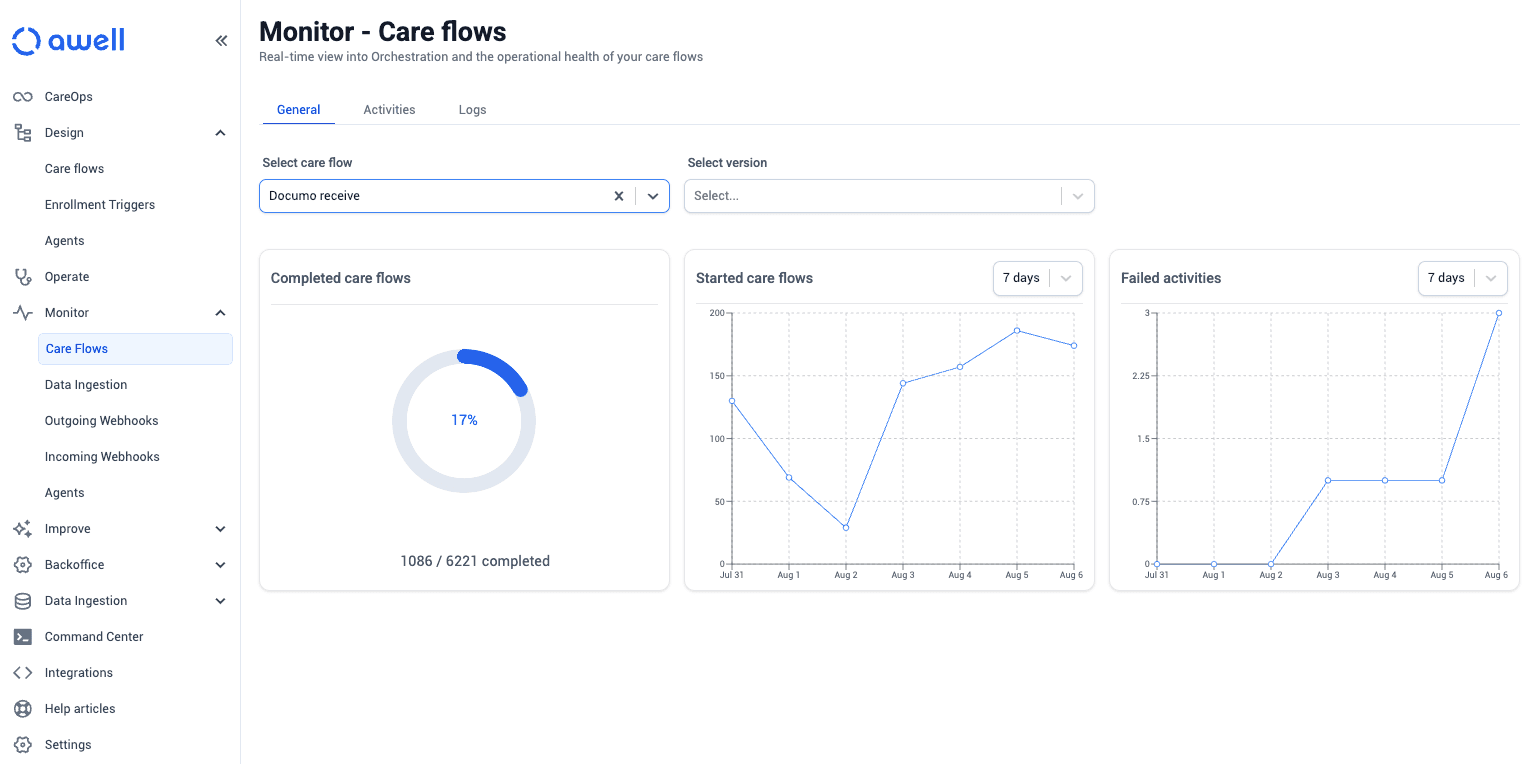
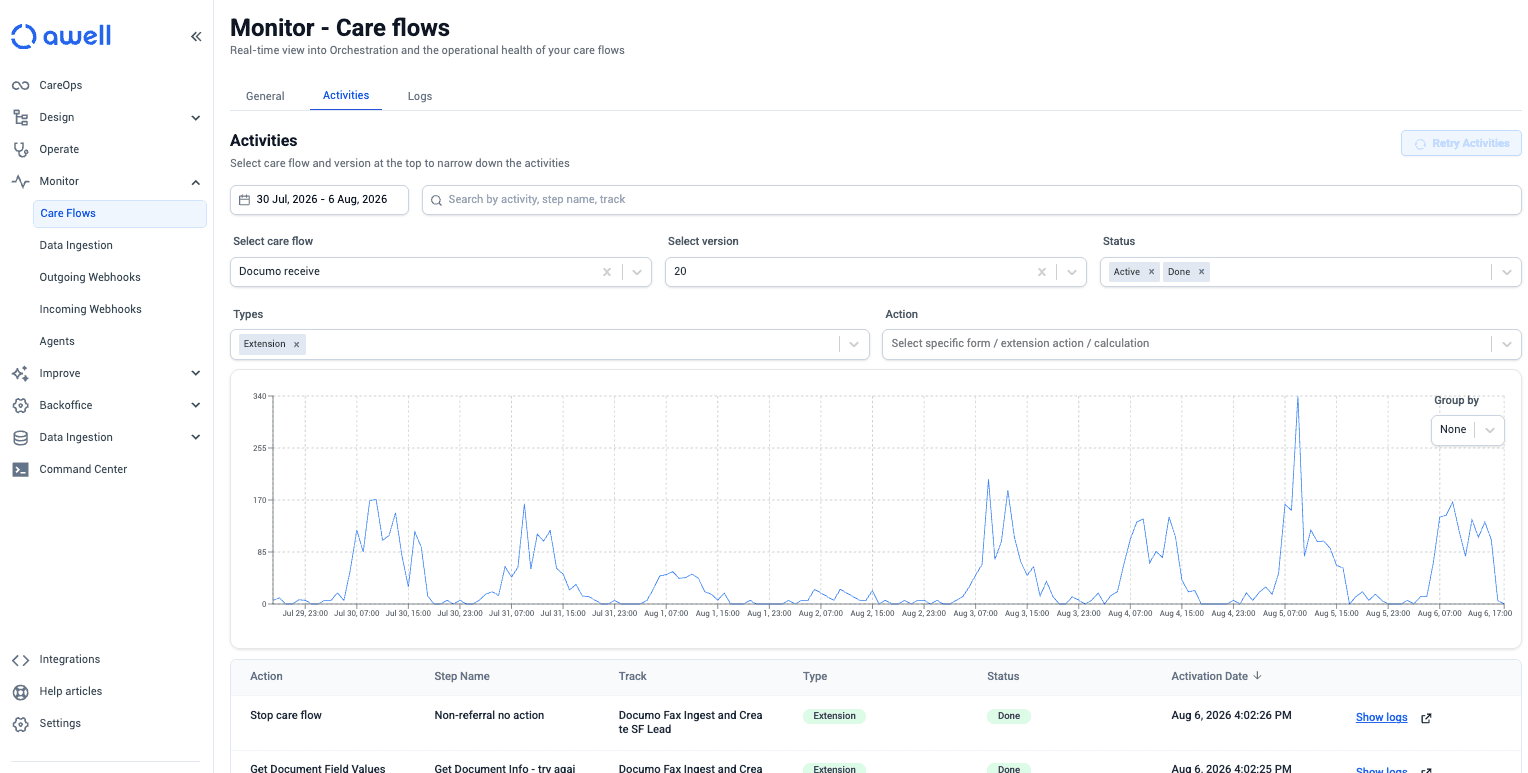
Monitor lists how many care flows have started and the activities that failed most recently, with their error details attached. Filtering to a specific activity gives the detail for one failure.
Where to start when something is wrong
- Monitor, for whether an integration is failing at all and what the error says.
- The activity feed for the affected patient, to see what the care flow did instead. See Review and interact with care flow activities.
- Audit logs, for why a step was discarded or a track triggered, including "why didn't this patient get the follow-up".
Monitoring incoming webhooks and enrollment triggers
Incoming webhooks and enrollment triggers are also monitored here. See Start a care flow from an incoming webhook for what the statuses mean.
What Monitor covers
Monitor's scope is third-party connections and integrations, including incoming webhooks and enrollment triggers. For anything it doesn't surface, email support@awellhealth.com.
Next steps
Next: Flow Path for where patients drop off, as opposed to where systems fail.