
Stop or delete a care flow
End a running care flow or remove it and its data entirely, with a clear warning that neither action can be undone.
Stopping and deleting are different actions, and both are final:
- Stop ends a running care flow. Its pending activities stop.
- Delete removes the care flow and all data associated with it.
Neither can be undone. A stopped care flow can't be restarted, and a deleted one can't be retrieved. Deleting also destroys the clinical data collected in that flow.
When in doubt, stop it. A stopped flow keeps its record; a deleted one doesn't.
From the patient list
- Go to the Patient list in Awell Care.
- Select the patient.
- In the list of active care flows, click:
- ◼️ to stop the care flow, and enter a reason.
- 🗑️ to delete the care flow and all its data.
Enter a real reason when stopping, since it's the only explanation anyone reviewing this patient later will have.
From the care flow activity feed
- Go to the Activities list in Awell Care.
- Select the care flow.
- Find the activity, which opens that flow's activity feed.
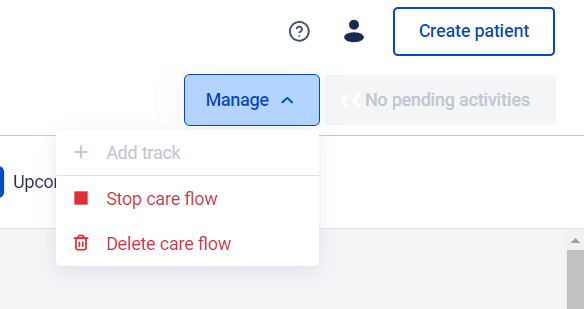
- Click Manage at the top right, then stop or delete.
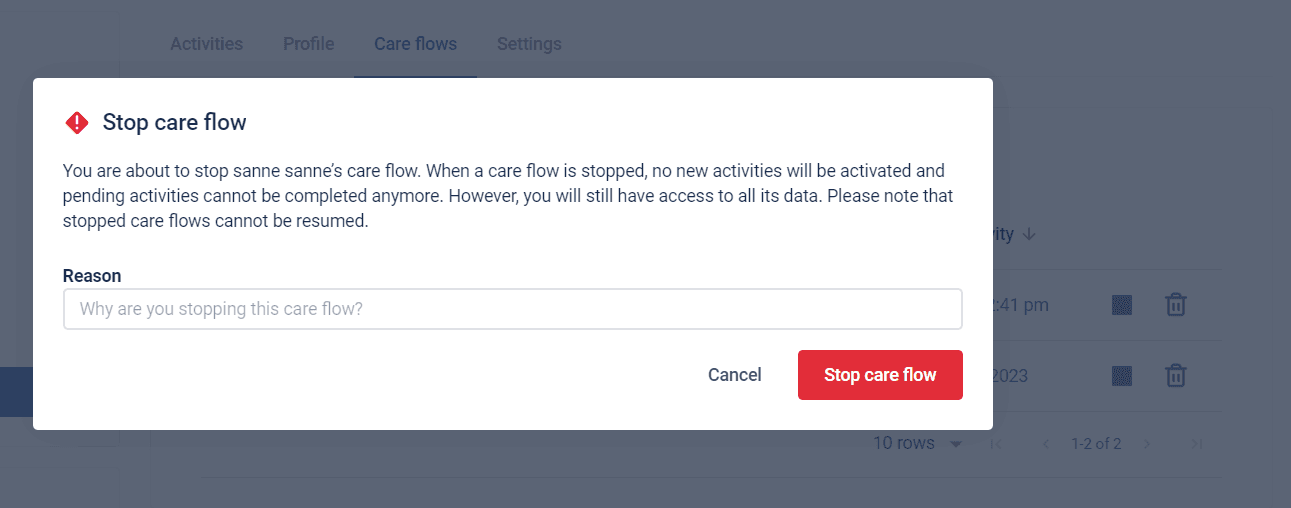
Stopping asks for a reason before it goes ahead, and repeats the warning that a stopped flow cannot be resumed.
Through the API
Both actions are available in the Orchestration API. See Care flows in the API reference.
Deleting a flow is not deleting a patient
This removes one care flow. Removing the person and everything about them, which is what a right-to-be-forgotten request means, is on View and edit a patient profile.
Next steps
To change what a care flow does for future patients, go to Design care flows.