
View and edit a patient profile
Review and update a patient's details, see all their care flows, and delete a profile when someone exercises the right to be forgotten.
A patient profile is everything Awell holds about one person: their details, their care flows past and present, and what's still pending for them.
Patient code and email address are read elsewhere in Awell
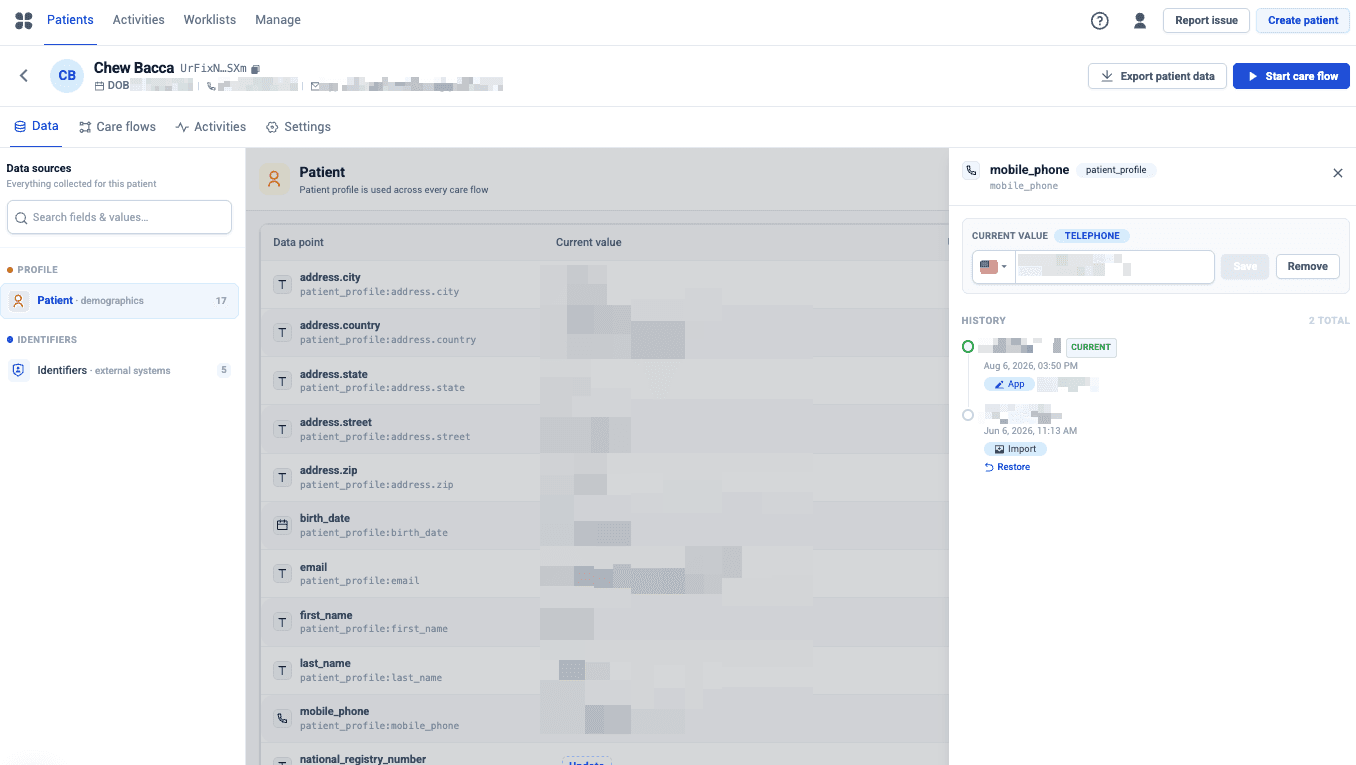
Identification, personal details and contact information are all editable on the profile.
- Patient code. The organization's internal identifier. Adding it makes look-ups and data exchange easier at runtime and in reporting, so add it wherever one exists.
- Email address. Any Send email action in a care flow uses it, so without an address nothing is sent.
Care flows for this patient
The Care flows tab lists their active, completed and stopped care flows, so any of them can be opened to see what happened.
Pending activities
The profile also shows what's still outstanding for this patient.
Delete a patient profile
Delete a profile and all its care flow data from the Settings tab of the profile. Do this when someone no longer wants to take part, or exercises their right to be forgotten.
Deleting is permanent, with one narrow exception. After an accidental deletion, email support@awellhealth.com within 30 days and the backup can be restored. After that the data is gone.
Because this deletes clinical data, treat it as a deliberate act rather than tidying up. To end participation without losing the record, stop the care flow instead.
Next steps
Next: Follow up on pending activities across the whole population, rather than one patient at a time.
Start a care flow
Enroll a patient in a published care flow from Awell Care or through the API, including the baseline data the flow may ask for.
Review and interact with care flow activities
Read messages, submit forms, and understand what a care flow did using the activity feed, the timeline, and the audit logs.